


Oppo OPDV971H DVD Player Review
Oppo OPDV971H
- Product Name: OPDV971H DVD Player
- Manufacturer: Oppo
- Performance Rating:


- Value Rating:
- Review Date: October 10, 2005 20:00
- MSRP: $ 199
Hardware:
- RF AMP/Servo DSP/CD Decoder/DVD Decoder: MTK1389
- Memory (Flash): 16M(bit)
- Memory (SDRAM): 64Mbit
- D/A Converter for Video: MTK1389 108MHz/12bit & CS4955 54MHz/12bit
- D/A Converter for Audio: CS4360 192KHz/24bit
- Loader: Sanyo Optics DV34S
Software:
- Updatable via CD-Rom
Power Supply:
- Input Voltage/Frequency: 110-~240V 50/60Hz
- Power Consumption in Standby: <1 Watt
- Max Power Consumption in Operate: 20 Watt
Video Characteristic:
- Video Amplitude VP-P (V): 1.0±0.2 (75 ohm)
- S-Video Amplitude VP-P (V): Y:1.0VP-P/75 ohm, C 0.286VP-P/75 ohm
- YCbCr: Y:1.0VP-P/75 ohm, Cb/Cr 0.7VP-P/75 ohm
- Resolution: 720X480X30/NTSC or 720X576X25/PAL
- Horizontal Resolution (TV Line): ≥ 450 lines
- DVI: 480p, 576p, 540p, 720p, 1080i
Audio Characteristic:
- Frequency: 20Hz~20KHz
- Signal-to-Noise Ratio: >90db
- Dynamic Range: ≥ 80 (1KHz)
- Total Harmonic Distortion: <0.01%
Unit Dimension:
- 16.5” x 10 5/8” x 1 7/8”(420mm X 270mm X 47mm)
- Net Weight: 2.5Kg
Pros
- Excellent video performance when using DVI output
- Basic DVD-Audio support
- Nice small form factor
Cons
- Component video outputs only support 480i
- Atrocious manual that goes through the settings labels without explanation
- Menu button on remote located out of reach
- Sub-par bass management and distance delay options for DVD-Audio
- Runs hot
- Slow button response and cycle time
- Inaccurate black/white level setting for factory default
- Macroblocking enhancement bug present when properly calibrated
Oppo OPDV971H Build Quality
It seems as if everyone is talking about the Oppo ("oh-poe") OPDV971H DVD player. The main attraction behind this new player is its DVI output and ability to upconvert DVD source material to both 720p and 1080i (in addition to the expected 480p). It is also HDCP-free, making it a player that is compatible with both HDCP and non-HDCP equipped displays. On board Faroudja DCDi processing (via an FLI-2310 chip) makes for an even more impressive package as the picture coming off of this $199 DVD player can rival other players priced much higher.

The Oppo DVD player came in a nice retail package. Opening it up, I was presented with a well-packed product wrapped in a tough blue material and capped by engineered foam packing material. To say that the unit was adequately protected would be an understatement. While I don't think the additional packing material was probably needed, it did serve to make the unit stand out from other products which come wrapped in plastic or thin layers of foam. The retail box included a composite video cable, a stereo analogue audio cable, remote control, batteries, a user manual and even a single link DVI-I cable.
The front panel of the unit is clean, measuring slightly less than 1 7/8" tall. The buttons and LCD display are themed blue which complements the silver faceplate. The DVD drive itself is very trim, with the drive tray measuring in at less than 1/4" in height. The rear of the unit sports 5.1 analogue audio outputs for DVD-Audio and a mixed L/R connection whose output is determined in the setup menu. There are composite and s-video connections for legacy systems. The component connection offers only 480i output and does not have the benefit of Faroudja processing which resides on the DVI output board. Coaxial and optical S/PDIF audio outputs are provided for PCM, DTS and Dolby Digital signals. Of course the real reason people are going gaga over this player is the fact that it has a DVI output ( without HDCP, making it friendly for use with displays have HDCP as well as legacy units that do not). On top of this, the Genesis FLI-2310 chip is planted squarely on this output, enabling DCDi and other visual benefits to using the DVI output.
I ran my standard "standby mode" test whereby I shut down the unit with the disc tray open. The Oppo doesn't take back in the tray before shutting down, it merely powers off as requested. In addition, activating any of the front panel controls fails to wake up the unit from standby mode - the power button must be depressed in order for power up to occur.
Update:
The player will retract the tray if the remote is used to power off the player.
Internal Components
The build quality if
the unit is what I would expect for a low-profile DVD player. The overall layout of the chassis
components is clearly defined and organized with a drive, power supply, connector board, DVI and
Genesis video processing circuitry and a MediaTek MPEG board. The MediaTek board uses the 1389 chipset
which is found on many PC-based drives and has had its share of firmware issues (which fortunately for
owners, Oppo has been excellent at addressing to date based on user feedback). Even with these issues,
the MediaTek chipset remains a very progressive system with support for such formats as DivX Pro. The
Genesis FLI-2310 chip, which appears exclusively on the DVI video output board, is no slouch and
appears on many higher-end DVD players. Why it is limited to the DVI board is an unfortunate mystery,
but we imagine Oppo was doing its best to meet its particular target price point. The OPDV971H has a
very modest power supply with a single 47uF capacitor and a PFC Boost Inductor. The slim-load DVD drive
is mostly plastic, but the unit seems built more for form than function in going with the slim overall
design.
Oppo OPDV971H Player Set-Up
 Pressing the
Setup button on the remote control brings up the icon and text-driven menu system for configuring the DVD
player. You can set all of the standard fare, including TV shape, language and screen saver. You can also
use the "Light Control"
menu setting to enable or disable the front panel LED lights located
on the power, eject, and navigation controls. As my rack is located in the back of the room I left the
lights on, but those of you trying to tame the chorus of landing lights in the front of your room may
wish to use the menu to turn off these LEDs.
Pressing the
Setup button on the remote control brings up the icon and text-driven menu system for configuring the DVD
player. You can set all of the standard fare, including TV shape, language and screen saver. You can also
use the "Light Control"
menu setting to enable or disable the front panel LED lights located
on the power, eject, and navigation controls. As my rack is located in the back of the room I left the
lights on, but those of you trying to tame the chorus of landing lights in the front of your room may
wish to use the menu to turn off these LEDs.
Setting up the audio for the player was easy, though I found myself looking for more
information and options. You can select the Downmix which will appear on the twin RCA connections
labeled "Mixed"
on the back of the player. If you select 5.1 then discs with 5.1 content
will play straight through with no downmixing. There are basic bass management options provided by the
player and speakers can be set to Large or Small to allow bass frequencies to either route to the
speakers or be crossed over to the subwoofer. While we were glad to see this, the crossover frequency
could not be adjusted, and time delay varied per speaker. The center channel, for example, maxed out at
68"
(5'
8"
). That was just over half the distance I needed to get to my listening
position. Subs and surrounds were more flexible, with maximum settings of 204"
(17'). In
addition to the issue of maximum distance, the channel delay was configurable in 4"
increments.
There are also no delay settings available for the main speakers, which is confusing considering the
center channel would need to closely match the main speakers (and thus, by deduction possibly controls
delay for the mains as well).
Update: According to OPPO, the audio channel delay adjustments are relative distance between the main speakers and the center, left surround and right surround speakers. The adjustments are not the absolute distance between each speaker and the listener. For this reason the adjustable distance of the center channel is limited to 68", and for the same reason the delay for the main speakers is not adjustable. The idea is to compensate the audio propagation difference caused by the distance difference of the speakers. This is not clearly mentioned in the manual, thus the confusion.
The
Audio Setup Page allows you to configure the unit to upsample PCM audio to either 48kHz, 96kHz, or
192kHz. You can also set up Dolby Digital and Dolby Pro Logic II modes within the player through
dedicated sub-menus, though this only works with the analogue outputs of the player. In this way you
can tweak the options for dynamic range and also set Pro Logic II to default to Music or Movie modes
(there is even an option for good old fashioned Pro Logic). Music mode gives you additional settings
for Panorama, Dimension, and Center Width (how much of the mains gets fed into the center channel
speaker). Most users will configure such settings on their receivers. Moving back to the main Audio
Setup page you will also find a place to adjust channel trims (+/- 10dB in 0.5dB steps) via an
on-screen display of sliders (one for each of the 5.1 channels). A global Audio Delay is provided for
0-50ms delay in 10ms increments. This is intended for use to compensate for slower digital displays
that may cause the audio to be ahead of the video.
The
Video Setup page finishes up the Setup menu with access to Sharpness, Brightness, Contrast and
Saturation (+/- 10 for each setting except Sharpness which is Off/High/Medium/Low). It was at this
point that the lack of a key repeat on the remote control really started to get to me. To make
adjustments you'll need to repeatedly press the key for each incremental change. After a while it
just gets tiring. TrueLife (switchable on/off) enables the DVI-only Faroudja processing that uses
non-linear algorithms to enhance small details and colors in images. It is designed to improve depth
perception by sharpening large edges without introducing visual artifacts or distortion. Basically,
turning TrueLife "off"
disables the Faroudja deinterlacing, causing the Oppo to perform
rather poorly when feeding any DVI/HDMI-capable device.
Update: According to Oppo the problem with turning off DCDi when "TrueLife" is set to "Off" will be corrected in the next firmware release and will be available shortly.
The last Setup Menu items are under the Preference Page and are accessible when the
player is in the stopped mode. Here you can set the unit for NTSC or PAL (the player converts from one
to the other, but we could not verify as we do not have any PAL discs). You can also set the default
language, subtitles, audio track, reload factory default settings and set Parental controls. There is
also an SVCD-specific function called PBC that determines whether SVCD discs play the menu image or
simply play the disc in sequence.
Editorial Note
Oppo provides a setting in the Video Setup menu called CCS, or Cross Color Suppression. This was permanently enabled until they pulled it out in a recent firmware update. We recommend leaving this Off as it seems to negatively affect the picture under certain conditions. CCS is intended to be used for still images or imagery that is not in motion and eliminates artifacts caused by the presence of chroma (color) information left in the luma signal after color separation.
Remote Control
I found the remote control
to be somewhat of an anomaly. I really liked the look of the buttons. In fact, the buttons
looked
like they should light up... but they didn't. As a result I eventually programmed
it into my universal remote control since it is nearly impossible to see a dark remote in a front
projection theater room. Navigation controls were well laid out with the exception of the MENU button,
which was located well out of the way, inconveniently placed towards the top of remote. The SETUP
button, on the other hand, was right above the 4-way selection area. These two should probably be
switched in future iterations.
A KEYBOARD button on the remote brings up an on-screen control overlay, similar to what you see with software DVD players. I'm not too sure what the advantage of having this is, except that the remote control itself isn't that well laid out, so being able to memorize the location of the Virtual Keyboard button might make sense for many people in a darker room. The problem, of course, is that the KEYBOARD button itself is nestled into the mix of buttons at the bottom of the remote! An improvement on this remote could be done simply by varying the button layout a bit more using size and location to differentiate areas for better tactile recognition. Backlighting is a must, and get that oft-used (for me at least) MENU button closer to where the action is.
Some more good things to note include direct access and toggle functions of such things as EQ, ZOOM, SUBTITLE, AUDIO tracks, and a MUTE button that cuts off both analogue and digital audio on command. You can jump to any Chapter or time (via track or disc time) by hitting the GOTO button. A PSM button gives you a nifty 13-band "eye candy" level meter across the bottom of the image that reacts in real time with what's playing. There are two versions that you can toggle. There is probably some proud software developer in China that spent months on this feature - we thought it only fair to at least mention it.
Update: According to Oppo, a new remote control design is in the works and should be available in a few weeks.
Video and Audio Measurements & Testing
Performing measurements and tests on a DVD player using tools at our disposal is somewhat objective, but still results in a certain amount of subjective decision-making in terms of scoring and evaluation. As such, we recommend that these test results be used as a guideline only. For the review of this DVD player, the performance was based on the player in conjunction with the display monitor. We used the Yamaha LPX-510 3LCD projector which was calibrated as close as possible to ISF reference standards. For the test and evaluation of the OPDV971H we used selections from Avia Pro and the Silicon Optix HQV Technology benchmark DVD test discs in addition to various test clips from popular movies.
Editorial Note
This is the first player to undergo our new Audioholics DVD torture tests which is part of our new DVD Player Features and Benchmark Comparisons Chart . Our tests are designed to provide objective feedback to sequences and patterns that represent real-world scenarios. Rest assured, this first test was quickly followed up by a couple of other players we had on hand, and we'll try to re-test older players we've already reviewed as they are available to us. The testing process is rigorous. The simple fact is that many of the high-end DVD players cannot pass all the sequences and we are looking at items that will separate "the men from the boys" in addition to what are basic requirements for all quality players. We at Audioholics feel there should be no compromise on borderline judgment calls on the tests. The DVD player either passes the test or it doesn't (exceptions are noted where partial credit is possible). We also do our best to try various settings, outputs and adjustments to ensure the best possible results. It is our hope that with this testing, the DVD player manufacturers will continue to upgrade their implementation of the technologies and strive to make products that are fully capable of providing excellent picture quality for real world situations. All DVD player reviews are subjected to this latest batch of new tests. Please read the conclusions for our thoughts on the DVD player's performance.
Oppo OPDV971H Test Results and Conclusion
Audioholics/HQV Bench Testing Summary of Test Results
Perfect Score is 130
Oppo OPDV971H Benchmark total score: 90/130(This indicates a very solid player at this price point)
|
Test |
Max |
Results |
Pass/Fail |
|---|---|---|---|
|
Color Bar |
10 |
10 |
Pass |
|
Jaggies #1 |
5 |
3 |
Pass |
|
Jaggies #2 |
5 |
3 |
Pass |
|
Flag |
10 |
10 |
Pass |
|
Detail |
10 |
10 |
Pass |
|
Noise |
10 |
7 |
Pass |
|
Motion adaptive Noise Reduction |
10 |
7 |
Pass |
|
Film Detail |
10 |
10 |
Pass* |
|
Cadence 2:2 Video |
5 |
5 |
Pass |
|
Cadence 2:2:2:4 DV Cam |
5 |
5 |
Pass |
|
Cadence 2:3:3:2 DV Cam |
5 |
0 |
Fail |
|
Cadence 3:2:3:2:2 Vari-speed |
5 |
0 |
Fail |
|
Cadence 5:5 Animation |
5 |
0 |
Fail |
|
Cadence 6:4 Animation |
5 |
0 |
Fail |
|
Cadence 8:7 animation |
5 |
0 |
Fail |
|
Cadence 24fps film |
5 |
5 |
Pass |
|
Scrolling Horizontal |
10 |
5 |
Pass |
|
Scrolling Rolling |
10 |
10 |
Pass |
|
Total Points |
130 |
90 |
|
*All tests were done with the DVI outputs at 480p/720p and 1080i when appropriate. Any failed tests were checked in other output resolutions as well. The test results above were based on 720p resolution.
Comments on Audioholics DVD Torture Tests
For the full list of features and testing, please see the new DVD Player Features and Benchmark Comparisons Chart . The player did very well with regards to maximizing the capabilities of the onboard Faroudja FLI-2310 chip and MediaTek MPEG decoder. It would be hard to discern the visual difference between this player and other Faroudja-based players running the same chip combination based on our tests. The odd performance issues included an inability to truly lock on with the Zone Plate tests once the speed picked up to anything above a crawl. Even at slower speeds there were hints of moiré patterns depending upon the direction of movement. This problem was only compounded when the test was combined with edit detection.
Like almost all Faroudja players we've tested, there was moderate noise reduction performance and a failure to lock on to any highly-unusual cadences. In addition, jaggie reduction could be a tad better at the extremes and when combined with mixed media elements such as horizontal scrolling text. Oddly enough, the known Faroudja macroblocking "enhancement" feature seemed to be rather tame on the Oppo. Though we were viewing content with known macroblocking issues, the player didn't seem to enhance these errors as other FLI-2310 chip-based players have in the past - which piqued our interest. After further exploration, we quickly realized that the player was significantly reducing black levels - thus making the macroblocking effects seem less intense. Putting up some test patterns on an ISF-calibrated display we saw that in order to get the player to have correct black and white levels, brightness (black level) had to be set to around +10 and contrast (white level) needed to be bumped to -1. With these settings in place, the FLI-2310 macroblocking enhancement bug was back as expected. This is the first time I have seen a DVD player so badly out of calibration in comparison to my other reference players. Now, realize that there are certainly two approaches one can take - I could have corrected the display to the player, however I have reviewed enough players on it to realize that the Oppo was the odd man out in this case and needed to be corrected.
Update: According to Oppo, baseline brightness will be calibrated (increased) in the pending next firmware release.
Layer changes were pretty speedy, coming in at around 0.75-0.8 seconds consistently. Boot up time, however was not nearly as fast - taking about 11 seconds before you can open up the tray to put a disc in. After the disc was inserted, it took another 15 seconds before it brought up the first video track. As mentioned earlier, turning off power while the tray is open also does not result in the tray being retracted. Overall, the player feels a bit sluggish with front panel and remote buttons responding in a rather delayed fashion.
Viewing Evaluation
After reading the benchmark test results you'll see that the OPDV971H is an excellent player. While not scoring a perfect 130 points, it does exceptionally well for a player in its price class and passes the majority of critical tests with flying colors. I would not, however, consider it refined enough to be competition for flagship universal players as some would seem to believe.
Viewing evaluations are always subjective, but they are a great opportunity to see the practical demonstration of the above test results. In selecting movies for our demo we chose some reference DVDs as well as some content with less than stellar source material.
DVD: Hitchhiker's Guide to the Galaxy
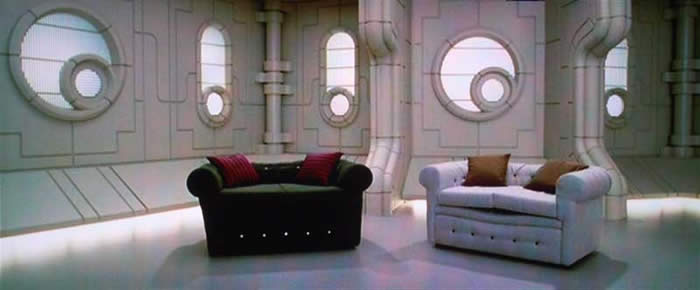
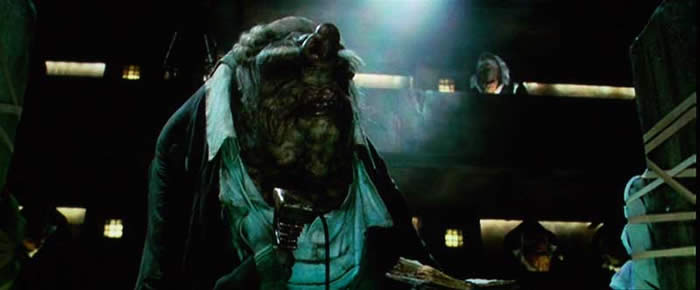
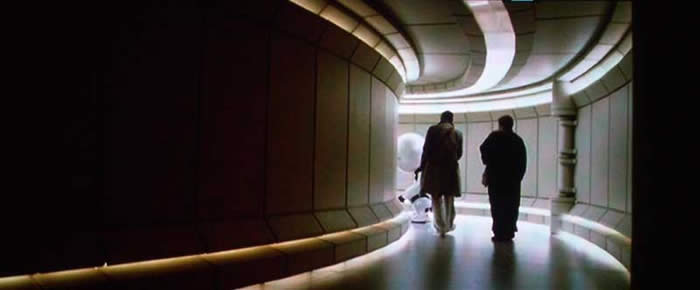
Hitchhiker's Guide to the Galaxy offered a wealth of material with which to check the visual quality of the Oppo player in a real-world home theater environment. There were plenty of scenes with difficult deinterlacing combined with moving on-screen elements. Noise reduction was possibly the area in which I would desire some improvement as this film has some very "dirty" looking scenes that could have come out looking a bit more refined. Still, I found that it reproduced the myriad of textures, colors and luminance values present in this DVD with grace. Detail on the Jim Henson creatures was impeccable at times, with fine hair and clothing accents making this a very fun movie to watch - this despite its disappointment as a screenplay adaptation of what I consider to be some of the best sardonic literature ever written. Paying attention to the many instances of black space and bleak environments (both on-ship and on-planet) I noticed that the Oppo consistently avoided banding, though macroblocking was apparent after the correct video levels were set.
DVD: Constantine
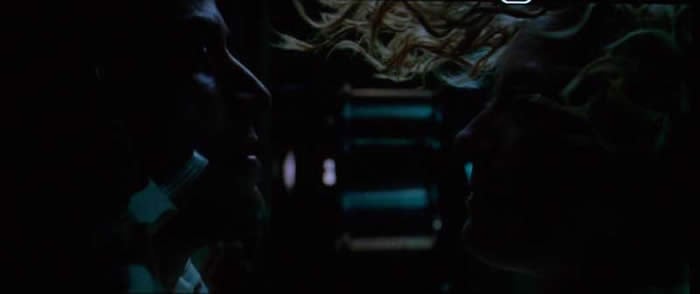
No, it's not an epic movie about a third century Roman Emperor... Constantine is done in the (seemingly endless?) style of comic book-turned-movie franchises which pepper the audience with dark, dimly lit scenes periodically erupted by peaks of action and explosions. I chose this disc, not for its great cinematic qualities - but to check out how well the Oppo did in low luminance level situations. What I found was that, while the Oppo passes blacker than black signals (and this DVD had quite a bit of very dark content) it tended to crush the blacks a bit more than my DVD-3910 reference player. Since there was no way to adjust gamma on the player, this condition was a consistent issue during dark scenes. For people who don't adjust the brightness on the player this could be a real problem. The picture in Constantine was not as noisy as the previous movie and so I didn't see too many occurrences of noise that detracted from the viewing experience. There was quite a bit of motion in this disc, which gave the Oppo OPDV971H a chance to show off its motion adaptive deinterlacing ability along with a consistent color representation that didn't seem to falter (lose bit depth) during action-heavy scenes.


Listening Evaluation
We plan on writing a follow up to this article that discusses the audio capabilities of the player. We were unable to do sufficient A-B testing and evaluations in the time allotted so we opted to publish the review with an emphasis on video performance. In a part 2 article we will publish reports on the bass management features and overall analogue audio output performance.
Conclusion
This player has been hyped almost to the point of being the holy grail of DVD players. In all honesty, for the $199 MSRP it really is a great player. The differences come down to black level, build quality, audio capability, bass management, and the responsiveness and usability. For the price you really can't pass up the video quality of this player - especially if you're looking for a source component to match with a digital display.
The Score Card
The scoring below is based on each piece of equipment doing the duty it is designed for. The numbers are weighed heavily with respect to the individual cost of each unit, thus giving a rating roughly equal to:
Performance × Price Factor/Value = Rating
Audioholics.com note: The ratings indicated below are based on subjective listening and objective testing of the product in question. The rating scale is based on performance/value ratio. If you notice better performing products in future reviews that have lower numbers in certain areas, be aware that the value factor is most likely the culprit. Other Audioholics reviewers may rate products solely based on performance, and each reviewer has his/her own system for ratings.
Audioholics Rating Scale
 — Excellent
- — Very Good
- — Good
- — Fair
- — Poor
| Metric | Rating |
|---|---|
| Standard Definition Video Performance | |
| Bass Management | |
| Build Quality | |
| Ergonomics & Usability | |
| Ease of Setup | |
| Features | |
| Remote Control | |
| Performance |  |
| Value | |
Clint Deboer was terminated from Audioholics for misconduct on April 4th, 2014. He no longer represents Audioholics in any fashion.
View full profile Subscribe to our newsletter