


Mitsubishi WD-73735 Rear Projection DLP Review
Mitsubishi WD-73735
- Product Name: WD-73735
- Manufacturer: Mitsubishi
- Performance Rating:

- Value Rating:
- Review Date: October 20, 2008 05:48
- MSRP: $ 2699
|
General Screen Size: 73-inch Aspect Ratio: 16:9 (widescreen) Size: 43.6" x 65.2" x 17.5" Height On Base: 60.2" Weight
(Physical): 93.0 lbs. Display Type: 1080p DLP® Pixel Resolution (horizontal x vertical): 1920 x 1080 Lamp
Power: 180 Watts Mitsubishi Exclusive Processor: 6-Color Video Format Conversion: Plush1080p® HDMI 1.3a™: Yes Deep Color (36 bit) and x.v.Color™: Yes PerfectColor™: Yes Video Noise Reduction Color: 4D Picture Format Modes (4:3 sources): 6 Picture
Format Modes (16:9 sources): 3 Easy Connect™: Yes ChannelView™: Yes A/V Adjustment (memorized by input): Yes Color Temperature Control (by input): High/Low Video Modes: Brilliant/Bright/Natural/Game Full Screen Image Freeze: Yes |
Tuning Combined Tuner Analog/Digital/Cable (In The Clear): 1 Antenna
(RF) Inputs: 2 Front Component/Composite Combined: 1 Front
USB Photo Input: 1 Component Input (480i/480P/720P/1080i), (One Component/Composite Combined): 2 Rear A/V Inputs with S-Video: 1 Rear Stereo Audio Input for PC/DVI Source: 1 Rear HDMI™ Inputs: 3 480i, 480p, 720p, 1080i (60Hz): Yes 1080p
(24Hz, 30Hz, 60Hz): Yes Outputs Stereo Audio Output: 1 (fixed) Digital Audio Output: (Dolby® Digital / PCM) 1 (coaxial) 3D
IR Emitter: 1 Remote Control Remote Control: Partially Illuminated 5 Device Multibrand Illuminated Remote: Yes |
Pros
- Good black definition
- Great HD performance
- Nice size to dollar ratio
- Extremely fast switching between HD and SD channels
Cons
- Limited calibration options
- Overall soft picture on non-HD material
- Inaccurate color
WD-73735 Build Quality and Setup
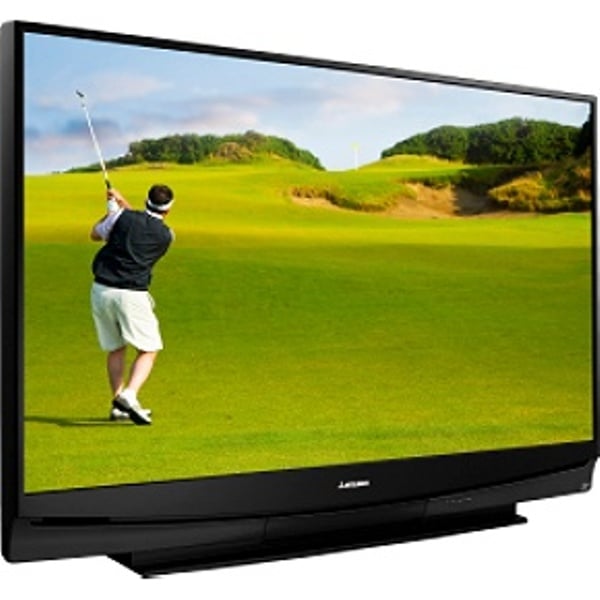 When I was asked if I
wanted to review a rear projection TV, I said what I always do - Yes. Then they
wanted to know how big of a set did I want to review. Well, how big do they
get? Apparently 73 inches. The Mitsubishi WD-73735 is near the top of the line
from them in rear projection DLPs. It's huge, of course, and fairly light for its
size. Having such a large display comes with its own challenges, such as
requiring a two man delivery team (delaying the delivery by almost a week),
finding somewhere to store such a huge box, and going back to your 42" LCD
after the review period. Oh, well, I suppose I'll have to take one for the team
on this one.
When I was asked if I
wanted to review a rear projection TV, I said what I always do - Yes. Then they
wanted to know how big of a set did I want to review. Well, how big do they
get? Apparently 73 inches. The Mitsubishi WD-73735 is near the top of the line
from them in rear projection DLPs. It's huge, of course, and fairly light for its
size. Having such a large display comes with its own challenges, such as
requiring a two man delivery team (delaying the delivery by almost a week),
finding somewhere to store such a huge box, and going back to your 42" LCD
after the review period. Oh, well, I suppose I'll have to take one for the team
on this one.
First Impressions and Build Quality
As you might expect from a huge display, it came in a huge box. It was of the "lift off the top" variety and arrived undamaged. It comes with a setup guide, owner's manual, remote, and power cord. This is the first setup guide that I've seen with two parts. Usually, they just load it all up on one big page. The display is huge and the box is equally impressive. As I stood there staring at it, I wondered if I was going to have to have a few friends over to help me move it.
As all rear projection sets, the screen and upper areas are all fairly lightweight and "flimsy." I put flimsy in quotes because this isn't a slam against the build quality - it is just the nature of the beast. The base is larger and much more sturdy. The bevel around the screen is very thin - around a half an inch. Many rear projection sets have a base that is as wide as the screen. The WD-73735 doesn't do this and instead has a base that is about 37 1/2" and is nearly 18" deep. For the size of screen, it is pretty shallow.
 The front sports the Mitsubishi
logo, a slot where the speakers fire out of, , and a small covered panel.
Behind the panel is a USB port (for pictures), component video inputs, and
analogue audio inputs. There are also controls for Volume, Channels, Format,
Menu, Guide, and Input. Just in case you don't have enough reasons to yell at
your kids, there is also a System Reset button that freezes up the display for
up to a minute and a half. No warnings, no "Are you Sure" messages,
just a black screen and a little flashing green light until it is done. The
button exists to reset the TV in the event that it stops responding to the
remote. Ironically, the only time the WD-73735 didn't respond to the remote
during the review period was when the System Reset button was pressed and I was
trying to turn it back on. Luckily, it doesn't reset any of your calibration
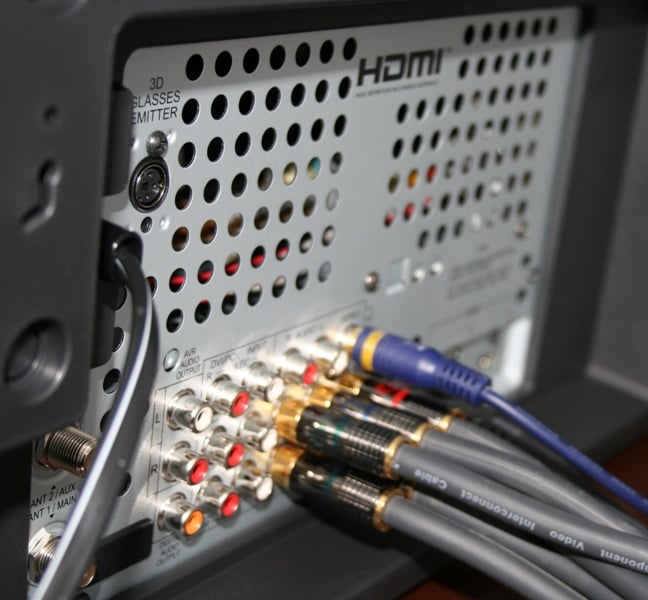
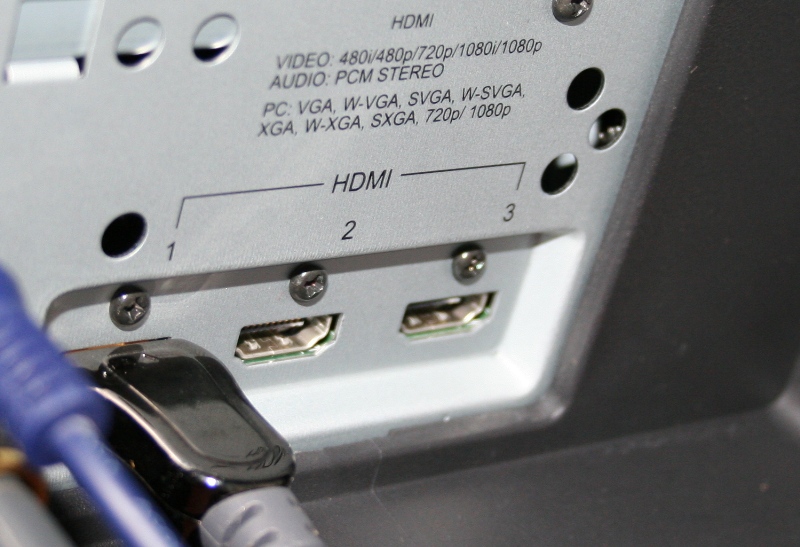
settings (unless they were recently made). The back has three HDMI inputs, two
more Component video inputs, a couple of analogue audio inputs, an
S-Video/Composite input and a Coaxial digital audio input. There are no TOSLink
or Coax audio outputs or PC inputs. Two antenna inputs are also included. If
you have a set of 3D glasses and something to use them with (I didn't), there
is a port for that as well. The power cord is not detachable (an odd oversight
in a near top of the line RPDLP).
The front sports the Mitsubishi
logo, a slot where the speakers fire out of, , and a small covered panel.
Behind the panel is a USB port (for pictures), component video inputs, and
analogue audio inputs. There are also controls for Volume, Channels, Format,
Menu, Guide, and Input. Just in case you don't have enough reasons to yell at
your kids, there is also a System Reset button that freezes up the display for
up to a minute and a half. No warnings, no "Are you Sure" messages,
just a black screen and a little flashing green light until it is done. The
button exists to reset the TV in the event that it stops responding to the
remote. Ironically, the only time the WD-73735 didn't respond to the remote
during the review period was when the System Reset button was pressed and I was
trying to turn it back on. Luckily, it doesn't reset any of your calibration
settings (unless they were recently made). The back has three HDMI inputs, two
more Component video inputs, a couple of analogue audio inputs, an
S-Video/Composite input and a Coaxial digital audio input. There are no TOSLink
or Coax audio outputs or PC inputs. Two antenna inputs are also included. If
you have a set of 3D glasses and something to use them with (I didn't), there
is a port for that as well. The power cord is not detachable (an odd oversight
in a near top of the line RPDLP).
Set-Up & General Use
 The Mitsubishi WD-73735 is a
monster in size but fairly lightweight. Something about its size to weight
ratio makes it seem lighter than it is. My wife and I managed to load it up on
the Diamond
Case cabinet. Because of the size of the display and the height of the
cabinet, I often felt like I was looking up at it. Rear projection displays
tend to have inconsistent off axis response (even when you are looking straight
on) and seem to change as you move around the room. Once I settled into my seat
and spent a little time with it, the WD-73735 looked pretty natural to me. All
in all, if I could have lowered the display a bit so that my eyes were directly
in line with the middle (rather than the bottom 3rd) of the display, it probably
would have looked a little more natural.
The Mitsubishi WD-73735 is a
monster in size but fairly lightweight. Something about its size to weight
ratio makes it seem lighter than it is. My wife and I managed to load it up on
the Diamond
Case cabinet. Because of the size of the display and the height of the
cabinet, I often felt like I was looking up at it. Rear projection displays
tend to have inconsistent off axis response (even when you are looking straight
on) and seem to change as you move around the room. Once I settled into my seat
and spent a little time with it, the WD-73735 looked pretty natural to me. All
in all, if I could have lowered the display a bit so that my eyes were directly
in line with the middle (rather than the bottom 3rd) of the display, it probably
would have looked a little more natural.
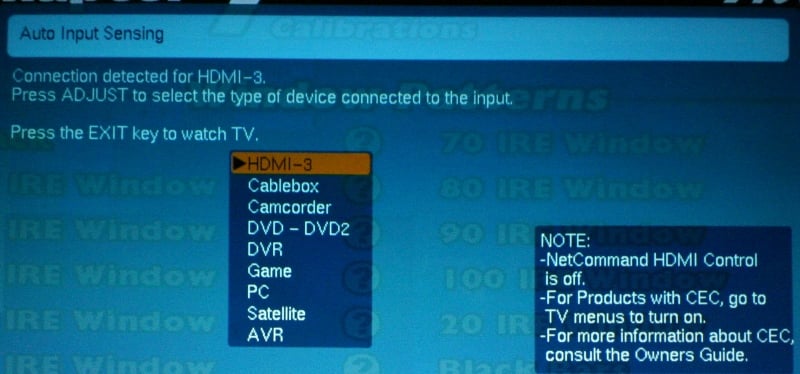 Once you power
the unit on, it immediately recognizes every input that you are using. I had
already wired up most of my components with Impact
Acoustics cables so I was taken to a screen that asks you to name each of
the inputs (you can pick from a list rather than enter characters). The
WD-73735 will do this every time you add an input. Later on, I moved my HDMI
cable to one of the inputs (to make sure they worked) and the Mitsubishi
immediately sent me to the naming screen again. The only real problem I had
with this process is there was no "Select" button. Instead, once you
found the name you wanted, you just hit "Exit" which is not nearly as
intuitive as confirming your selection with a button press. You can rename (and
reorder your inputs) from the menu system at any time. Overall, this was a very
nice feature (if a bit clunky).
Once you power
the unit on, it immediately recognizes every input that you are using. I had
already wired up most of my components with Impact
Acoustics cables so I was taken to a screen that asks you to name each of
the inputs (you can pick from a list rather than enter characters). The
WD-73735 will do this every time you add an input. Later on, I moved my HDMI
cable to one of the inputs (to make sure they worked) and the Mitsubishi
immediately sent me to the naming screen again. The only real problem I had
with this process is there was no "Select" button. Instead, once you
found the name you wanted, you just hit "Exit" which is not nearly as
intuitive as confirming your selection with a button press. You can rename (and
reorder your inputs) from the menu system at any time. Overall, this was a very
nice feature (if a bit clunky).
The input sensing of the WD-73735 really took just about all the stress out of setting up the display. The Denon AVR-2307CI didn't seem to want to play nice with the display which caused me to have to turn the display, receiver, DVD player, and cable box on and off until something finally synced up via HDMI. Once that happened, all the other sources worked as well. If I connected the source directly to the unit, I didn't have that problem. I figured out eventually that if I left the receiver on, I didn't have the problem any longer. Irritating, yes, but I blame HDMI and not Mitsubishi.
Mitsubishi is now on the list of manufacturers who apparently don't employ anyone with an Xbox 360. The only way to get 1080p out of a 360 is via Component cables. The WD-73735 will only accept up to 1080i via component. Be sure to change your resolution before you make this connection or you'll have to reach back there and flip that stupidly placed switch on the cable to reset everything to standard definition.
The WD-73735 sports three real aspect ratios (the manual has a bunch but either they are locked into their internal tuners, I'm reading it wrong, or I don't know the correct voodoo chant to get to them): Standard, Expand, and Zoom. Standard is what you'd expect - just putting the picture up there. Expand is your stretch mode and Zoom crops the top and bottom for letterboxed 4:3 content. These are pretty standard, no frills aspect ratios and work with all content (including HD). I generally didn't use them because the picture was so large I didn't really care if there were a few black bars here or there.
One thing I did notice when using this set was the speed it changed from standard definition channels to high definition ones. The WD-73735 is hands down the fastest set I've ever used. With other displays, I've encountered everything from brief delays (with a black screen) to flickering images, to long delays with flickering images. One of the displays I've used recently was prone to losing its HDCP handshake if I switched between channels too quickly. For channel switching, the WD-73735 has yet to be bested in my experience.
Menus
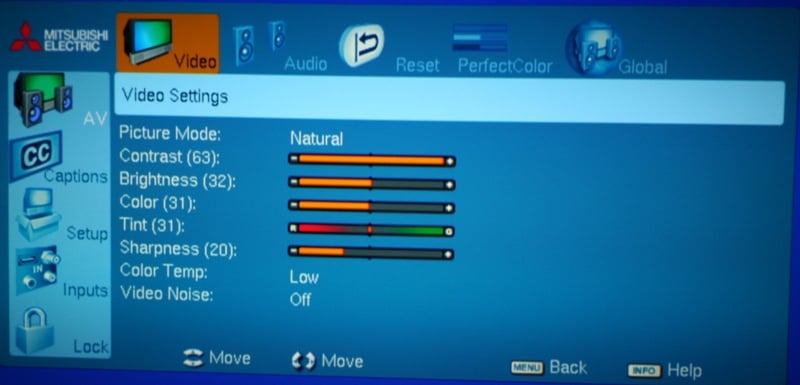 The menu system uses a lot of little graphics (little is relative on
this screen - everything is rather big) to represent things. These mostly make
sense though it might take a little time to get used to them. The AV Menu is
the big one and we'll cover that in detail below. The Captions Menu is just for
closed captioning. Not sure why that needs a menu off the main screen. Setup
(where the Captions Menu should be housed) is for those using the internal
tuners on the WS-73735. It also gives you access to the power modes such as
Energy Mode (Fast Power On - consumes more power when off but powers up
quickly, Low Power - the opposite) and Lamp Mode (Standard, Bright - only for
brightly lit rooms). The Input menu lets you rename your inputs and reorder
them. Reordering them actually is pretty cool in that you can move your most
used input to the top of the list and group all the ones you have connected
together. This way you don't have to scroll through three or four unused inputs
when you want to switch from your DVD player to your Xbox for instance. It is
nice that the menu remembers that last setting you used. The timeout on each is
pretty short so this comes in handy (or you can keep adjusting a bit just to
keep it open like I did).
The menu system uses a lot of little graphics (little is relative on
this screen - everything is rather big) to represent things. These mostly make
sense though it might take a little time to get used to them. The AV Menu is
the big one and we'll cover that in detail below. The Captions Menu is just for
closed captioning. Not sure why that needs a menu off the main screen. Setup
(where the Captions Menu should be housed) is for those using the internal
tuners on the WS-73735. It also gives you access to the power modes such as
Energy Mode (Fast Power On - consumes more power when off but powers up
quickly, Low Power - the opposite) and Lamp Mode (Standard, Bright - only for
brightly lit rooms). The Input menu lets you rename your inputs and reorder
them. Reordering them actually is pretty cool in that you can move your most
used input to the top of the list and group all the ones you have connected
together. This way you don't have to scroll through three or four unused inputs
when you want to switch from your DVD player to your Xbox for instance. It is
nice that the menu remembers that last setting you used. The timeout on each is
pretty short so this comes in handy (or you can keep adjusting a bit just to
keep it open like I did).
AV Menu
While this is technically the "big" menu, you' don't really have a lot to do here. Calibration options are at a minimum and after you complete your initial setup, you'll probably only really have Brightness to mess with. The majority of your settings are under the Video submenu so we'll do that one last. From right to left you have
Global - Here you can mute the video (displays a purple screen) or enable an Audio Only Screensaver (plays the audio while displaying a random pattern). You can turn off Film Mode (don't) or display a test picture (which really isn't all the great for calibration as far as I could tell).
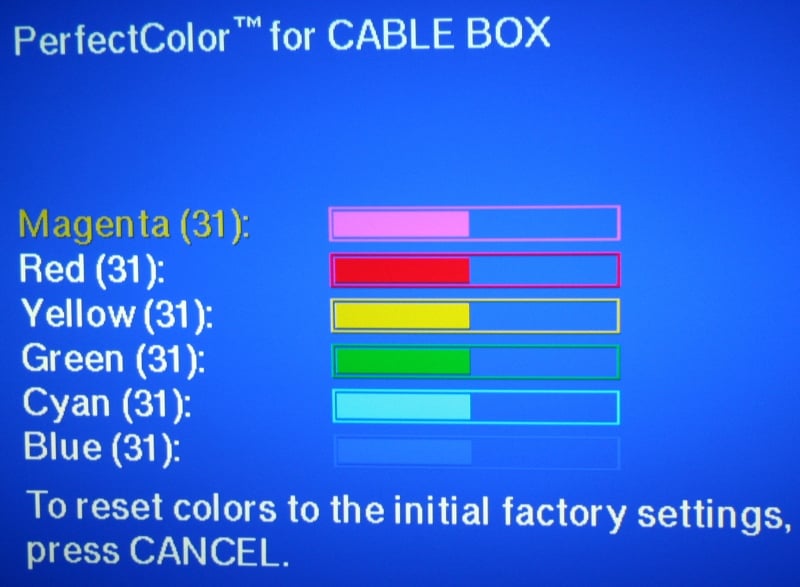 Perfect Color - I suppose this is supposed to be your major calibration location. Unfortunately,
it only has sliders with six colors. I suppose if you really wanted to fool
with this you could but more than likely it isn't going to do you much good.
What this really means is that Mitsubishi really only wants trained calibrators
with access to the service menus adjusting their sets. This is fine as long as
the default settings get you close or if you don't mind paying the extra cash
for a professional calibration.
Perfect Color - I suppose this is supposed to be your major calibration location. Unfortunately,
it only has sliders with six colors. I suppose if you really wanted to fool
with this you could but more than likely it isn't going to do you much good.
What this really means is that Mitsubishi really only wants trained calibrators
with access to the service menus adjusting their sets. This is fine as long as
the default settings get you close or if you don't mind paying the extra cash
for a professional calibration.
Reset - Resets the settings on the current input. There is no provision for global reset.
Audio - If you are using the speakers (they claim they are full range… I don't know how they can do that with a straight face), you can adjust them here. You can turn the speakers on or off (a handy feature). You can control the bass, treble, and balance. You can set the speakers from Normal to Expand (I didn't notice much of a difference). Lastly, you can enable "Level Sound" which is an equalizer for those overly loud commercials we all hate.
Video - The majority of your calibration will take place here. There are three picture modes (really four but Game is only available to inputs labeled Game or PC) entitled Brilliant, Bright, and Natural. Natural isn't the default for anything so you'll need to select it manually. There are controls for Contrast, Brightness, Color, Tint, and Sharpness. Color Temp is supposed to adjust the white balance and has two settings - High and Low. Video Noise is the WD-73735's noise reduction and has High, Medium, Low, and Off settings.
Note - Some settings (like the Video Mute or Game mode) are only available if you give the input the proper name. This seems to be an effort to keep people from improperly using the display. I fail to understand how it hurts the display to have normal cable signal have access to Game Mode or to use the Audio Only Screensaver with an input labeled DVD. It just seems unnecessary and arbitrary.
Remote Control
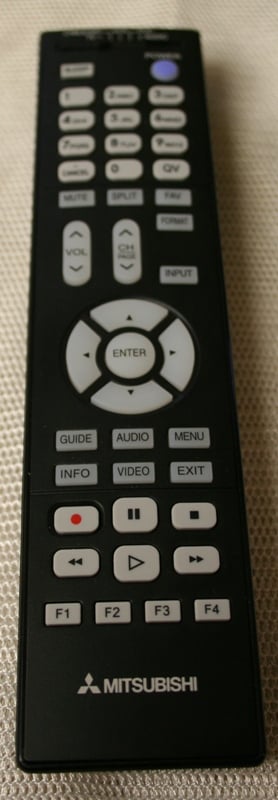 The remote is black, simple, and
partially backlit. There is a slider at the top to select your different
devices (if you plan on using this as a universal remote) though this is not
backlit at all. The only way to turn on the backlighting without controlling
something is hitting the Enter key. Overall, I like this. It's better than
trying to find the backlight button in the dark. As a remote, it is pretty
plain but functional. The number keys do not light up so if you are using it to
channel surf, it might not work well for you. My big problems were that the
Input and Format buttons were too close. Format controls the aspect ratios
(scrolls through with each button push) and the Input button brings up a menu
to select which input to use. I often hit the wrong one. There is only the
Input button and not individual buttons for each input. My other qualm is that
the remote isn't very responsive… or it is too responsive. Often, I'd have to
hit a button, wait, and then hit it again. I'd say the remote registered about
50% of the time. On the other hand, when I was making adjustments, I'd hold
down a button and let it up as I got close to the proper setting just to see
the display register 5 or 6 more button pushes. It wasn't so annoying that I
wanted to break the remote with a hammer but I sure didn't feel like I had a
quality piece of equipment in my hand.
The remote is black, simple, and
partially backlit. There is a slider at the top to select your different
devices (if you plan on using this as a universal remote) though this is not
backlit at all. The only way to turn on the backlighting without controlling
something is hitting the Enter key. Overall, I like this. It's better than
trying to find the backlight button in the dark. As a remote, it is pretty
plain but functional. The number keys do not light up so if you are using it to
channel surf, it might not work well for you. My big problems were that the
Input and Format buttons were too close. Format controls the aspect ratios
(scrolls through with each button push) and the Input button brings up a menu
to select which input to use. I often hit the wrong one. There is only the
Input button and not individual buttons for each input. My other qualm is that
the remote isn't very responsive… or it is too responsive. Often, I'd have to
hit a button, wait, and then hit it again. I'd say the remote registered about
50% of the time. On the other hand, when I was making adjustments, I'd hold
down a button and let it up as I got close to the proper setting just to see
the display register 5 or 6 more button pushes. It wasn't so annoying that I
wanted to break the remote with a hammer but I sure didn't feel like I had a
quality piece of equipment in my hand.
WD-73735 Video Measurements & Testing
For calibration I'm using both the Sencore ColorPro5000 and Colormetre HCFR software. Basically, Sencore is great for calibrating your set but doesn't give you the pretty graphs that we like to show in our reviews. That's where Colormetre comes in. Measuring this set, I found that it constantly defaulted to the "High" Color Temp. This literally set the color temp off the scale for all defaults at over 15000k. Bright was particularly bad with whites looking like iceberg blue. As far as contrast ratios, from the default settings, I measured:
- Brilliant - 2058:1 ANSI contrast ratio
- Bright - 2094:1 ANSI contrast ratio
- Natural - 1523:1 ANSI contrast ratio
The key here is to switch the Lamp Mode to "Standard" (it defaults to "Bright"), the Picture Mode to "Natural," and the Color Temp to "Low." Brightness I found really varied based on the input with anything from 25% (around 18) to 50% being acceptable. Contrast didn't seem to really do much other than lower the overall brightness of the picture so I left it alone. Sharpness was a problem in that too little and the picture was extremely soft and too much and there was excessive ghosting, blooming, and artifacts. I ended up around 20 as an acceptable compromise. In the end, I measured 650:1 contrast ratio with an average Color Temp around 7200k.
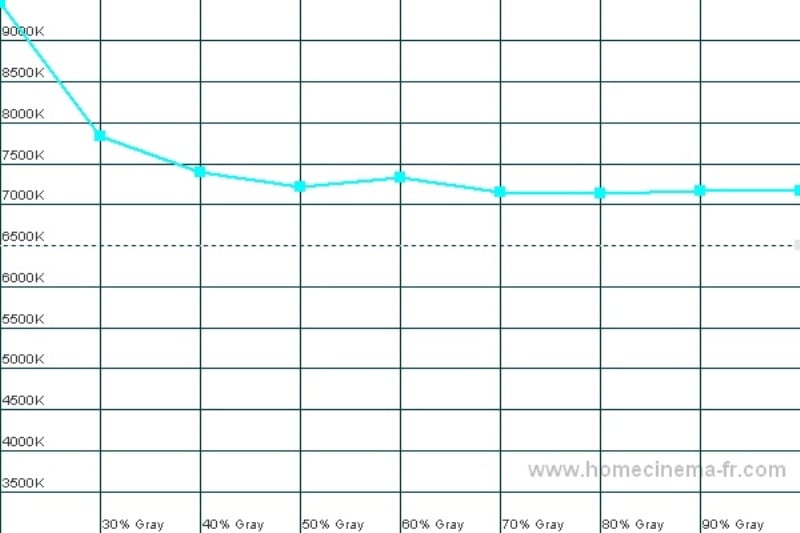
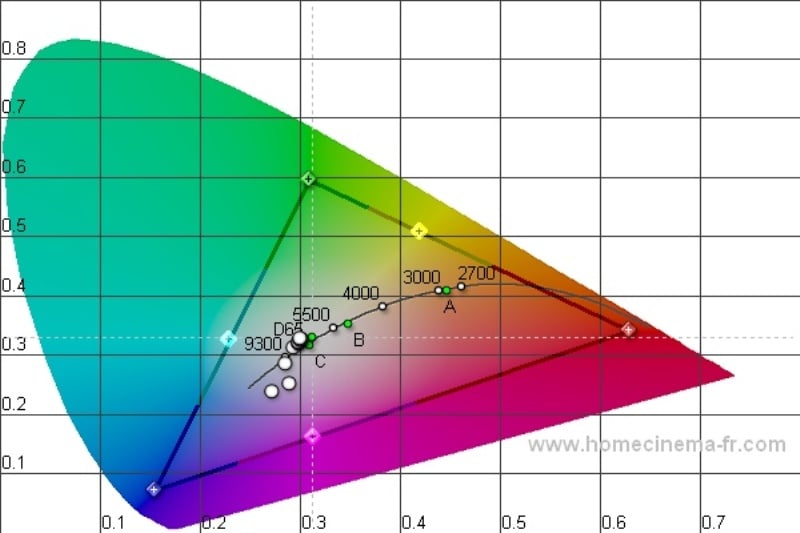
Color Temp (left); CIE (right)
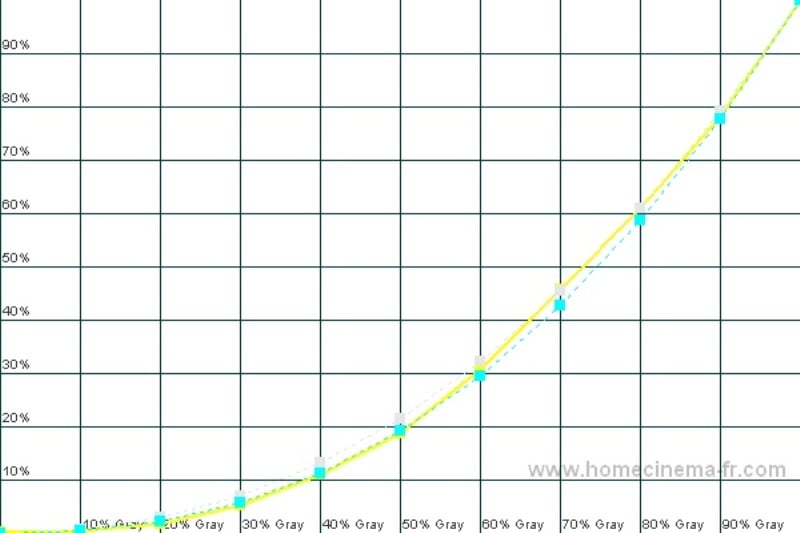
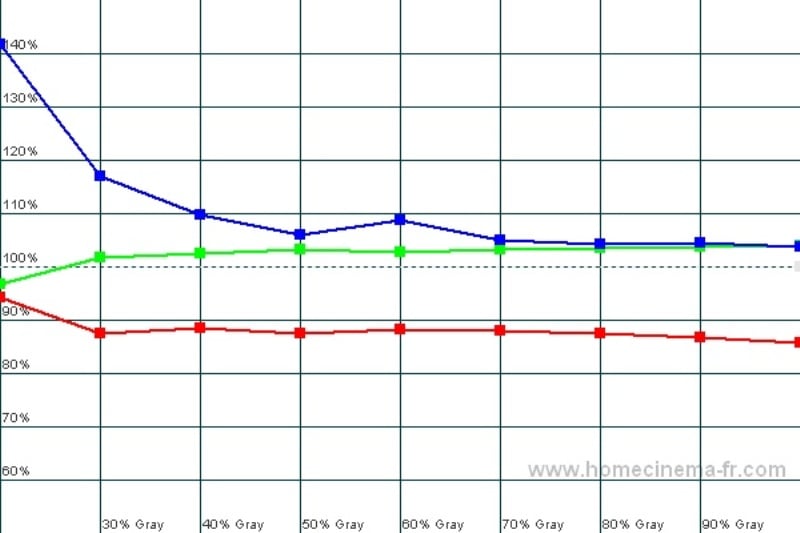
Luminance (left); RGB (right)
As you can see, these measurements aren't the best but they are far from the worst. There is a bit too much blue and reds tended to be subdued. Still, with minimal work you end up with a decent picture that subjectively looks OK most of the time. It would be nice if Mitsubishi gave users more accurate default color options, but rest assured that you can get excellent results by hiring an ISF-certified calibrator to get into the service menu. Just plan on adding a little over $200 (per calibrated input) to get your display to that level.
Audioholics/HQV Bench Testing Summary of Test Results
Perfect Score is 130
Mitsubishi WD-73735 Benchmark total score: 51/130. All tests were run through the HDMI input.
|
Test |
Max |
Results |
Pass/Fail |
|
Color Bar |
10 |
10 |
Pass |
|
Jaggies #1 |
5 |
3 |
Pass |
|
Jaggies #2 |
5 |
3 |
Pass |
|
Flag |
10 |
0 |
Fail |
|
Detail |
10 |
5 |
Pass |
|
Noise |
10 |
10 |
Pass |
|
Motion adaptive Noise Reduction |
10 |
0 |
Pass |
|
Film Detail |
10 |
5 |
Pass |
|
Cadence 2:2 Video |
5 |
0 |
Fail |
|
Cadence 2:2:2:4 DV Cam |
5 |
0 |
Fail |
|
Cadence 2:3:3:2 DV Cam |
5 |
0 |
Fail |
|
Cadence 3:2:3:2:2 Vari-speed |
5 |
0 |
Fail |
|
Cadence 5:5 Animation |
5 |
0 |
Fail |
|
Cadence 6:4 Animation |
5 |
0 |
Fail |
|
Cadence 8:7 Animation |
5 |
0 |
Fail |
|
Cadence 24fps film |
5 |
5 |
Pass |
|
Scrolling Horizontal |
10 |
5 |
Pass |
|
Scrolling Rolling |
10 |
5 |
Pass |
|
Total Points |
130 |
51 |
|
|
Test |
Max |
Results |
Pass/Fail |
|
HD Noise Reduction A&B |
25 |
25 |
Pass |
|
HD Video Resolution Loss |
25 |
0 |
Fail |
|
Jaggies A&B |
20 |
20 |
Pass |
|
Film Resolution Loss |
25 |
0 |
Fail |
|
Film Resolution Loss - Stadium |
10 |
10 |
Pass |
|
Total Points |
105 |
55 |
|
Comments on Audioholics DVD Torture Tests
I ran the HQV tests through the HDMI input from the Oppo DV-970HD for the standard definition tests and the Toshiba HD-A2 for the high definition. The two problem areas are jaggies and some of the resolution results of the HD HQV tests. First the latter. The resolution problem was not that the WD-73735 couldn't display the resolution - it could. But where the boxes for this test are located is up in the corners of the display and the WD-73735 wasn't capable of displaying this level of detail in those locations (most likely due to the methods used to get the projected image to the extreme corners of the screen). The same boxes in the center of the screen were rendered correctly. Jaggies were a problem for the Mitsubishi overall especially noticeable with fast motion but only with SD material. The HD test was passed with flying colors. The WD-73735 had great noise reduction but it created so much smearing (hence the partial credit on the Motion Adaptive Noise Reduction) that in real world applications it was unusable. The Film Detail test revealed that the SD picture was overall pretty soft. I was actually surprised it passed the scrolling tests as I noticed tearing on channels like ESPN and the news channels (standard and high definition).
WD-73735 Viewing Evaluation and Conclusion
This screen is HUGE - let's not forget that. One thing I had to keep in mind when doing these viewing evaluations was that I was seeing images that were considerably larger than anything else I've seen in this room. At a 10 foot viewing distance (which is where I sit), the screen is pushing the upper limits of recommended size but isn't "Dramamine" large (I've seen calculators that say that at 10 feet you shouldn't have anything bigger than 43" but those people are on crack). I mentioned before that I felt I was sitting a little low. If you can place this display on a short stand so that the center is at eye height when seated, I think that will be optimal. Rear projection TVs tend to have weird off axis effects that you absolutely will not notice during normal viewing. What happens to me is that every time I get up to get something from the kitchen I notice them. It's something that you'll learn to live with.
DVD
- Doomsday
If you had only one
shot to make a movie, you might well make Doomsday.
Schizophrenic in it's plot and setting, it starts off Blade Runner, switches to Mad
Max, then to Camelot (without the
singing), and ends on Cannonball Run.
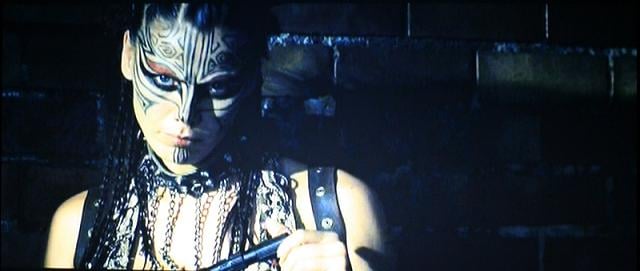
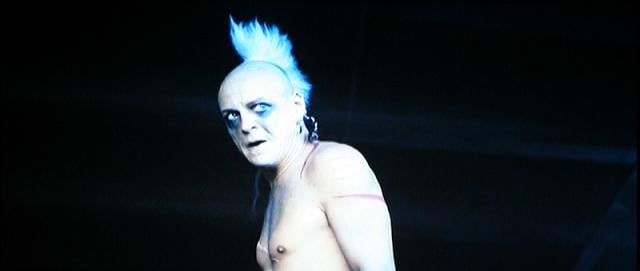
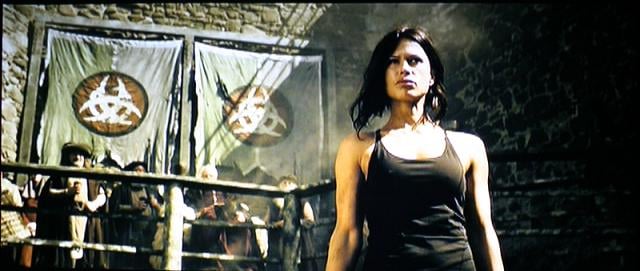
If it sounds sucky, it is, but the female lead is hot so you'll probably watch
it anyhow. The upside is there is lots of dark detail for the WD-73735 to show
off. It did. Black level definition is very good without any hint of
artifacting. The scenes with color were well saturated overall. The picture was
slightly muted and a bit grainy overall though it wasn't unpleasant. When I
engaged the noise reduction, any motion (and there was a lot) caused a ton of
smearing (so if you want to make your DLP look like an LCD you can I suppose)
though grain was reduced. Overall, the picture was much better than the movie
(not a huge compliment).
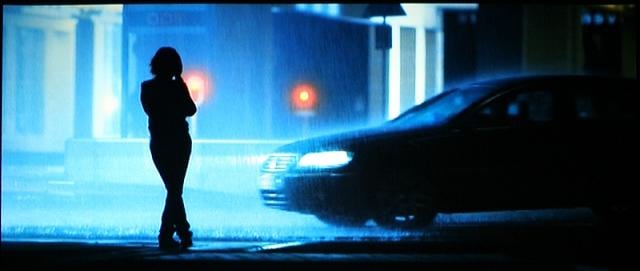
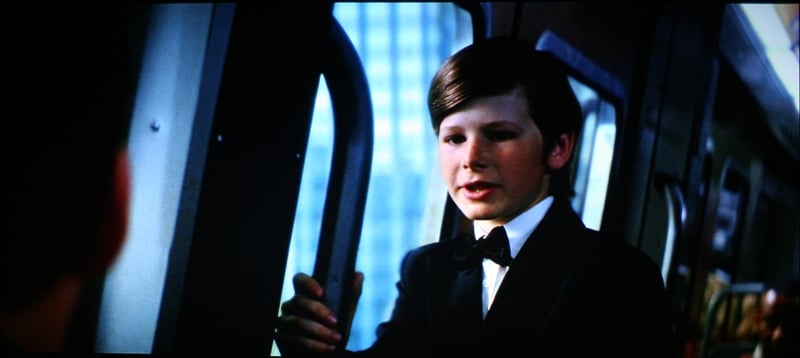
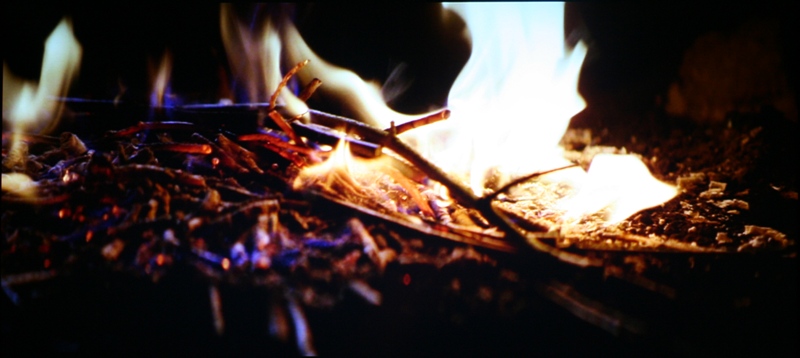
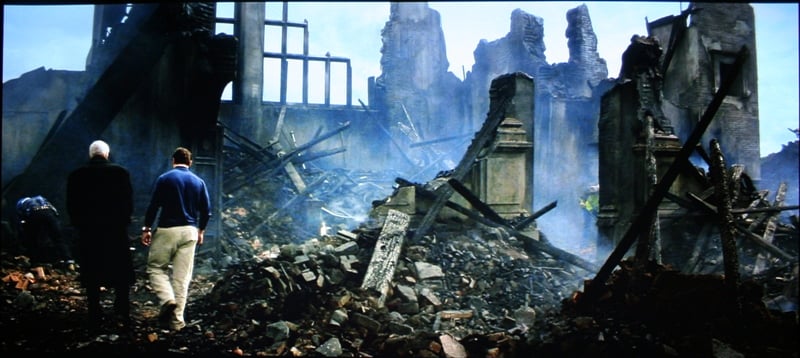
Batman Begins is another movie with a ton of dark scenes. With the introduction of a HD source, the picture firmed up as if it had spent the last six months working out with the guys from 300. Edges were crisp, the detail was fine, and the picture looked great. In the few scenes were there was actually some color, everything looked very good with blues being a little overbearing at times and Christian Bale looking a little too flush in others. While from a measurement standpoint, the color wasn't very accurate, subjectively, it didn’t distract too much from the viewing experience.
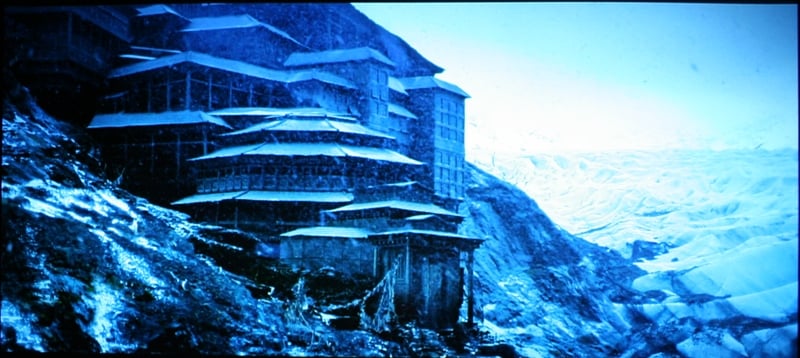
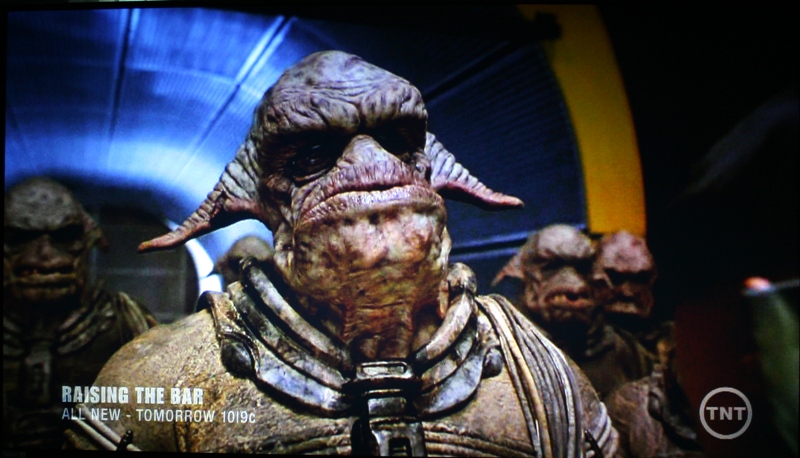
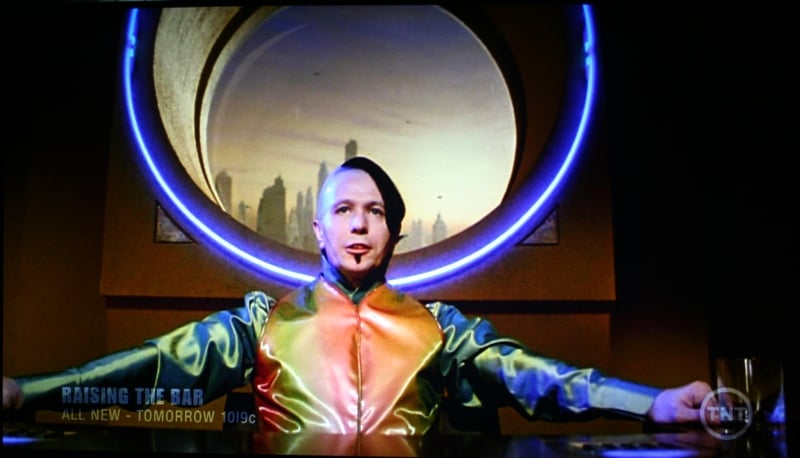
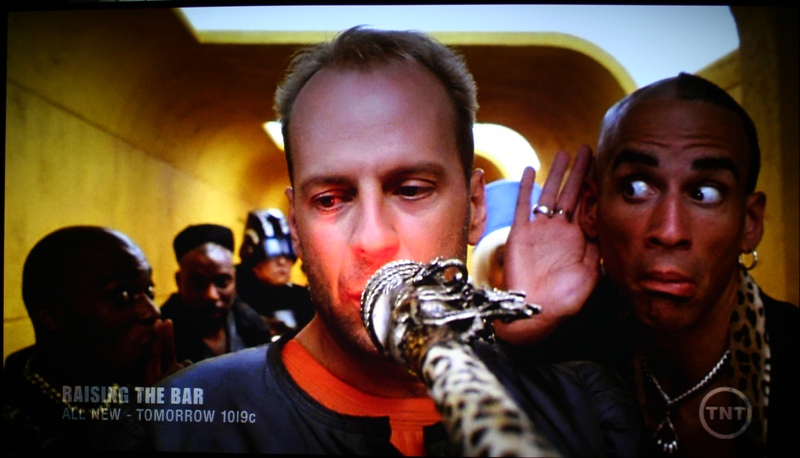
TNT plays this movie every once in a while and I keep a copy on the DVR for moments just like this. After all these dark movies, I needed something with color. As you can see, the colors are vibrant overall. With HDTV, there was occasional banding and smearing though this seemed to be more from Comcast than Mitsubishi. It was much worse than anything I noticed with DVD content so that theory seems to be borne out. Jaggies and the occasional unexplained artifact would pop up but I believe I noticed them because of how close I was sitting to the set. The picture was noticeably softer than other displays with the same material but overall it still looked very good. At times I noticed a bit too much or little of a color, but overall the presentation was pleasant.

Conclusion
The real strikes against the Mitsubishi WD-73735 are calibration options and an overall soft picture with standard definition content. The black levels were very good and the colors, while not as accurate as you could expect from another TV with better calibration options, were well within an acceptable subjective range. Where you really start to see the value of this display is when you look at the size to cost ratio. Compared to its flat panel brethren, it is an absolute steal. Of course, compared to a front projection setup, the cost savings shrink pretty fast. If you need to go big and don't want to install a front projector this may well be the TV for you.
Mitsubishi WD-73735
$2699
Mitsubishi
Digital Electronics America, Inc. (MDEA)
9351 Jeronimo Rd.
Irvine, CA
92618
800. 332.2119
About
Mitsubishi Digital Electronics America, Inc.
Mitsubishi
Digital Electronics America, Inc., an Official Sponsor of The PGA TOUR,
manufactures and markets a comprehensive line of premium quality 1080p DLP®
HDTVs and 1080p LCD HDTVs. Recognized as the world leader and innovator of
large display high-definition televisions, Mitsubishi Digital Electronics
America builds products that lead the industry in quality, performance and
ease-of-use. For additional information about MDEA, visit www.mitsubishi-tv.com.
The Score Card
The scoring below is based on each piece of equipment doing the duty it is designed for. The numbers are weighed heavily with respect to the individual cost of each unit, thus giving a rating roughly equal to:
Performance × Price Factor/Value = Rating
Audioholics.com note: The ratings indicated below are based on subjective listening and objective testing of the product in question. The rating scale is based on performance/value ratio. If you notice better performing products in future reviews that have lower numbers in certain areas, be aware that the value factor is most likely the culprit. Other Audioholics reviewers may rate products solely based on performance, and each reviewer has his/her own system for ratings.
Audioholics Rating Scale
 — Excellent
- — Very Good
- — Good
- — Fair
- — Poor
| Metric | Rating |
|---|---|
| Detail and Resolution | |
| Deinterlacing & Scaling | |
| Contrast and Black Levels | |
| Color Reproduction | |
| Noise Reduction | |
| Calibration Options | |
| Build Quality | |
| Ergonomics & Usability | |
| Ease of Setup | |
| Features | |
| Remote Control | |
| Performance | |
| Value | |
As Associate Editor at Audioholics, Tom promises to the best of his ability to give each review the same amount of attention, consideration, and thoughtfulness as possible and keep his writings free from undue bias and preconceptions. Any indication, either internally or from another, that bias has entered into his review will be immediately investigated. Substantiation of mistakes or bias will be immediately corrected regardless of personal stake, feelings, or ego.
View full profile Subscribe to our newsletter