Panasonic TH-50PH9UK 50" Plasma Display Review
- Product Name: TH-50PH9UK 50" Plasma Display
- Manufacturer: Panasonic
- Performance Rating:

- Value Rating:
- Review Date: August 27, 2006 20:00
- MSRP: $ 3995
Screen
Size (inches): 50
Aspect Ratio: 16:9
Native Resolution: 1366
x 768
Contrast Ratio: Up to 10000:1
Viewing Angle (degrees): More
than 160
New Real Black Creation: Yes
Dimensions (H x W x D): 28.5''
x 47.6'' x 3.7''
Weight: 81.6 lbs
Pros
- Beautiful picture
- Easy menus with lots of control
- Great user manual
- Attractive price
Cons
- No internal tuner
- Extremely limited number of inputs
- Optional HDMI/DVI-D inputs are additional
Build Quality and Configuration
Wait a second, didn't I just review this panel? Well, yes and no. This is the new version (notice the "9" in the model number) of the TH-50PHD8UK I recently reviewed. My first question was, "So, what's different?" Well, the first thing I noticed from the specs was that the newer display has a stated 10000:1 contrast ratio rather than a 3000:1. The newer model is also missing the REAL Mach system. This new unit uses much thinner glass (from 2.8mm to 1.8mm) which reduces the weight from 94.8 lbs to 81.6 lbs (a 15% reduction). The unit uses 16-bit digital signal processing and improved "sub-field driving technology" to reproduce 3,072 steps of gradation. Other than that, the units aren't really all that different. The remote is the same, the menus are the same, the inputs are the same... if you have a question about this unit that doesn't seem covered by this review, check out the review of the TH-50PHD8UK . Unless it is contradicted here, it still applies.
Build Quality
The TH-50PH9UK is physically identical to the TH-50PHD8UK I recently reviewed. It is about 13 pounds lighter so it is a bit easier to move around. I even used the same stand I used for the first review. The TH-50PH9UK and its older brother has a presence that has to be seen to be appreciated. People walk through my home theater all the time with nary a comment except about the theater seating. Now, the first words out of their mouths are, "Wow." Yes, wow, that it a big freaking display. Even I stand in awe from time to time. Knowing that it is only on loan for the duration of the review hasn't really helped either. My wife is getting a little tired of hearing, "The movie is almost over" every time she asks me if I'm coming to bed. Honey, it's a 50 inch plasma . I'll come to bed later.
Input Configuration and Using the Television
The input and connections are exactly the same as the TH-50PHD8UK. This time I asked for an HDMI blade so that I could a) report to you about how hard or easy it is to install and b) use it to test out another piece of equipment that I had under review. Unfortunately, the other equipment wasn't performing video conversion very well so I can't tell you definitively how the HDMI blade performs. I will say that you should seriously consider installing this (or any) blade while the unit is on the ground. Preferably face down. I already had the unit on the stand and while it is possible to install it that way, it is not easy. Well, it is easy, it is just not very convenient. You'll need a very small screwdriver and a lot of patience.
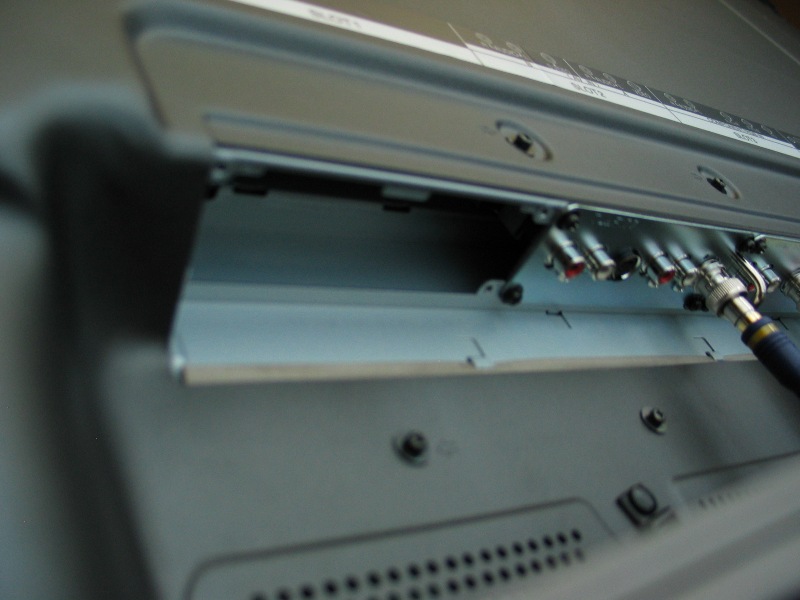 The best way to install a blade
is to lie it face down (on something clean and soft). You'll need a fairly long, thin
Phillip's head screwdriver to remove the plate. I chose input one as it was the same size as the
blade and it wasn't currently in use. You'll need to remove the cover (four screws) and set
them aside. The blade will slide in easily. There is a grove on the metal plate that will let you know
you are inserting it the right direction. After you feel it click into place, you can lock it down using
the same screws that held on the faceplate. If you are inserting this blade into a double blade slot,
there is a blank faceplate and screws to cover the unused side. You are also provided with a label to use
that matches the rest of the labeling on the back of the unit. Overall, the process was quick and
easy.
The best way to install a blade
is to lie it face down (on something clean and soft). You'll need a fairly long, thin
Phillip's head screwdriver to remove the plate. I chose input one as it was the same size as the
blade and it wasn't currently in use. You'll need to remove the cover (four screws) and set
them aside. The blade will slide in easily. There is a grove on the metal plate that will let you know
you are inserting it the right direction. After you feel it click into place, you can lock it down using
the same screws that held on the faceplate. If you are inserting this blade into a double blade slot,
there is a blank faceplate and screws to cover the unused side. You are also provided with a label to use
that matches the rest of the labeling on the back of the unit. Overall, the process was quick and
easy.
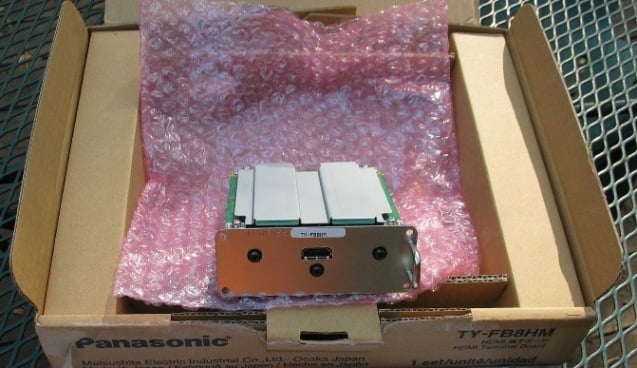
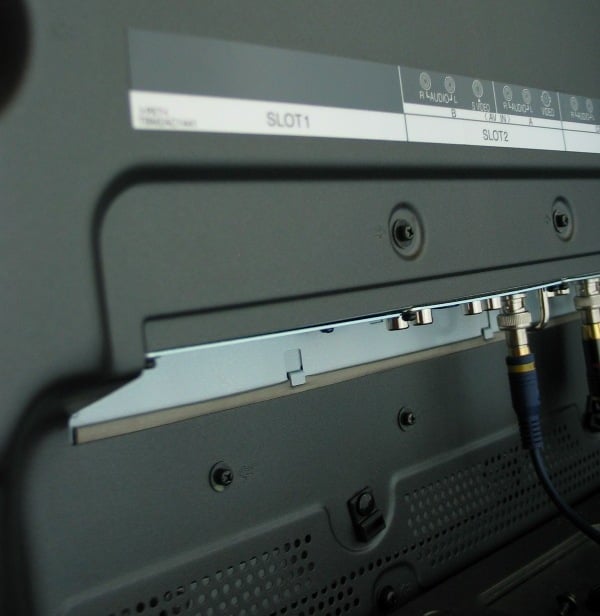
I took a lot of flack for listing the blades as part of the cons of the TH-50PHD8UK. The blades do give the user an unparalleled ability to configure their unit exactly how they want (and perhaps save some money by not paying for unused inputs). But no matter how you slice it, it still has two things going against it - 1) you need to pay for each additional blade which I feel people are generally opposed to, and 2) most displays have far more inputs available than you're ever likely to have no matter what blade configuration you choose. If you have significant differences in calibrations between sources, you'll need all the inputs you can get. So, it is still a con in my book. Maybe not a huge con - more like a baby con.
One change in the TH-50PH9UK over the TH-50PHD8UK is that the second input is divided in half. The second input is a double blade that has the composite and s-video together. With the TH-50PHD8UK, the second input combined the composite and s-video while on the current model you can cycle between the two (one labeled 2a, the other labeled 2b). This is nice because now you can use them both for different sources. The downside is that this new spit second input doesn't have discrete input codes. This may create headaches when you are programming your universal remote.
Remote Control, Calibration, Test Results, and Viewing Evaluations
The remote that comes with the current model is exactly the same as the prior year's... no differences here.
Calibrating the Television
Last time, when I calibrated the TH-50PH8DUK, I used the service menus. I got a lot of questions and comments about that as well. Some people seem to think that using the service menus is something that they couldn't do. Well, you certainly could do it, you just probably shouldn't unless you are confident in your ability to not disable the dispkay . If anyone ever wants to get into the service menu of a display, please, please, PLEASE write down the original settings before you make any adjustments. At least you'll be able to reset it if you have to.
So, for all of you that thought, "Sure, Tom can calibrate it because he uses the service menus and has all this fancy equipment." Well, yes, I do have some fancy(ish) equipment (it even comes in a little shiny metal case which I think is cool and my wife thinks I'm a dork because I think it is cool) but navigating the service menus is not a prerequisite. To prove it, I calibrated the set using only the Advanced Settings menu (which is accessible to all). See, the beauty of using the service menu is that you leave all the rest of the menus alone so that fine adjustments can still be made to the user's taste. By using the Advanced Settings menu, you take a lot of that fine tuning away.
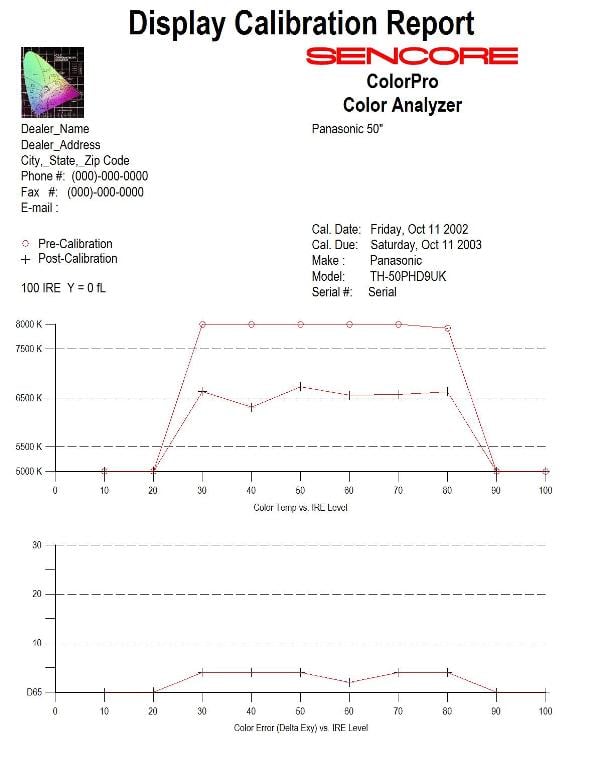
 I used the Sencore Color Pro 5000 (CP5000) to calibrate the display. As you can see, once
again the unit ran cool. A lack of red and to a lesser extent green and an overabundance of blue.
Basically, after a bit of fiddling, I got it pretty close to dead on by pegging the W/B High R (which
stands for
White Balance for High (Gain) Red, or just Red Gain)
up to max, bottoming out the W/B
High B (
Blue Gain)
and bumping down the W/B Low B (
Blue Bias)
a bit. Your results will
vary based on source. If you were to look at the changes, you'd think I was insane (I did). I fully
expected for everyone to look strawberry after I was done. But once I stuck in a DVD and hit play, I saw
that while the changes were drastic on the menu, they were fairly tame on the screen.
I used the Sencore Color Pro 5000 (CP5000) to calibrate the display. As you can see, once
again the unit ran cool. A lack of red and to a lesser extent green and an overabundance of blue.
Basically, after a bit of fiddling, I got it pretty close to dead on by pegging the W/B High R (which
stands for
White Balance for High (Gain) Red, or just Red Gain)
up to max, bottoming out the W/B
High B (
Blue Gain)
and bumping down the W/B Low B (
Blue Bias)
a bit. Your results will
vary based on source. If you were to look at the changes, you'd think I was insane (I did). I fully
expected for everyone to look strawberry after I was done. But once I stuck in a DVD and hit play, I saw
that while the changes were drastic on the menu, they were fairly tame on the screen.

Audioholics/HQV Bench Testing Summary of Test Results
Perfect Score is 130
Panasonic TH-50PH8UK Benchmark Score: 38
|
Test |
Max Points |
Component 480i |
Component Pass/Fail |
|---|---|---|---|
|
Color Bar |
10 |
5 |
Pass |
|
Jaggies #1 |
5 |
5 |
Pass |
|
Jaggies #2 |
5 |
3 |
Pass |
|
Flag |
10 |
5 |
Pass |
|
Detail |
10 |
10 |
Pass |
|
Noise |
10 |
0 |
Fail |
|
Motion Adaptive NR |
10 |
0 |
Fail |
|
Film Detail |
10 |
0 |
Fail |
|
Cadence 2:2 Video |
5 |
0 |
Fail |
|
Cadence 2:2:2:4 DV Cam |
5 |
0 |
Fail |
|
Cadence 2:3:3:2 DV Cam |
5 |
0 |
Fail |
|
Cadence 3:2:3:2:2 Vari-speed |
5 |
0 |
Fail |
|
Cadence 5:5 Animation |
5 |
0 |
Fail |
|
Cadence 6:4 Animation |
5 |
0 |
Fail |
|
Cadence 8:7 animation |
5 |
0 |
Fail |
|
Cadence 3:2 24fps film |
5 |
0 |
Fail |
|
Scrolling Horizontal |
10 |
5 |
Pass |
|
Scrolling Rolling |
10 |
5 |
Pass |
|
Total Points |
130 |
38 |
|
Comments of HQV Testing
These results are very consistent with the TH-50PHD8UK. This is the kind of unit that you absolutely must use with good source. The higher quality the better. Think digital cable and a decent upconverting DVD player.
Viewing Evaluation
I wish I could have evaluated both models side by side... and not just because it would be insanely cool to use the second screen as the PiP display! It would have been interesting to see how much different the two displays looked side by side. Unfortunately, no matter how strong a case I made, all I got were a bunch of placating smiles and pats on the head. Oh, well. I tried.
Author's Note: The pictures of the display below do not do the display justice. Aside from the obvious problems of taking a picture of an image on a direct-view pixel-based screen, our in-house digital cameras leave a bit to be desired.
Love Actually
Sure, it's a chick flick. But as chick flicks go, this one was pretty good. My wife, in a rare moment, wanted to watch a movie with me. This was a good choice. Funny, lighthearted, not too much crying... plus it's got that British sense of humor that I like so much. Being mostly a movie of relationships, Love Actually was great for evaluating the TH-50PH9UK's ability to render flesh tones and some detailed panoramic shots of London. Like its predecessor, this display showed a remarkable ability at rendering fine details. With the plethora of people in the cast, the Panasonic display continued to impress with convincingly colored people.




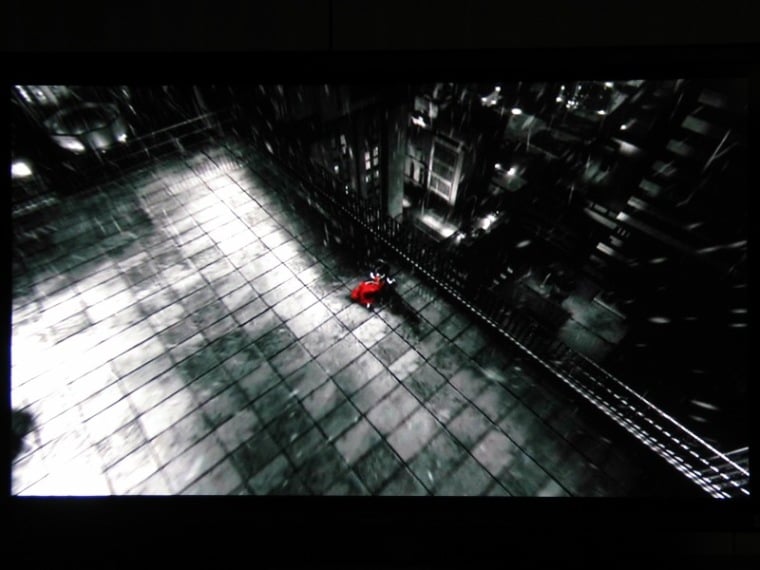
Sin City
This is not a movie for everyone... but with its heavily stylized cinematography and abundance of darks, it makes for some good review material. I didn't notice any macroblocking or banding in the darks. What really stood out was the way the colors (the few there were) really popped. When Goldie comes on screen for the first time, her dress and hair were absolutely gorgeous. It got to the point where I looked forward to the next slash of color knowing how impressed I'd be by the TH-50PH9UK's ability to render vibrant colors.


Viewing Evaluations Continued and Conclusion
V for Vendetta
 In the comic book world, a few writers stand out. Frank Miller, Neil
Gaiman, and of course Alan Moore.
The Watchmen,
probably one of the seminal miniseries in all of
comic-book-dom, was the brainchild of Moore.
V for Vendetta
was really my introduction to Moore
and stands as one of my favorite miniseries. The fact that they publicized this movie as
"from the
creators of the Matrix"
really did a disservice, in my opinion. Knowing the comic, I knew that it
wasn't very action-oriented but I think that people may have gone into the movie thinking that it
was going to be another action-fest. What they got was probably one of the most thought provoking movies
(featuring a masked hero) ever. The fact that V is called throughout the movie by friends and foe alike a
terrorist, really creates in the viewer a type of conflict. We want to like V because he is fighting the
good fight but the title
terrorist
is associated with so many negative acts in recent history
that you can't help but question your desire to empathize with him. Moore has categorically refused
to lend his name to any more of the movie adaptations of his works citing that it is too painful "[t]o see a line of dialogue or a character that I have poured that much emotional involvement
into, to see them casually travestied and watered down and distorted."
In the comic book world, a few writers stand out. Frank Miller, Neil
Gaiman, and of course Alan Moore.
The Watchmen,
probably one of the seminal miniseries in all of
comic-book-dom, was the brainchild of Moore.
V for Vendetta
was really my introduction to Moore
and stands as one of my favorite miniseries. The fact that they publicized this movie as
"from the
creators of the Matrix"
really did a disservice, in my opinion. Knowing the comic, I knew that it
wasn't very action-oriented but I think that people may have gone into the movie thinking that it
was going to be another action-fest. What they got was probably one of the most thought provoking movies
(featuring a masked hero) ever. The fact that V is called throughout the movie by friends and foe alike a
terrorist, really creates in the viewer a type of conflict. We want to like V because he is fighting the
good fight but the title
terrorist
is associated with so many negative acts in recent history
that you can't help but question your desire to empathize with him. Moore has categorically refused
to lend his name to any more of the movie adaptations of his works citing that it is too painful "[t]o see a line of dialogue or a character that I have poured that much emotional involvement
into, to see them casually travestied and watered down and distorted."
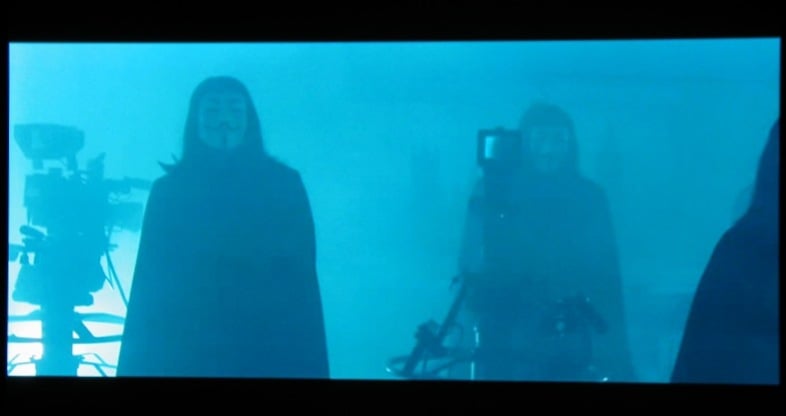
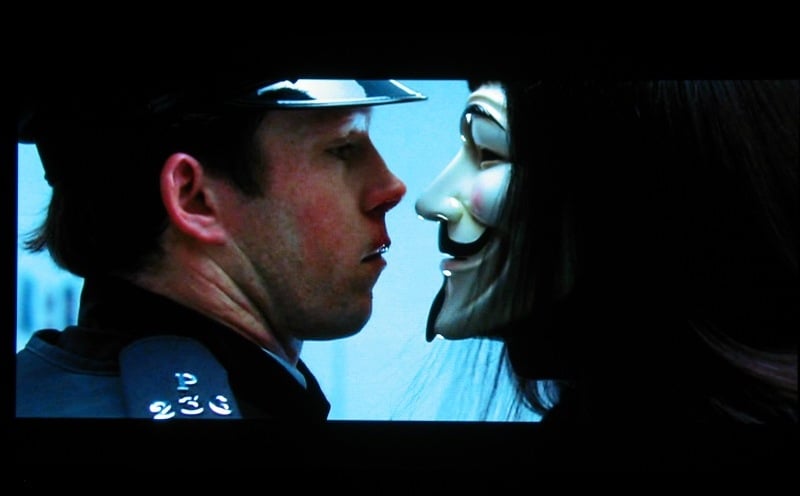
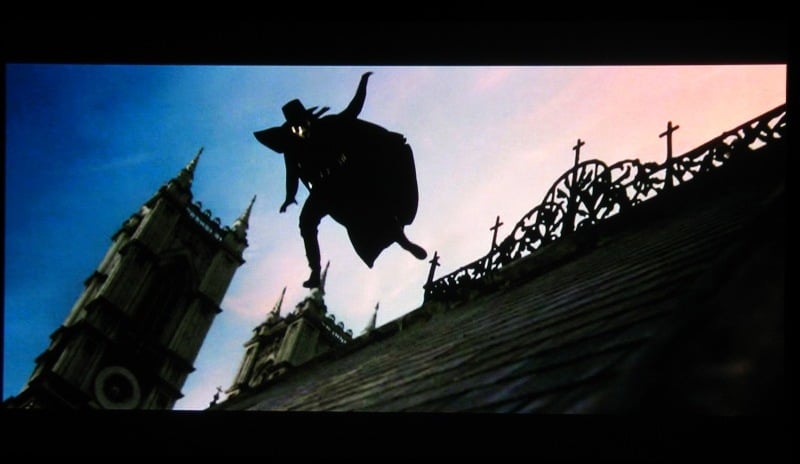
The Panasonic's rendition of this particular movie I felt to be somewhat lackluster. While colors and detail was once again impeccable, the amount of noise in the picture was a little distracting. I don't remember having these problems with the TH-50PH8UK. It was especially evident at the beginning of the movie where V saves Evey from the Fingermen. The scene is set on a dark, foggy night and the whole background looked a bit pixilated.

The Matador
In an almost unprecedented move, my wife decided to watch yet another movie with me (2 in a month, much less a week, is cause for celebration). I happened to have The Matador in from Netflix. I didn't know much about this movie only that I heard or read somewhere that it was pretty good. I'm not sure what kind of movie this is supposed to be (comedy, drama, action) but I liked it. Usually, three movies in a review like this would be enough but I had to include The Matador because of the colors. God, I sound like a drug addict, "Man, everything was so greeeeeeeeeeeen!" The backgrounds in the movie were some of the most colorful that I've ever seen. The hotel that Peirce Brosnan and Greg Kineer stay at in Mexico stands out. Lots and lots of yellows. Blues and greens in the bar. A pink wall that absolutely glowed. The TH-50PH9UK's ability to display vibrant colors cannot be adequately described in words or pictures. Every five minutes or so I'd hear my self saying, "Man, would you look at that wall?!"



Burn-in
Once again I had little problems with this panel with burn in. I didn't put it through the 6 hour World Cup torture test that I did the TH-50PHD8UK but I did a fair amount of viewing which included bars at the top or sides of the screen. The newer display seemed just as resistant to burn in as its older brother. One thing that I did notice is when the unit was set to Dynamic (which maxes out its brightness), I saw a bit of residual image from any white test. Specifically, from the menu of the Escient Fireball DVDM-300 . Once I dialed the unit back to Standard, which only moves the Picture setting down from 30 to 25, these effects all but disappeared. I don't recommend pushing this or any plasma to its limits (and if you do, let the screensaver run for a while to clear out any residual image) but in casual viewing, you should be OK.
Conclusions and Overall Perceptions
Once again, Panasonic has scored with the TH-50PH9UK. Sporting a fantastic picture with colors to be seen to believed, this plasma would make a worthy addition to any home theater. As long as it is paired with a high quality source such as an upconverting DVD player, you'll have to beat your friends off with a stick come movie night. One of the real joys of this unit is the absolute sleekness of it. No speakers, no unnecessary molding, it is just a piece of glass framed in dark grey. Everything you want in a monitor and nothing you don't.
The Score Card
The scoring below is based on each piece of equipment doing the duty it is designed for. The numbers are weighed heavily with respect to the individual cost of each unit, thus giving a rating roughly equal to:
Performance × Price Factor/Value = Rating
Audioholics.com note: The ratings indicated below are based on subjective listening and objective testing of the product in question. The rating scale is based on performance/value ratio. If you notice better performing products in future reviews that have lower numbers in certain areas, be aware that the value factor is most likely the culprit. Other Audioholics reviewers may rate products solely based on performance, and each reviewer has his/her own system for ratings.
Audioholics Rating Scale
 — Excellent
- — Very Good
- — Good
- — Fair
- — Poor
| Metric | Rating |
|---|---|
| Detail and Resolution | |
| Deinterlacing & Scaling | |
| Contrast and Black Levels | |
| Color Reproduction | |
| Noise Reduction | |
| Calibration Options | |
| Build Quality | |
| Ergonomics & Usability | |
| Ease of Setup | |
| Features | |
| Remote Control | |
| Performance | |
| Value | |
As Associate Editor at Audioholics, Tom promises to the best of his ability to give each review the same amount of attention, consideration, and thoughtfulness as possible and keep his writings free from undue bias and preconceptions. Any indication, either internally or from another, that bias has entered into his review will be immediately investigated. Substantiation of mistakes or bias will be immediately corrected regardless of personal stake, feelings, or ego.
View full profile Subscribe to our newsletter