


Olevia 542i LCD Television Review
- Product Name: 542i LCD Television
- Manufacturer: Syntax Olevia
- Performance Rating:

- Value Rating:

- Review Date: October 20, 2006 20:00
- MSRP: $ 1999
Panels
Active Screen Size: 42"
Aspect Ratio: 16:9
Dynamic Contrast: 1600:1
HDTV Built In/HDTV Ready: HDTV Built-In
Native Resolution: 1366 x 768
Response Time: 8ms
Tuner Type: ATSC/NTSC Combo Tuner
Video Processor: MTK MDDI Technology
Viewing Angle: 178/178
Video
1080p: No
2:2/3:2 Pull Down: Yes
Color Temperature Adjust: Yes
Digital 3D Comb Filter: Yes
Progressive Scan: Yes
Supported Resolution: NTSC & ATSC with High Definition (480i, 480p, 720p, 1080i)
Audio
Audio Output: 1 R/L RCA Audio
Earphone Output: 1 Stereo Mini Jack
Speaker: 2 x 20W
I/O Port
Component Input: 3 Component + 3 R/L RCA Audio (VGA connector accepts as 3rd Component source)
Composite Video Input: 2 composite + 2 R/L RCA Audio
Digital Input: 1 HDMI w/HDCP, PC + Video, Plug & Play, CEA EDID Extensions
Firmware Upgrade by USB: Yes
Optical Audio Output: Yes
Service Port: RS-232
TV System Support: up to 1080i
TV Tuner Input: ATSC/NTSC/Clear QAM
VGA Input: RGB 15 Pin D-sub with Analog EDID, PC + Video, Plug & Play, Third Component Input + R/L RCA Audio
Function
Channel Return: Yes
Clock/Alarm: Yes
Closed Caption: Yes
Favorite Channel: Yes
Language: English, French, and Spanish
MTS: Yes
PIP/Split Screen: Yes
Sleep Timer: Yes
V- Chip Parental Control: Yes
Warranty
Warranty Type: One year On-Site Warranty
Other
Dimensions: 43.3" x 34.7" x 14.2"
Gross Weight: 107 lbs
Net Weight: 96 lbs
PC Resolution Support: Up to 1360 x 768 at 60 Hz
Power Consumption AC: 220 Watt
Regulatory Approval: FCC-B, UL, CUL, ICES003, CSA, Energy Star
Shipping Dimensions: 47.4" x 37.8" x 14.4"
Universal Remote: Yes
Pros
- Lots of configuration options
- Fantastic colors and detail
- Respectable scaling and deinterlacing results
- Removable/repositionable speakers can fit anyone’s style/preference
Cons
- Not all those configuration options seem to actually do anything
- Menu not as intuitive as it could be
Olevia 542i Build Quality
Like most of us, I started my purchasing of displays long before ED was an option, much less HD. Back then, you rarely had to look behind a TV to know what was back there... an RF/coaxial input for the on-roof antenna and maybe a couple of RCAs that you never knew why you'd ever need. Now, inputs, resolutions, deinterlacing, scaling and a host of other issues make display shopping far more complicated than ever. For the common consumer, what is really important is 1) How does it look and 2) How much is it. For videophiles, many more things come into play including mounting options for the unit picture quality, number of inputs, configuration and calibration options, and more.
Build Quality
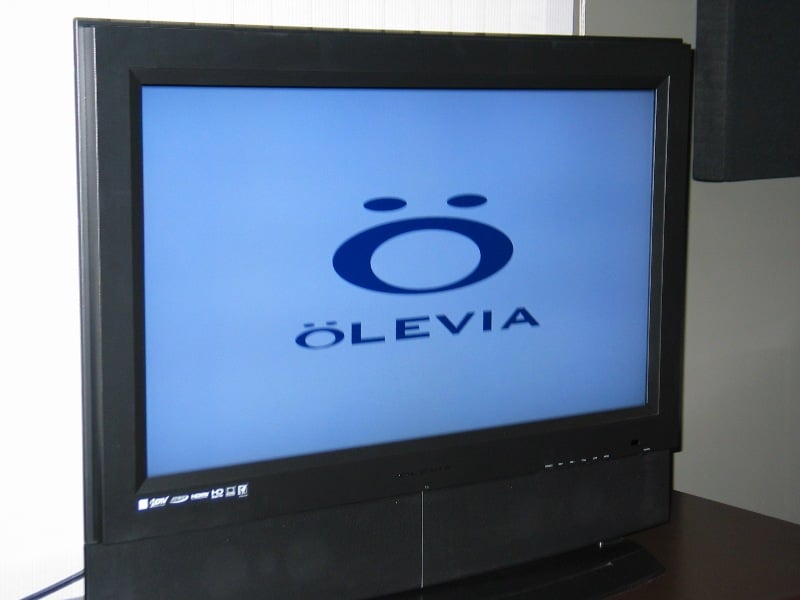 The 542i is a substantial unit that weighs in at
over 100lbs with the included stand and speakers. The unit can be removed from the stand and wall mounted
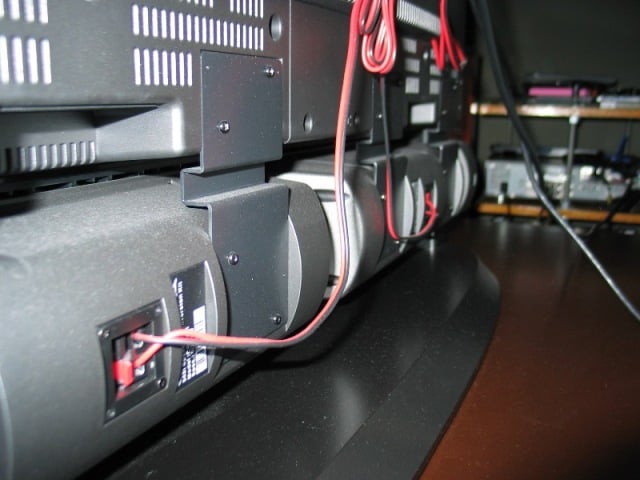
if you like (VESA 100/200 x 200). The speakers come bottom mounted and can be reconfigured to be side
mounted with an optional mounting kit. You can also just remove the speakers and lower the display for a
cleaner look. I think this is a wonderful option that should be adopted by all that insist on putting
visible (and often unused) speakers on their flat panel displays.
The 542i is a substantial unit that weighs in at
over 100lbs with the included stand and speakers. The unit can be removed from the stand and wall mounted
if you like (VESA 100/200 x 200). The speakers come bottom mounted and can be reconfigured to be side
mounted with an optional mounting kit. You can also just remove the speakers and lower the display for a
cleaner look. I think this is a wonderful option that should be adopted by all that insist on putting
visible (and often unused) speakers on their flat panel displays.
The stand was of good quality and was very sturdy. I felt like the unit was sitting a little high (mostly because of the bottom mounted speakers) but it wasn't at all unsteady. The higher end Olevia models have opted for a glass screen but not the 542i. This set eschews that and uses the standard TFT screen. Some have complained that using glass increases reflections and prefer the TFT screen. I noticed absolutely no dead pixels or any other problems with the unit out of the box. The connections were all located on the right side of the unit (if you are facing it) which was kind of a pain for me personally because all my equipment is on the left requiring longer cables than I had available.
Olevia 542i Input Configuration and Using the Television
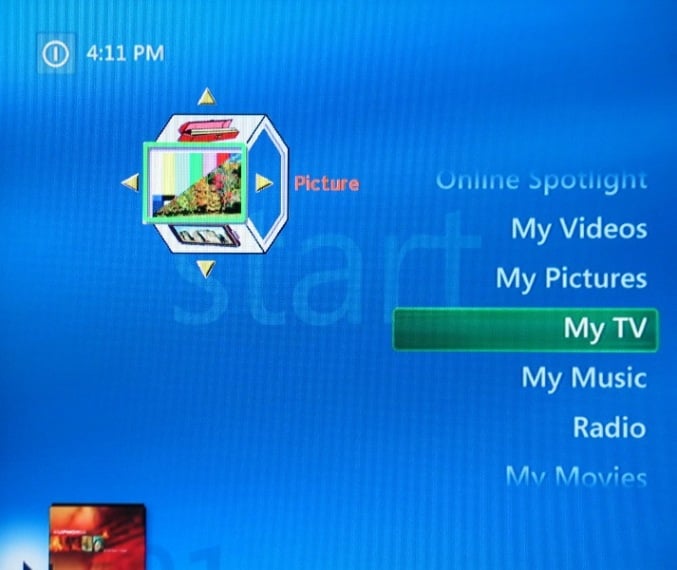 The 542i has this neat little wheel GUI for a user interface that is supposed to be
intuitive and user friendly. I personally have mixed feelings about this interface. On the pro side, it
is pretty, it is mostly intuitive, and there are a ton of options. The interface is small and unobtrusive
so it didn't interfere when I was taking measurements and in fact didn't even bother my wife
that much when I made adjustments while watching TV. On the con side, regardless if I press up or down, I
can never seem to get to the menu that I think I should be getting to. There are no numbers associated
with the adjustments (just a bar) so you don't really know exactly what your settings are. Having a
three year old with a fixation on remotes means that I tend to write down all my setting for the
eventuality that he messes them up (notice I said
eventuality).
The 542i has this neat little wheel GUI for a user interface that is supposed to be
intuitive and user friendly. I personally have mixed feelings about this interface. On the pro side, it
is pretty, it is mostly intuitive, and there are a ton of options. The interface is small and unobtrusive
so it didn't interfere when I was taking measurements and in fact didn't even bother my wife
that much when I made adjustments while watching TV. On the con side, regardless if I press up or down, I
can never seem to get to the menu that I think I should be getting to. There are no numbers associated
with the adjustments (just a bar) so you don't really know exactly what your settings are. Having a
three year old with a fixation on remotes means that I tend to write down all my setting for the
eventuality that he messes them up (notice I said
eventuality).
When viewing standard definition television or really anything that isn't already scaled to your screen size, you're going to have to rely on the internal scalers of the unit. The Olevia 542i has no shortage of picture manipulations. One thing I really like is the H. Position , V. Position , and Cropping functions. Being able to adjust the horizontal and vertical position of the picture can sometimes be an invaluable tool. When I sent the unit a 480i signal, I found that the Cropping function really cleaned up the edges well. In some cases it eliminated a few rows of unused pixels and often it would remove some noise around the edges of a 480i signal. My only real problem with the unit is that you couldn't use the PiP and flip between the two Component inputs. You could PiP between one of the Components and the HDMI, but not between the two Components.
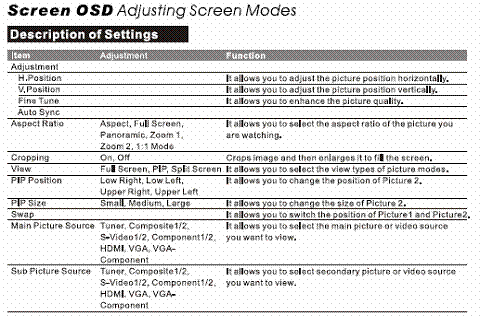
There are a number of different Aspect Ratios you can chose when you watch a standard definition source (most likely a 4:3 picture). I've outlined them below for your convenience:
- Aspect - Flips between a 16:9 ratio and a 4:3 ratio
- Full Screen - Stretches a 4:3 picture to the full 16:9 screen
- Panoramic - Stretches horizontally only
- Zoom 1 - Stretches horizontally and vertically
- Zoom 2 - Stretches horizontally and vertically but more - you'll lose part of the picture this way
- 1:1 Mode - Puts the picture up there mapped 1 to 1 - no scaling involved.
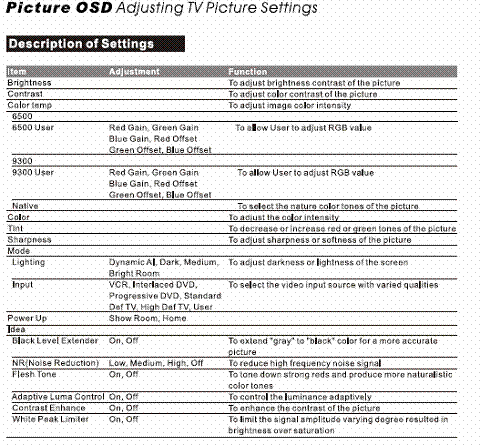
As you can see below, the configuration options are plentiful. I set the Lighting to Medium , the Power Up to Home , I turned Off the Black Extender and set Noise Reduction to High (even though these settings seemed to have little effect on the picture quality overall) but turned off everything else under Idea. I used the 6500_User menu to calibrate the color. I played with the Contrast Enhancer , the White Peak Limiter, the Flesh Tone, and some of the others but I noticed no real effect. My guess is that these settings will make a poorly calibrated display look better. One exception was the Adaptive Luma Control which crushed the blacks and made everyone look a little plastic. It did make fire look a bit better but the other effects negated this benefit.
My only real issues with using this display were the turn on time and the Factory Settings option. From the time I pressed the power on button till the time I saw a picture on the screen was over 14 seconds. Personally, that is just far too long. The irritating thing was that it didn't even matter if the unit was recently on. It would still take the same amount of time to power it back up. The Factory Settings option resets your display to the factory settings (duh!). The problem is that there is no confirmation. Near the end of this review, as I was surfing around the GUI, I decided to see what the options were under this menu and reset all my calibration. Not even an "Are you SURE?" message. With something that can undo as much work as I put into getting the picture right on this display, it should be harder to reset everything. Remember when I complained that my son would eventually mess up my settings? Well, apparently I meant me.
Remote
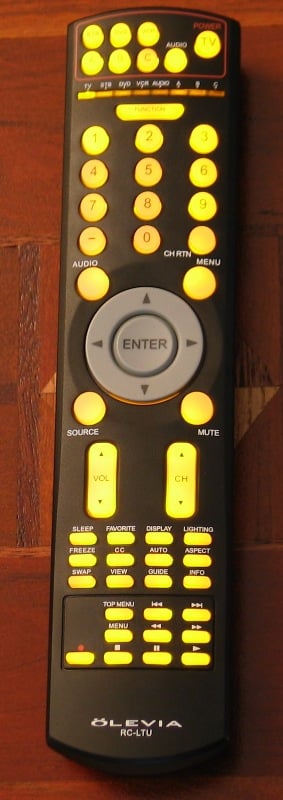 The remote for the Olevia 542i is functional for the most part. The remote is a bit light in the hand but
is fairly comfortable to hold. It is backlit though many of the buttons were labeled on the body of the
remote rather than on button so they were nearly unreadable in the dark. The remote is a universal so it
can be programmed with up to seven additional devices. There are twelve itty bitty buttons under the
volume/channel buttons for many of the display's functions like PiP and changing aspects. Even with
a bit of memorization and the fingers of a master pianist, you're going to hit the wrong button
from time to time. Don't get me wrong, I like that they were included, I just wish they were a bit
more usable without a Palm Pilot stylus.
The remote for the Olevia 542i is functional for the most part. The remote is a bit light in the hand but
is fairly comfortable to hold. It is backlit though many of the buttons were labeled on the body of the
remote rather than on button so they were nearly unreadable in the dark. The remote is a universal so it
can be programmed with up to seven additional devices. There are twelve itty bitty buttons under the
volume/channel buttons for many of the display's functions like PiP and changing aspects. Even with
a bit of memorization and the fingers of a master pianist, you're going to hit the wrong button
from time to time. Don't get me wrong, I like that they were included, I just wish they were a bit
more usable without a Palm Pilot stylus.
The Olevia 542i has a lot of inputs to choose from though there are only two ways to cycle through them. You can either use the GUI (which takes four button presses to get you to the right menu) or you can cycle through them by repeatedly hitting the Source button. Neither is a very good option. I would much rather have a number of dedicated buttons for each of the inputs. Even if they were small (like the ones I was just complaining about) I would much prefer that to the incessant scrolling. For the different sources there is kind of a neat system that includes dedicated buttons for seven components (three assignable) and a scroll feature. That would have worked well for switching inputs as well. It seemed to be a pretty good system to me.
Speakers
 I had the unit connected to the
Oppo DV-970HD
via HDMI so I went ahead and threw in a CD to test out
the speakers. On a whim I chose Euphoria's
Precious Things
. I've recently acquired
this album so I'm just now getting familiar with it, but so far I like what I hear. It has some
pretty nice elements for reviewing speakers including a decent amount of low end, some nice use of the
two-channel format, and a good mix of instrumental and vocal tracks. Not to mention that Tracy Bonham
(who I was introduced to during my review of
The Blue
Man Group: The Complex
) sings on two tracks. I'll be talking more about this album in future
reviews of equipment that will do this album justice. The speakers included with the Olevia 542i had an
anemic bass response, rolled off high end, and an overall tinny quality. They would probably be OK for
the highly compressed sound indicative of analogue cable TV, but that is about it. If you are going to
spend $2k on a display, do yourself a favor and at least pick up a good two-channel setup to go with
it.
I had the unit connected to the
Oppo DV-970HD
via HDMI so I went ahead and threw in a CD to test out
the speakers. On a whim I chose Euphoria's
Precious Things
. I've recently acquired
this album so I'm just now getting familiar with it, but so far I like what I hear. It has some
pretty nice elements for reviewing speakers including a decent amount of low end, some nice use of the
two-channel format, and a good mix of instrumental and vocal tracks. Not to mention that Tracy Bonham
(who I was introduced to during my review of
The Blue
Man Group: The Complex
) sings on two tracks. I'll be talking more about this album in future
reviews of equipment that will do this album justice. The speakers included with the Olevia 542i had an
anemic bass response, rolled off high end, and an overall tinny quality. They would probably be OK for
the highly compressed sound indicative of analogue cable TV, but that is about it. If you are going to
spend $2k on a display, do yourself a favor and at least pick up a good two-channel setup to go with
it.
Olevia 542i Calibrating the Television and Viewing Evaluations
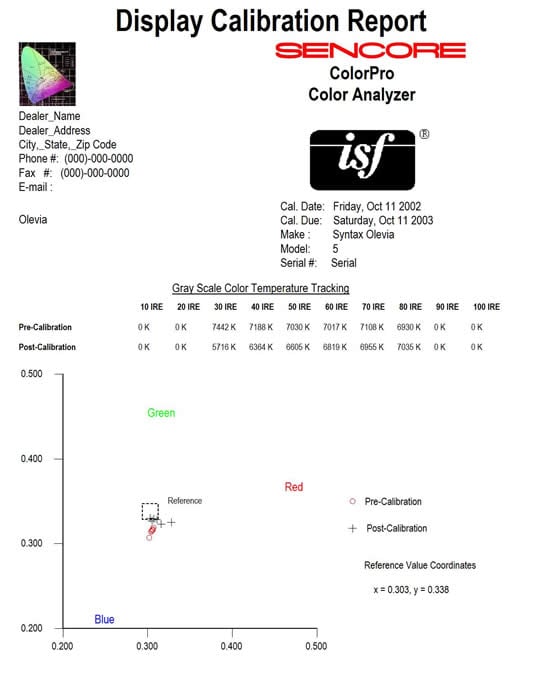 We used the Sencore Color Pro 5000 (CP5000) to calibrate the display. As I stated, I used
the
6500_User
menu to adjust the color of the unit. With the 6500 auto setting, the
unit came nearly dead on with a slight blue bias. I spent hours
calibrating the set and I only really managed to get it a bit closer to
the target with a bit of a red emphasis. The blacks were the hardest to
get right for me but that was probably more a function of reviewing
back to back plasmas before this LCD. With a bit of tweaking (and
really, it didn't take all that much) this unit looked fantastic. Even
out of the box, just adjusting the
Power Up
to
Home,
Lighting
setting to
Medium,
and the
Color Temp
to
6500
will ensure you'll be looking at a very well calibrated image with nearly no work on
your part.
We used the Sencore Color Pro 5000 (CP5000) to calibrate the display. As I stated, I used
the
6500_User
menu to adjust the color of the unit. With the 6500 auto setting, the
unit came nearly dead on with a slight blue bias. I spent hours
calibrating the set and I only really managed to get it a bit closer to
the target with a bit of a red emphasis. The blacks were the hardest to
get right for me but that was probably more a function of reviewing
back to back plasmas before this LCD. With a bit of tweaking (and
really, it didn't take all that much) this unit looked fantastic. Even
out of the box, just adjusting the
Power Up
to
Home,
Lighting
setting to
Medium,
and the
Color Temp
to
6500
will ensure you'll be looking at a very well calibrated image with nearly no work on
your part.
Audioholics/HQV Bench Testing Summary of Test Results
Perfect Score is 130
Olevia 542i LCD Benchmark Score: 60
|
Test |
Max Points |
Component 480i |
Component Pass/Fail |
|
|---|---|---|---|---|
|
Color Bar |
10 |
10 |
Pass |
|
|
Jaggies #1 |
5 |
5 |
Pass |
|
|
Jaggies #2 |
5 |
5 |
Pass |
|
|
Flag |
10 |
5 |
Pass |
|
|
Detail |
10 |
10 |
Pass |
|
|
Noise |
10 |
0 |
Fail |
|
|
Motion Adaptive NR |
10 |
0 |
Fail |
|
|
Film Detail |
10 |
10 |
Pass |
|
|
Cadence 2:2 Video |
5 |
0 |
Fail |
|
|
Cadence 2:2:2:4 DV Cam |
5 |
0 |
Fail |
|
|
Cadence 2:3:3:2 DV Cam |
5 |
0 |
Fail |
|
|
Cadence 3:2:3:2:2 Vari-speed |
5 |
0 |
Fail |
|
|
Cadence 5:5 Animation |
5 |
0 |
Fail |
|
|
Cadence 6:4 Animation |
5 |
0 |
Fail |
|
|
Cadence 8:7 animation |
5 |
0 |
Fail |
|
|
Cadence 3:2 24fps film |
5 |
5 |
Pass |
|
|
Scrolling Horizontal |
10 |
5 |
Pass |
|
|
Scrolling Rolling |
10 |
5 |
Pass |
|
|
Total Points |
130 |
60 |
|
Comments of HQV Testing
All the testing was done via Component since I did not have the capability to send 480i via HDMI. In addition, many of the picture enhancing features of the 542i (found under the Idea heading) are disabled when using an HDMI connection. I felt that my subjective experience with the unit was slightly better than these results indicate. You might want to look into good source for this set such as a high scoring DVD player and a digital cable box. If you have a good quality HTPC, you'll benefit greatly letting the video card do the scaling and de-interlacing for television and DVD playback.
Viewing Evaluation
Ah, my favorite part of a display review. The "watching movies and getting paid" part - not a bad gig in my book.
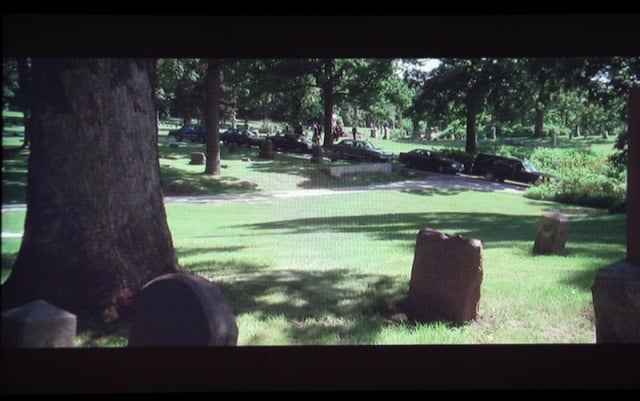
Author's Note: The pictures of the display do not do the display justice. Aside from the obvious problems of taking a picture of an image on a direct-view pixel-based screen, our in-house digital cameras leave a bit to be desired. There is also evidence of pixelization that was not noticeable during playback.
Fires of Kuwait (IMAX)
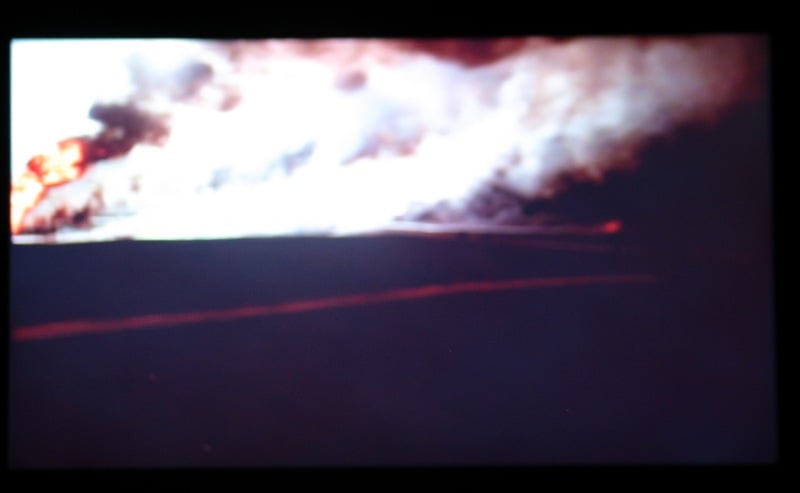
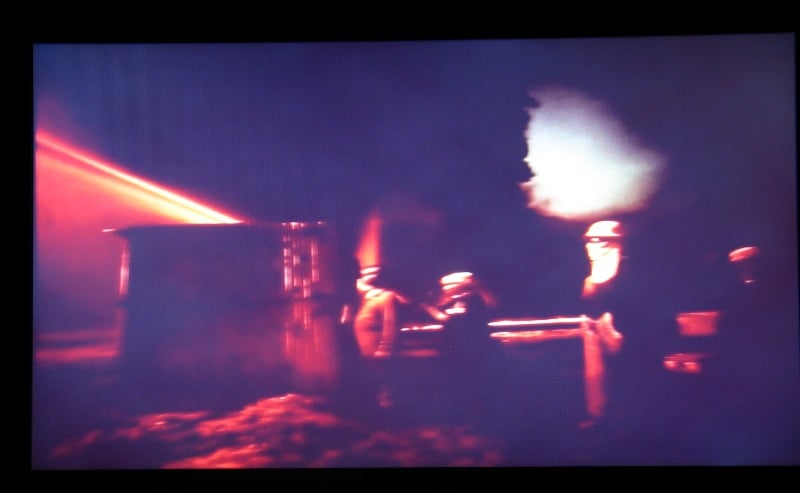
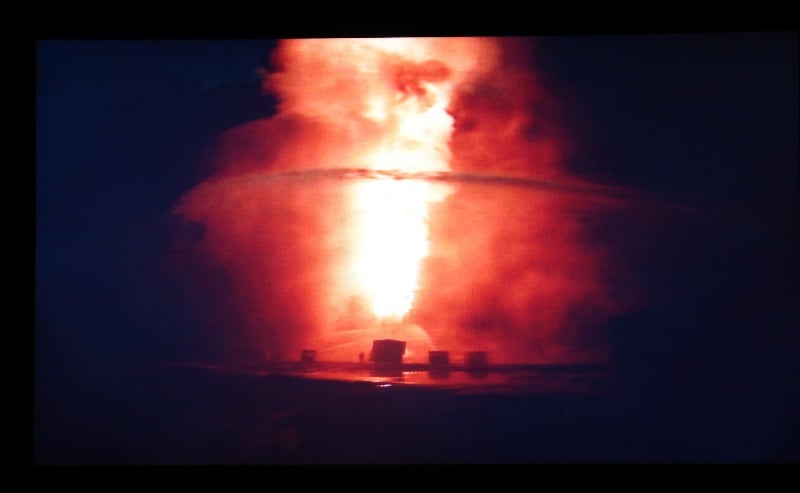
I actually rented this movie thinking it was something else. The images of the fires that Saddam set as he pulled out of Kuwait and the efforts that the workers took to put them out is something that I can watch over and over again. Which is a good thing as I watched this movie a number of times during the course of this review.
This movie was a kind of unfair test for an LCD as it is full of fire shooting out of oil soaked desserts under a smoke covered sun. It took a bit of finagling to strike the proper balance between getting the unit as dark as possible and not losing all the detail in all those dark scenes. I noticed some banding, especially at the beginning credits and around some of the larger fires. The unit also had a hard time locking onto the names on the map during the first scene. The detail and color on the other hand were completely remarkable. I was especially happy not to notice any macroblocking in all those dark scenes. Even sending a 480i signal to the unit, I didn't feel like I was missing all that much from a 480p. The pictures of this movie came out particularly bad.
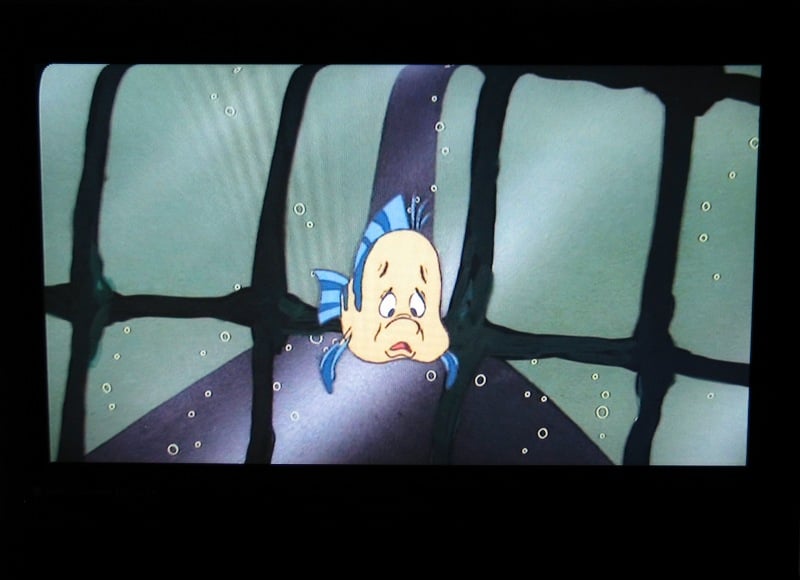
The Incredibles
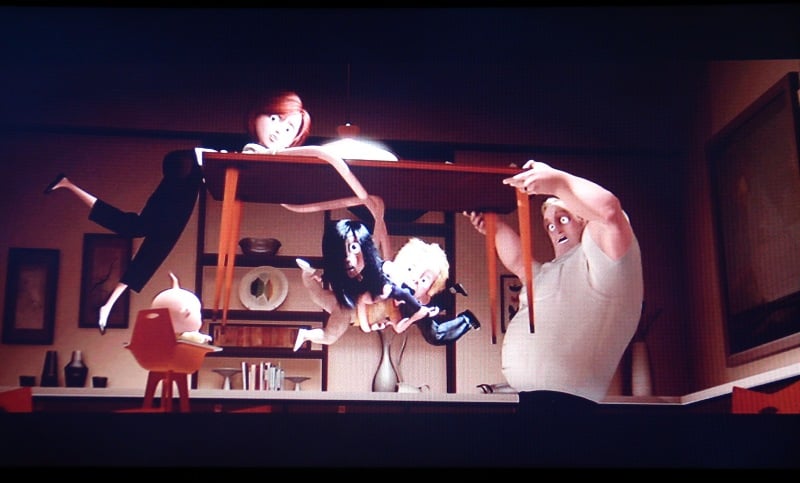
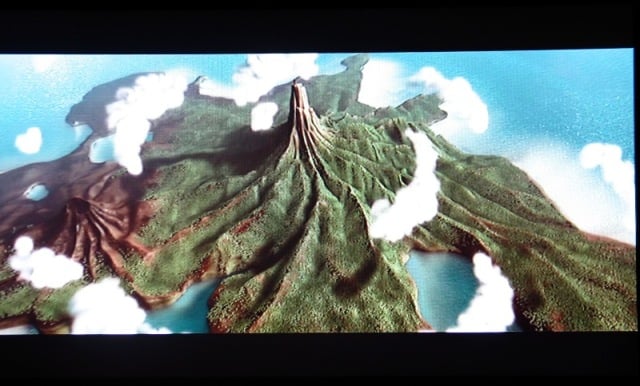
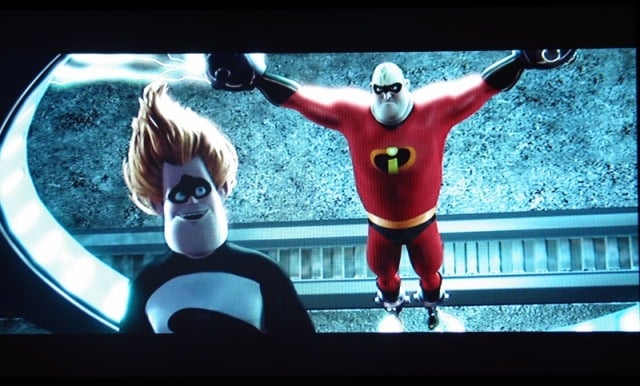
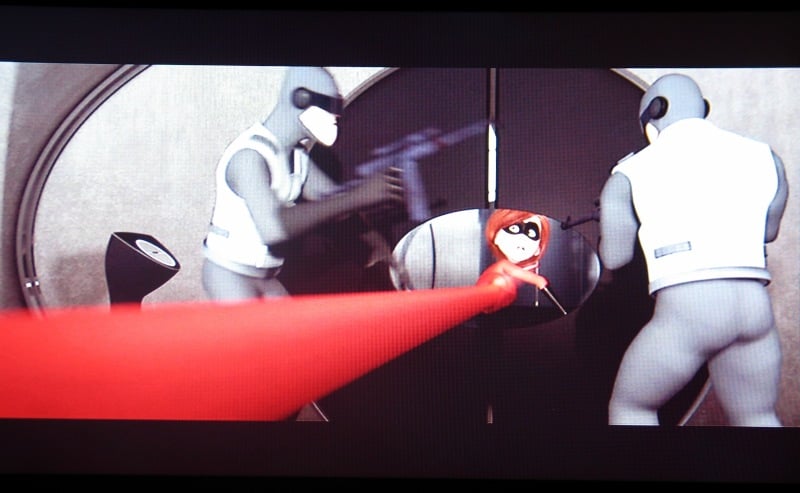
Once again, The Incredibles made an appearance over the course of my review. I'm starting to think that this movie isn't the best for a review as it seems that it looks good on every display. I did notice that in order to see the detail in the Fires of Kuwait, I found that The Incredibles looked a little too bright. Bumping the brightness down just a point or two made all the difference. What was impressive was the level of detail and the colors. The texture in the rug, the creases in a jacket, all those little background details that makes Pixar pictures so special really popped. I found myself looking as much at the supporting characters and backgrounds as I was noticing a lot of detail that I hadn't paid attention to before.
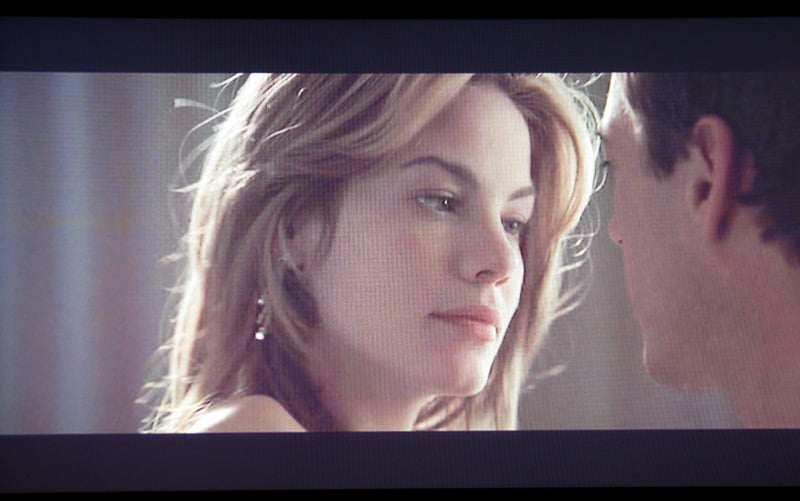
Kiss Kiss Bang Bang
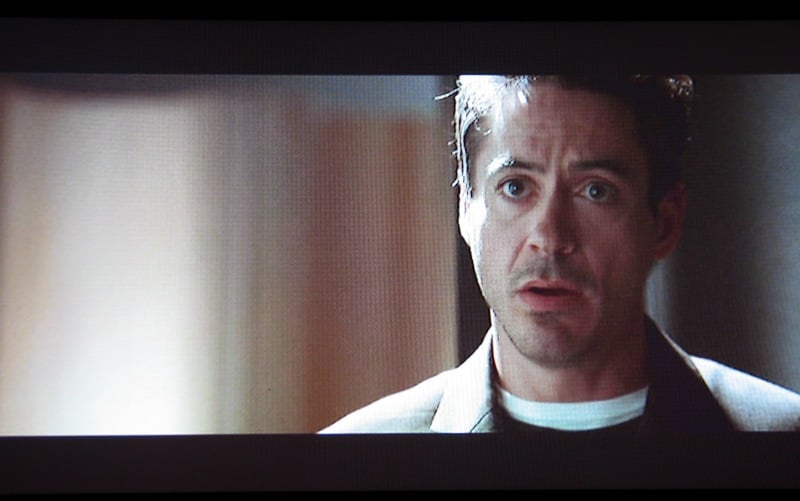
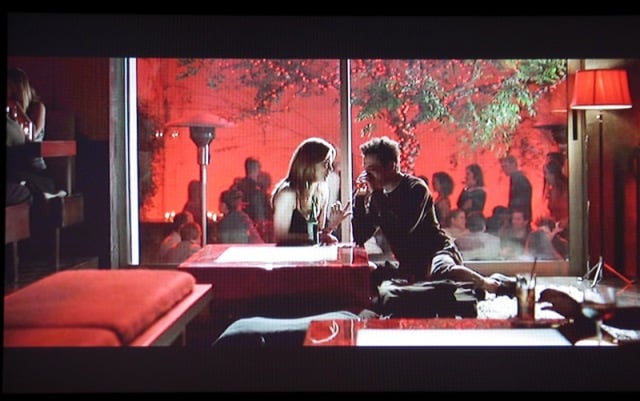
I'm not sure why I was so interested in this movie but I honestly went in not knowing at all what to expect. Robert Downey Jr. stars along with Val Kilmer and Michelle Monaghan with a couple of appearances by Corbin Bernsin (which usually is the kiss of death to any production, but not in this case). The whole movie is very tongue in cheek and doesn't take itself too seriously. The voice over by Downey often comments on the ridiculousness of the plot and the obviousness of some of the scenes. It follows a gumshoe-like story that is two parts film noir and one part comedy. This is not going to be a picture for everyone, but for those with the right sense of humor, it could be an instant favorite.
The first thing I really noticed about the playback of this movie was the need for a little noise reduction. I'm usually not all that sensitive to a noisy picture but in this case, with this movie, it was sorely needed. It wasn't all that distracting but it was noticeable. Other than that, I was constantly amazed by the level of detail and the vibrancy of the colors. One of the stylistic features of the production was the abundance of muted tones and lightings. This would be offset by the occasional splash of color. On the Olevia 542i, the vibrancy of the color really conveyed what the director had in mind. It drew your eye like a magnet.
Olevia 542i De-interlacing Problem and Conclusion
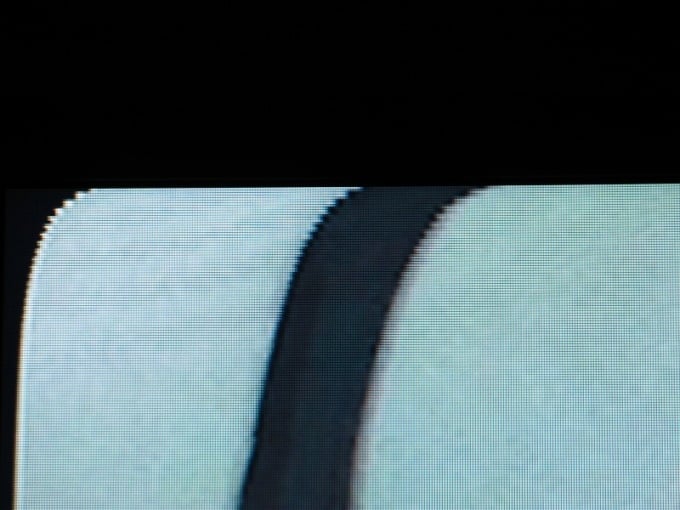
I came across a bit of an issue de-interlacing a 480i signal. The Olevia 542i sample I received pulled the top of the image over to the right so that it looked as if the image is scrolling down the screen. Changing the DVD player's output to Progressive eliminated the problem. Determined to verify that the problem is with the display and not the source, I used two different DVD players and around 15 different movies. In the pictures below, the distortion is most noticeable in the upper left of the screen. I've informed Syntax-Brillian of the problem and they have looked into it. They are unable to replicate the problem with any of the other units they have tested. I, personally, have done an extensive web search to see if anyone else has experienced this problem to no avail. As a result, I feel confident that this is probably not a systematic issue with the Olevia 542i and it appears I may have a defective unit.
Conclusions and Overall Perceptions
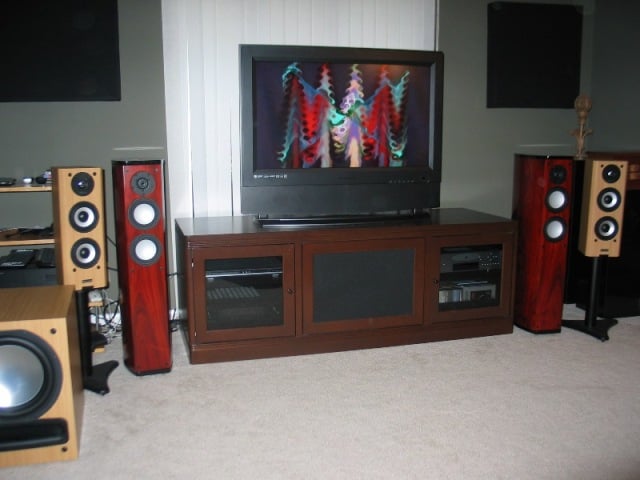 The Olevia 542i is a very impressive display. While the
picture is exceptional, what is more so is the foresight the designers
used when designing the speakers. Bottom mounted normally, they can be
switched to side mounted or (my preference) discarded for that clean
look. There is nothing like this display with a very thin frame around
a very large screen. Aside from the long turn-on time I would have very
little problems recommending this set to anyone that was on the market.
The Olevia 542i is a very impressive display. While the
picture is exceptional, what is more so is the foresight the designers
used when designing the speakers. Bottom mounted normally, they can be
switched to side mounted or (my preference) discarded for that clean
look. There is nothing like this display with a very thin frame around
a very large screen. Aside from the long turn-on time I would have very
little problems recommending this set to anyone that was on the market.
Editor's Note - 2/23/07
Since the publication of this review we have received many reports from consumers that have experienced the same deinterlacing problem that our review unit displayed. We have contact Olevia about the problem but have recieved no response. While we suspect that Olevia’s unresponsiveness to this issue is due to the fact that it is sporadic in nature and only affects a small subset of owners. We have subsequently pulled our recommendation of this display and hope that future models will have this problem addressed.
The Score Card
The scoring below is based on each piece of equipment doing the duty it is designed for. The numbers are weighed heavily with respect to the individual cost of each unit, thus giving a rating roughly equal to:
Performance × Price Factor/Value = Rating
Audioholics.com note: The ratings indicated below are based on subjective listening and objective testing of the product in question. The rating scale is based on performance/value ratio. If you notice better performing products in future reviews that have lower numbers in certain areas, be aware that the value factor is most likely the culprit. Other Audioholics reviewers may rate products solely based on performance, and each reviewer has his/her own system for ratings.
Audioholics Rating Scale
 — Excellent
- — Very Good
- — Good
- — Fair
- — Poor
| Metric | Rating |
|---|---|
| Detail and Resolution | |
| Deinterlacing & Scaling | |
| Contrast and Black Levels | |
| Color Reproduction | |
| Noise Reduction | |
| Calibration Options | |
| Build Quality | |
| Ergonomics & Usability | |
| Ease of Setup | |
| Features | |
| Remote Control | |
| Performance | |
| Value |  |
As Associate Editor at Audioholics, Tom promises to the best of his ability to give each review the same amount of attention, consideration, and thoughtfulness as possible and keep his writings free from undue bias and preconceptions. Any indication, either internally or from another, that bias has entered into his review will be immediately investigated. Substantiation of mistakes or bias will be immediately corrected regardless of personal stake, feelings, or ego.
View full profile Subscribe to our newsletter