


Epson PowerLite Pro Cinema 810 HQV Projector Review
Epson PowerLite Pro Cinema 810 HQV
- Product Name: PowerLite Pro Cinema 810 HQV
- Manufacturer: Epson
- Performance Rating:

- Value Rating:
- Review Date: March 28, 2007 12:21
- MSRP: $ 5999
|
Brightness:
1600 ANSI lumens (vivid
mode) Projection
Lens: F/2.0 – 3.17,
manual focus & zoom Warranty: 2 years parts & labor + 90 days lamp Dimensions: 16” x 4.9” x 12.2” in (406 x 124 x 310 mm)Weight: 11.9 lbs (5.4 kg) |
Video
Processing: Silicon
Optix TX3 Realta HQV 10-bit external processor, True 1080i to 1080p
deinterlacing, SD/HD multi-directional diagonal filter, Dynamic noise
reduction, 16- to 1024-tap adaptive scaling, Audio delay, Full geometry control Video Outputs: HDMI-HDCP, DVI-D and Analogue PC/RGB (HD15) Audio Inputs: S/PDIF & toslinkAudio Outputs: S/PDIF & toslink Control: RS-232, USB 2.0, Ethernet, IR remote Scanning Formats: 480i/576i/1080i and 480p/576p/720p/1080p/24/60 (PAL and some future formats supported) Remote: IR Power Supply: 100-240 volts, 47-63Hz Power Consumption: 300 watts (maximum) Operating Temperature: 10 – 35 degrees C (storage: -20 to 60 degrees C); up to 80% humidity (no condensation) Dimensions: 17.0” x 1.75” x 9.7” in (432 x 44 x 246 mm) Weight: 7 lbs (3.2 kg) |
Pros
- No screen door effect at practical viewing distances
- Excellent contrast & color saturation
- A plethora of calibration options
- Consumer adjustment of RGB gain, cut and gamma
- Backlit remote
- 1080p/24/60 support (not native)
Cons
- Premium price added for HQV processing
- HQV TX3 lacks multiple HDMI inputs/switching
- Requires some calibration out of the box
- Non-standard power cable
- Pricey for 720p, especially if you have good source components
Epson 810 HQV Features and Comparison
I like nice cars. Epson projectors remind me of a corvette - and that's a nice car. In addition to their good looks, Epson home theater projectors have several traits that are a cut above many competitors - like their ample zoom lenses, which don't appear to negatively affect image quality or picture sharpness. This combo, of course has some professional-grade video processing included which takes it far beyond the integrated video processing found in an entry-level projectors - though, of course, you pay a premium for the advantage. Let's check out the more outstanding features of the Epson Pro Cinema 810 HQV projector:
- Zoom Lens
Epson's "super" zoom lens means that you can position the projector at 10.4 feet or as far away as 22.2 feet in order to correctly hit a 100-inch diagonal screen. If that's not installation flexibility I don't know what is! The other added bonus is that Epson uses some decent optics, so the picture isn't noticeably compromised through the use of such a strong zoom lens. - Horizontal and Vertical Lens Shift
As if the super-zoom wasn't enough, Epson adds in 100% horizontal and 50% vertical lens shift, allowing users to position this projector just about anywhere inside, or even outside the screen area and still be able to hit the screen without requiring keystoning. The lens shift functions cannot be used to both extremes simultaneously due to the curved housing, but the range is incredible and certain to make installation much easier. We do wish the lens shift had a locking function to hold it in place once positioned, but we never witnessed the unit fall out of its settings during our testing. - Backlit Remote with Discrete Power and Direct Input
Access
I don't know about you, but having a remote with discrete power functions just makes the programming of nearly all universal remote controls much easier. The presence of direct inputs also means that you won't have any difficulty selecting the source you require at any time. - Useful Color Modes
Unlike many projectors we've seen of late, Epson makes good use of their Color Modes, offering such entries as Cinema Day, Cinema Night, Vivid (max output), and Silver Screen (low color temperature for Black & White movies). Absent are the useless multi-levels of "super bright" modes or obscure Sport modes that simply throw off color in an effort to create a more saturated image. This appears to be a projector with some "scruples". - Adjustable Gamma and Color Temperature
From one of the companies that brings you the LCD panels, Epson projectors seem to always have it where it counts. You can really dial in these projectors for perfect color due to a variety of well laid-out controls and settings. Gamma can be set accurately
Should You Opt for the HQV Option?
The $3000 HQV option is not inexpensive, though as we understand it the TX3 is certainly more affordable than Digital Projection Inc's VIP 1000 which costs as much as the whole 810 HQV package (it's the same box unless you factor in the Pro SD option). One of the advantages of the HQV option is a much higher quality of video processing which means your sources will all be processed at a higher level before they are sent to the projector - and that will result in a noticeable difference in picture quality.
|
Epson 810 |
Epson 810 HQV |
|
HQV Score: 49 |
HQV Score: 125 |
|
Inputs: s-video Component PC (HD15) |
Inputs: s-video Component (BNC with adapters) PC (HD15) S/PDIF audio |
|
Outputs: NA |
Outputs: |
|
Scaling Options: |
Scaling Options: |
|
1) 12V Triggers |
2) 12V Triggers |
|
RS-232C: Yes |
RS-232C: Yes with Slave |
|
480i/480p/720p/1080i support |
Full 1080p/24/60 support |
|
MSRP: $2,999 |
MSRP: $5,999 |
The final decision will be up to you, but $3000 for a video processor isn't too bad. We just wish this one had more inputs so that it could truly serve as the video hub of your AV system. As it stands now, you'll need to use a good quality receiver and put it into bypass mode to send all of your output sources to the TX3. Some would say this is a "tom-ā-to / tom-ah-to" issue.
Epson 810 Basic Setup, Connections and Remotes
First and foremost, you'll want to get your projector situated as close to an ideal position as possible. What's ideal? Well, hanging from the ceiling with the lens directly in line with the top of the screen and the lens centered. Generally, you will be able to utilize the lens shift function to correct just about anything, provided you can locate the projector lens within the boundary of the screen (and not to an extreme corner). The power cord that comes with the Pro Cinema 810 HQV is just under 10 feet long - that gives you a good amount of leeway for getting to a power outlet. Connections are on the back of the units and with the HQV option you'll merely be supplying HDMI and RS-232 from the TX3 to the Pro Cinema 810 HQV display. The TX3 HQV Processor will take DVI-D or HDMI for a digital signal input and can even handle 1080p at 24/30Hz via the component inputs.
Throw Chart for Distancing the Projector from a 16:9 Projection Screen
|
Screen
Size |
Size (Inches) |
Distance (Feet) |
||
|
|
width |
height |
wide |
tele |
|
70 |
61.0 |
34.3 |
6.8 |
14.1 |
|
80 |
69.7 |
39.2 |
7.9 |
16.2 |
|
90 |
78.4 |
44.1 |
8.9 |
18.3 |
|
100 |
87.2 |
49.0 |
9.9 |
20.3 |
|
110 |
95.9 |
53.9 |
11.0 |
22.4 |
|
120 |
104.6 |
58.8 |
12.0 |
24.5 |
|
130 |
113.3 |
63.7 |
13.1 |
26.6 |
|
150 |
130.7 |
73.5 |
15.1 |
30.7 |
|
170 |
148.2 |
83.3 |
17.2 |
34.9 |
|
200 |
174.3 |
98.1 |
20.3 |
41.1 |
Connections
I actually would like more connections, but then again with modern AV processors and receivers, perhaps the 1 rack space TX3 is all you need. In any case, composite, s-video, component, DVI-D and HDMI are all accounted for and will ensure that whatever source you are sending to the display - it can be entered into the TX3. The argument for additional inputs would be mostly limited to HDMI. In this way, you could connect a PlayStaion3, Digital Cable box, DVD player and even a HD-DVD player to your processor without the use of a switcher (or more importantly, going though any additional video processing before the signal gets to the HQV processor). As it stands now, this $3000 processor may require the use of a separate HDMI switcher or the use of a modern AV processor or receiver. Taking a look at both units, wee can see the available inputs:

TX3 HQV Processor
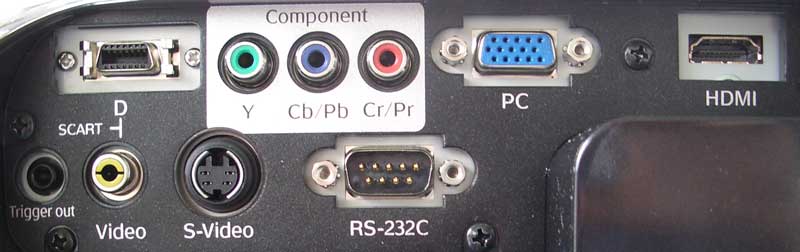
Pro Cinema 810 HQV (typically only HDMI and RS-232C connections will be used
when combined with the HQV processor)
Epson Pro Cinema 810 Remote Control
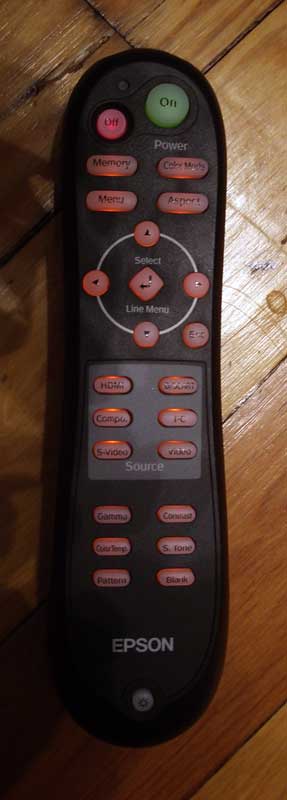 The Epson remote is rather bulky, though it makes the effort to appear
curvaceous and conform to the user's hand. It fails at this, but it does excel
at several points. First, the Pro Cinema 810 and remote have the best IR
transceiver/receiver system on the planet. The IR control system designers are
at Epson should be licensed out to every other manufacturer on the planet
(especially the new entry-level display companies) and take the industry to
school on how to make remotes communicate to devices. You can just about point
the remote anywhere and it will control the unit. In fact, I was actually
trying very hard to PREVENT the remote from controlling the Epson and I failed
miserably most of the time unless I physically block the IR receiver with my
entire hand (a finger wasn't enough). Pointing the remote at the screen works
wonderfully (bouncing it back to the projector) and you can do just about
anything you want and still retain IR control.
The Epson remote is rather bulky, though it makes the effort to appear
curvaceous and conform to the user's hand. It fails at this, but it does excel
at several points. First, the Pro Cinema 810 and remote have the best IR
transceiver/receiver system on the planet. The IR control system designers are
at Epson should be licensed out to every other manufacturer on the planet
(especially the new entry-level display companies) and take the industry to
school on how to make remotes communicate to devices. You can just about point
the remote anywhere and it will control the unit. In fact, I was actually
trying very hard to PREVENT the remote from controlling the Epson and I failed
miserably most of the time unless I physically block the IR receiver with my
entire hand (a finger wasn't enough). Pointing the remote at the screen works
wonderfully (bouncing it back to the projector) and you can do just about
anything you want and still retain IR control.
Aside form the bulkiness, the remote has some other positive and negative features in my opinion. The presence of direct input selection buttons is always a plus - as are the discrete power controls. You have access to just about every major function on the projector that would be needed on the fly, including Memory settings, Color Mode, Aspect ratio and even some you don't - like Color Temp, Gamma, Skin Tone and Pattern.
I would love for the backlight button to either be located on the side of the remote or in a state where it could be configured to come on with any button press. As with all projector remotes, the buttons should light up all the time when pushed - after all, this is a home theater projector and it's going to be used in varying levels of darkness. Overall this is a good remote and will be easily programmable into either consumer universal remote controls or a more robust system.
Silicon Optix HQV TX3 Remote Control
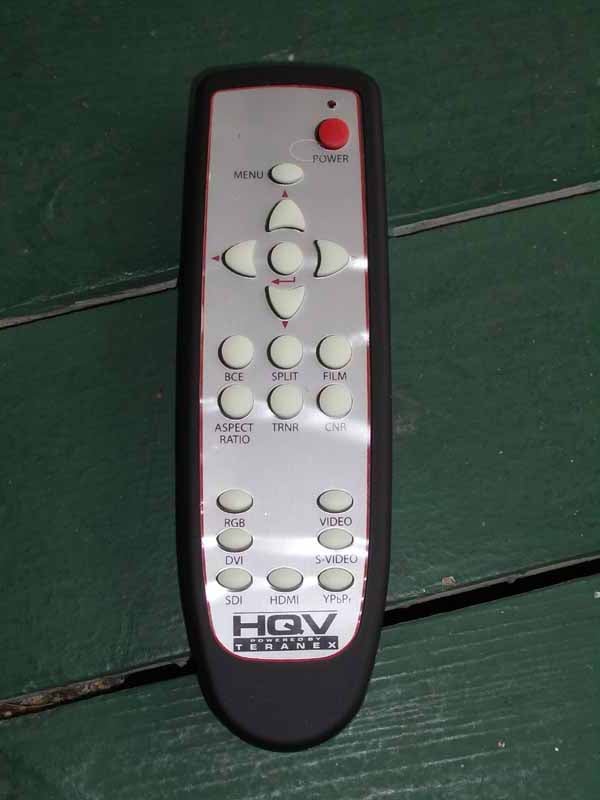 The HQV TX3 remote control made the
Epson look even better. Resembling the Westinghouse LVM display series remotes
(same Chinese manufacturer), the TX 3 doesn't even sport a discrete on/off switch or any backlighting to speak
of. The buttons do glow in the dark,
however making this remote suitable for use in any cereal box giveaway.
The HQV TX3 remote control made the
Epson look even better. Resembling the Westinghouse LVM display series remotes
(same Chinese manufacturer), the TX 3 doesn't even sport a discrete on/off switch or any backlighting to speak
of. The buttons do glow in the dark,
however making this remote suitable for use in any cereal box giveaway.
The remote is separated into three main sections - navigation, source selection and HQV features and controls. These HQV onboard controls include some of the more detailed HQV settings like Film mode and Aspect Ratio. Codec Noise Reduction (CNR), Temporal Recursive Noise Reduction (TRNR), and a split function are also included. Split allows you to compare the noise reduction using a split screen where only half the image is processed. There is also a direct button for Brightness/Contrast Enhancement (BCE) which is essentially a form of Picture Mode for using the projector in Day or Nighttime situations.
Its IR functionality was fine and it got the job done, but for the price of the processor I'm guessing Silicon Optix supposed no one in their right mind would be using this remote for very long - and they are probably right.
Epson Pro Cinema 810 HQV Menu System
The Epson Pro Cinema 810 menu system is, for the most part, as ergonomic and functional as its IR system. You simply click to enter an area and then either cursor to "Return" to back out, or click the left arrow. It is very intuitive that "even a caveman could do it." The breakdown of the various menu sections was also easy to follow, with few exceptions. The HQV TX3 menu system was a bit more simplistic, offering enough configurability to be helpful, but never robust enough to make you feel like it wasn't just some "magic box" that made everything look better (which it did).
Epson Picture Menu
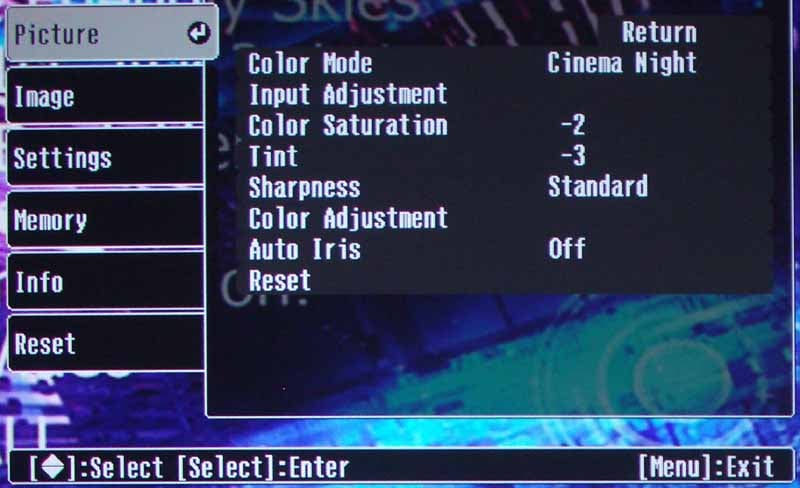 The Pro Cinema Picture menu was home
base for all basic calibrations. Somewhat perplexingly, Brightness and Contrast
controls were located under "Input Adjustment" one level down. Epson
also separates their controls into Brightness/Contrast and White Level/Black Level
- apparently wanting to use the former for preferential adjustments and the
latter for more refined calibration settings. I just thought it was completely
redundant, especially with Memory settings for various Day and Night uses.
Other controls equal Auto Iris (which I kept 'Off' for optimal black level
during Cinema modes), Sharpness, Color Mode (which is more like other
projectors' "Picture" modes, and the Color Adjustment which
ultimately allowed for Color Temp, Skin Tone (avoid), Gamma and RGB Gain and
Cut controls.
The Pro Cinema Picture menu was home
base for all basic calibrations. Somewhat perplexingly, Brightness and Contrast
controls were located under "Input Adjustment" one level down. Epson
also separates their controls into Brightness/Contrast and White Level/Black Level
- apparently wanting to use the former for preferential adjustments and the
latter for more refined calibration settings. I just thought it was completely
redundant, especially with Memory settings for various Day and Night uses.
Other controls equal Auto Iris (which I kept 'Off' for optimal black level
during Cinema modes), Sharpness, Color Mode (which is more like other
projectors' "Picture" modes, and the Color Adjustment which
ultimately allowed for Color Temp, Skin Tone (avoid), Gamma and RGB Gain and
Cut controls.
Epson Image Menu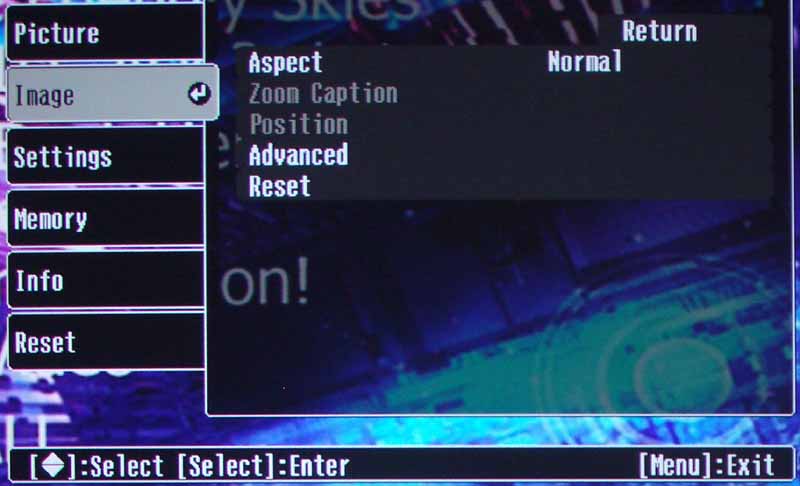 The Image menu seemed to be
very limited until you entered the Advanced section where it opened up the user
to adjustment of the Setup Level (black level - 0%), Epson Super White mode
(set to 'On'), and DVI Video Level. You can, as with all Epson menus, rest this
section to its defaults without affecting all other menu systems. This is a
nice feature and serves as a great way to get back to factory settings in one
area of the menu which may have gotten a bit off-kilter.
The Image menu seemed to be
very limited until you entered the Advanced section where it opened up the user
to adjustment of the Setup Level (black level - 0%), Epson Super White mode
(set to 'On'), and DVI Video Level. You can, as with all Epson menus, rest this
section to its defaults without affecting all other menu systems. This is a
nice feature and serves as a great way to get back to factory settings in one
area of the menu which may have gotten a bit off-kilter.
Epson
Settings Menu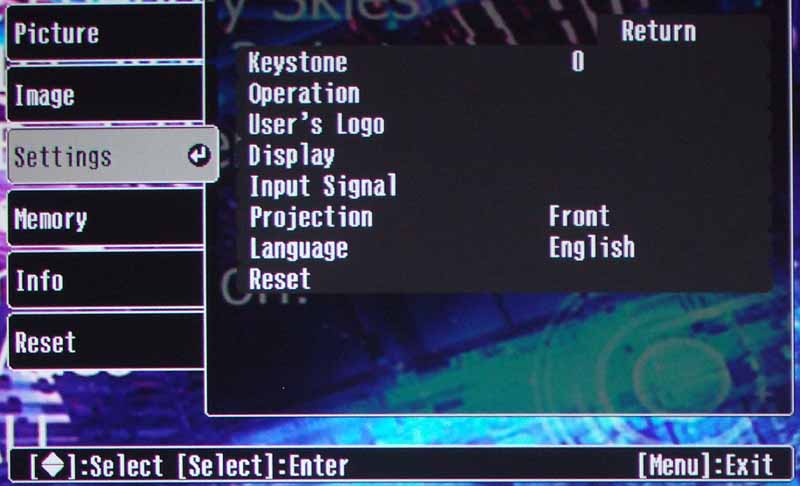 The Settings menu is a good place to start
if you're ceiling mounting the unit. This is where you will select the method
of projection so the image can be inverted if needed for use with a ceiling
mounting position. As always, we recommend never using Keystone in home theater
projectors. You can also display your own "logo" by doing a screen
capture of an image (or portion thereof and saving it to the projector. Other
niceties are located in this menu as well and most features are related to
general menu and projector settings.
The Settings menu is a good place to start
if you're ceiling mounting the unit. This is where you will select the method
of projection so the image can be inverted if needed for use with a ceiling
mounting position. As always, we recommend never using Keystone in home theater
projectors. You can also display your own "logo" by doing a screen
capture of an image (or portion thereof and saving it to the projector. Other
niceties are located in this menu as well and most features are related to
general menu and projector settings.
Epson
Memory Menu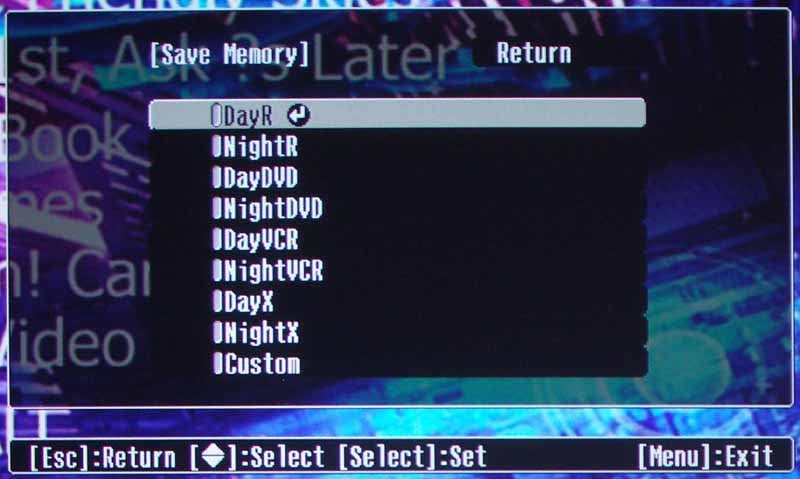 The Memory menu is interesting to note because of the array of settings
available to the user. This is a marked improvement over the generic bank of
settings in Epson's older models. You now have the option of storing Color and
Contrast data (among other things) to the following locations: DayR, NightR,
DayDVD, NightDVD, DayVCR, NightVCR, DayX, NightX, and Custom. The concept is
that each setting can be configured for use with various components in various
situations. Recalling these settings can be the difference between a great
picture and one that completely changes once your input signal/source switches.
The Memory menu is interesting to note because of the array of settings
available to the user. This is a marked improvement over the generic bank of
settings in Epson's older models. You now have the option of storing Color and
Contrast data (among other things) to the following locations: DayR, NightR,
DayDVD, NightDVD, DayVCR, NightVCR, DayX, NightX, and Custom. The concept is
that each setting can be configured for use with various components in various
situations. Recalling these settings can be the difference between a great
picture and one that completely changes once your input signal/source switches.
HQV TX3 Input Menu
Moving on to the TX3 processor, we find the
first menu rather sparse - allowing control over video source and digital audio
settings (including delay).
HQV TX3 Picture
Menu
Ah, this would be the robust menu of the
bunch, getting users into the functions which control Contrast, Brightness,
Detail Enhancement, Gamma (in and out), Color Temperature, Saturation and Hue.
Aspect Ratio settings are also here -0 very important If you are using an
Anamorphic lens to stretch the picture to completely fill a 2.35:1 screen. You
can also select Flexview which is a nonlinear adjustment for stretching 4:3
images to fit a 16:9 screen. Some computer-centric settings and even an ISF
Day/Night mode are present here as well.
HQV TX3 Setup Menu
& Info Screen
The Setup menu is a functional menu which
controls test patterns, menu position, 12V DC triggers and the global factory
reset. The Information menu shows the various modes and scanning frequencies
along with firmware versions and IP information.
HQV TX3 Advanced
Menu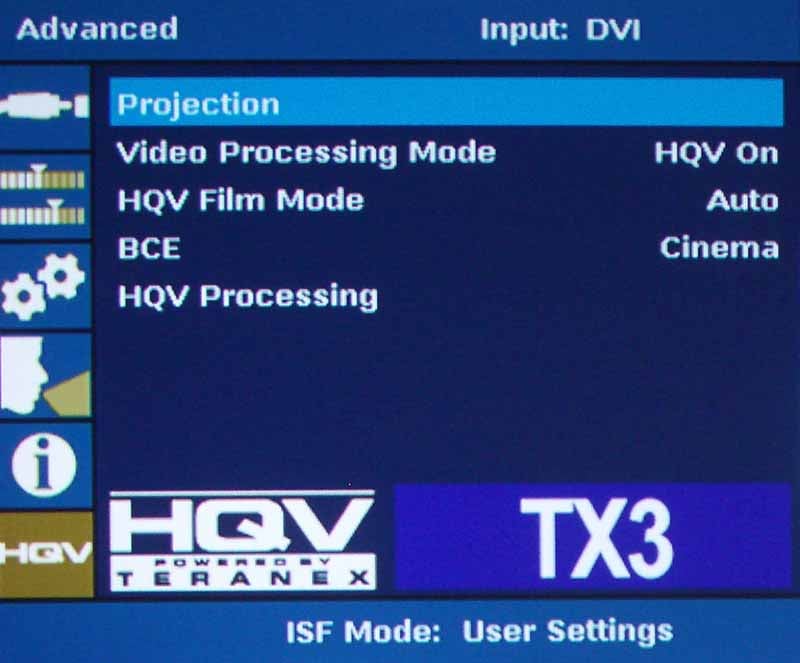 As indicated by the HQV logo on this menu,
the Advanced menu is where you can access the HQV system and turn it on and
off. You can also choose the Film Mode (though Auto should do just fine with
most material) and engage the Picture modes labeled under the BCE moniker (see
above). The two main Noise Reduction circuits seemed to work very well together
and I would recommend leaving them on but at low settings.
As indicated by the HQV logo on this menu,
the Advanced menu is where you can access the HQV system and turn it on and
off. You can also choose the Film Mode (though Auto should do just fine with
most material) and engage the Picture modes labeled under the BCE moniker (see
above). The two main Noise Reduction circuits seemed to work very well together
and I would recommend leaving them on but at low settings.
You can also do "pincushion-style" keystoning where each corner of the screen can be adjusted for horizontal and vertical positioning. While I don't recommend using keystoning (in home theater use) this is one of the more robust and easy-to-use systems for it I have ever seen.
HQV ISF Day/Night Dealer Calibration Software
By connecting to the TX3 via serial (RS-232), USB or Ethernet, you can install software that comes with the system and access picture controls directly - making adjustments to the main parameters very easy and, more importantly, completely storable
Epson 810 HQV Calibration & Measurements
The PowerLite Pro Cinema 810 HQV projector seemed to lack some of the more saturated greens (according to the CIE chart, however this wasn't apparent in our viewing tests and we were using a DVD source for our measurements which is less reliable than a calibrated video signal generator.
We again utilized datacolor’s ColorFacts Professional 6.0 software to calibrate and measure the grayscale response of the Epson projector. The PowerLite Pro Cinema 810 HQV is an exceptional projector that comes with pretty good performance out of the box, except for some oddities. For example, when setting White levels you must have Epson Super White 'On' in order to get whiter than white output from the projector. On the other hand, I could not initially seem to get the 810 HQV to pass 'blacker-than-black' with HDMI. Take away the TX3 Silicon Optix processor and the pattern showed blacker than black. Taking the next step I quickly realized that I'd need to make adjustments in the TX3 and raise the black level to get to the point where I could see the 'blacker-than-black' bars I was looking for. What I ended up with was Brightness = 55 and Contrast = 49 (defaults are 50 and the Epson 810's settings were at 0):
While calibrating the Epson I noticed two things: One, the remote control could be pointed almost anywhere and still control the projector, and Two, Epson makes you take about a dozen button presses to get back to the RGB Gain/Offset menu. By the time I was done I had engaged hundreds of button pushes - no exaggeration. Remembering the last menu function would be a really great improvement for more casual users.
|
Before Calibration |
After Calibration |
|
|
|
|
While the projector looked pretty good, it was obvious that even in Cinema Night mode, the color would need to be adjusted. |
We dialed in RBG pretty accurately and there didn't seem to be any "rubber band" effect that we see so often on projectors these days. |
|
|
|
|
Color temperature looked acceptable and of course could be dialed in further by the system. |
After calibration we had an almost identical temperature histogram. |
|
|
|
|
Color temperature was close, but we found that we could do a bit better. |
Once tweaked, the color temp stayed fairly even at 6500K - right where we wanted it. |


Epson 810 HQV Benchmark Testing and Results
Perfect
Score is 130
Epson
PowerLite Pro Cinema 810 HQV Benchmark Score: 125 (with the HQV
processor, you don't need a great DVD player with this projector, just feed it
480i)
|
Test |
Max |
Component |
Component |
|
Color Bar |
10 |
10 |
Pass |
|
Jaggies #1 |
5 |
5 |
Pass |
|
Jaggies #2 |
5 |
5 |
Pass |
|
Flag |
10 |
10 |
Pass |
|
Detail |
10 |
10 |
Pass |
|
Noise |
10 |
10 |
Pass |
|
Motion adaptive Noise Reduction |
10 |
5 |
Pass |
|
Film Detail |
10 |
10 |
Pass |
|
Cadence 2:2 Video |
5 |
5 |
Pass |
|
Cadence 2:2:2:4 DV Cam |
5 |
5 |
Pass |
|
Cadence 2:3:3:2 DV Cam |
5 |
5 |
Pass |
|
Cadence 3:2:3:2:2 Vari-speed |
5 |
5 |
Pass |
|
Cadence 5:5 Animation |
5 |
5 |
Pass |
|
Cadence 6:4 Animation |
5 |
5 |
Pass |
|
Cadence 8:7 animation |
5 |
5 |
Pass |
|
Cadence 3:2 24fps film |
5 |
5 |
Pass |
|
Scrolling Horizontal |
10 |
10 |
Pass |
|
Scrolling Rolling |
10 |
10 |
Pass |
|
Total Points |
130 |
125 |
|
Epson PowerLite Pro Cinema 810 HQV Benchmark Score: 49 (with the stock Epson 810 projector, you'll want to have a good source that will provide better deinterlacing performance and noise reduction)
|
Test |
Max |
Component |
Component |
|
Color Bar |
10 |
10 |
Pass |
|
Jaggies #1 |
5 |
3 |
Pass |
|
Jaggies #2 |
5 |
1 |
Pass |
|
Flag |
10 |
0 |
Fail |
|
Detail |
10 |
5 |
Pass |
|
Noise |
10 |
0 |
Pass |
|
Motion adaptive Noise Reduction |
10 |
0 |
Fail |
|
Film Detail |
10 |
10 |
Pass |
|
Cadence 2:2 Video |
5 |
0 |
Fail |
|
Cadence 2:2:2:4 DV Cam |
5 |
0 |
Fail |
|
Cadence 2:3:3:2 DV Cam |
5 |
0 |
Fail |
|
Cadence 3:2:3:2:2 Vari-speed |
5 |
5 |
Pass |
|
Cadence 5:5 Animation |
5 |
0 |
Fail |
|
Cadence 6:4 Animation |
5 |
0 |
Fail |
|
Cadence 8:7 animation |
5 |
0 |
Fail |
|
Cadence 3:2 24fps film |
5 |
5 |
Pass |
|
Scrolling Horizontal |
10 |
5 |
Pass |
|
Scrolling Rolling |
10 |
5 |
Pass |
|
Total Points |
130 |
49 |
|
Comments on HQV Testing
When running the final grayscale test I noticed some color uniformity issues on the edges of the screen image. It wasn't detracting during normal usage. The Epson PowerLite Pro Cinema 810 cannot handle 480i (correctly) via HDMI. The projector, strangely enough, takes in the 480i HDMI signal, but it line-doubles the 480i input, causing flickering. The TX3 actually wouldn't handle 480i input via the DVI-D input we fed it (HDMI is compatible).
Contrast ratios were good, with the Cinema Night mode coming in at 427:1 (real world), Cinema Day showing us 1223:1 and the ever illuminating Vivid mode torched out a contrast of 3091:1. The brightest measurement we had (Vivid mode) showed us 57.5 fL and the Cinema Night mode yielded an adequate 13.5 fL (don’t plan on using a much larger screen). Here is a quick breakdown of the color temperature measurements we took from our 1.3 gain Stewart Studiotek 130 screen:
- Vivid: 6350K
- Cinema Day: 11,650K
- Natural: 5550K
- Cinema Night: 6350K
- HD: 6700K
- Silver Screen: 5650K
- Standard: 5650K
These measurements were taken with the Epson's Absolution Color temperature set to 6500K. To test a theory we bumped the Abs. Color temperature to 9000K (on an 80IRE screen) and found that the corresponding measurement was about 10,000K. For a nice Black and White Movie mode out of the box, you could calibrate from the Silver Screen mode - or you could just drop the Color Temperature of Cinema Night to 5500K.
Epson 810 HQV Viewing Tests and Conclusion
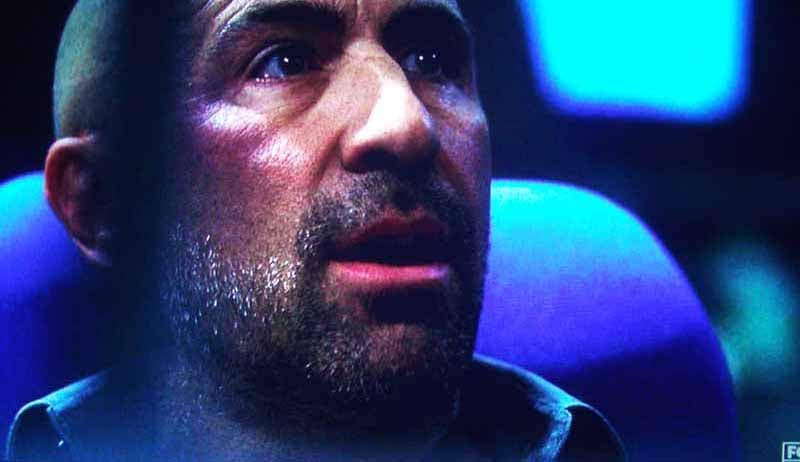
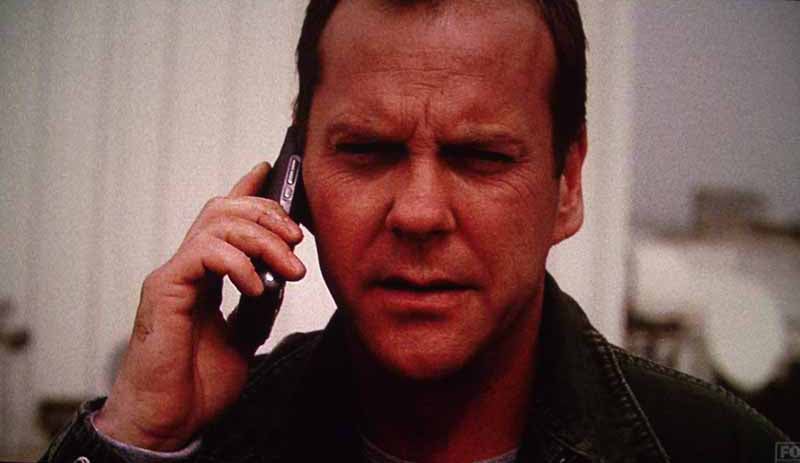
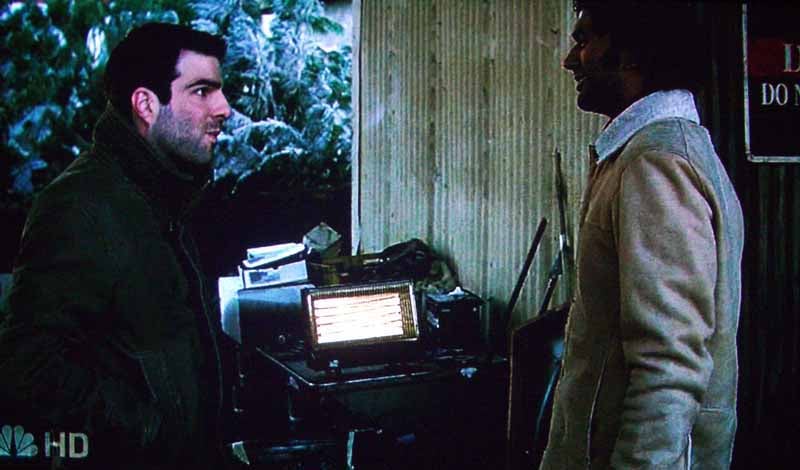
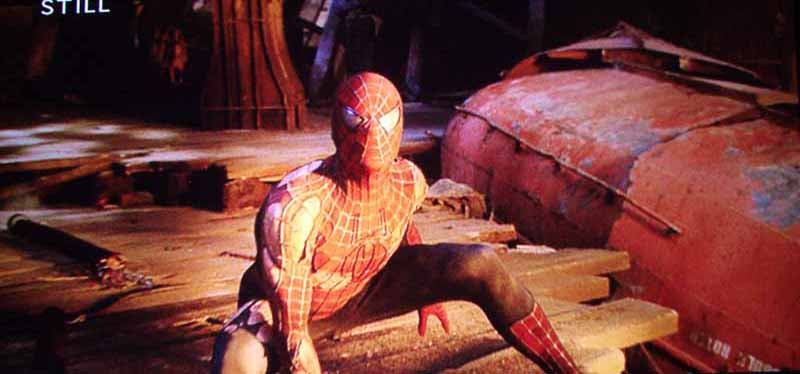
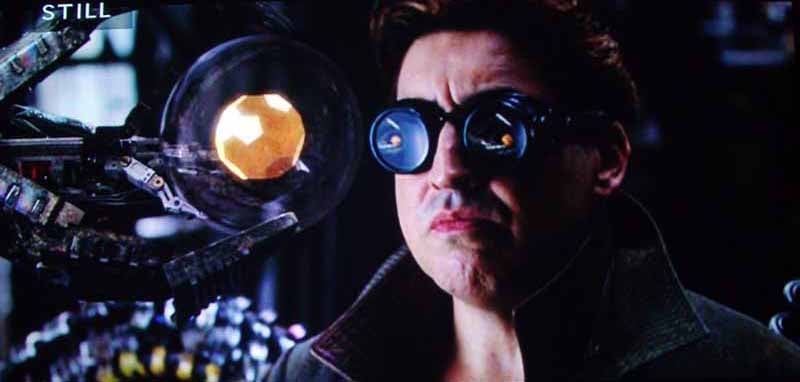
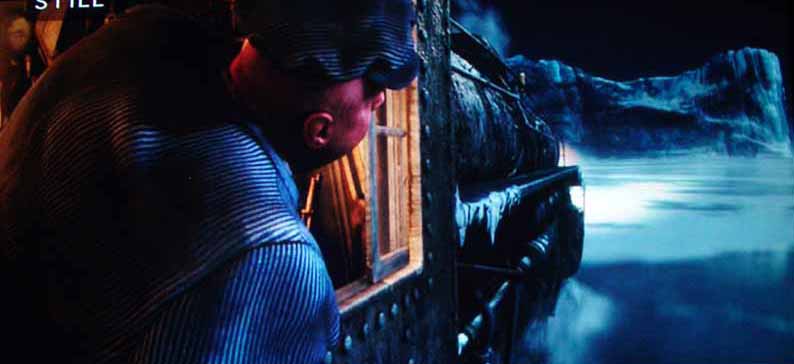
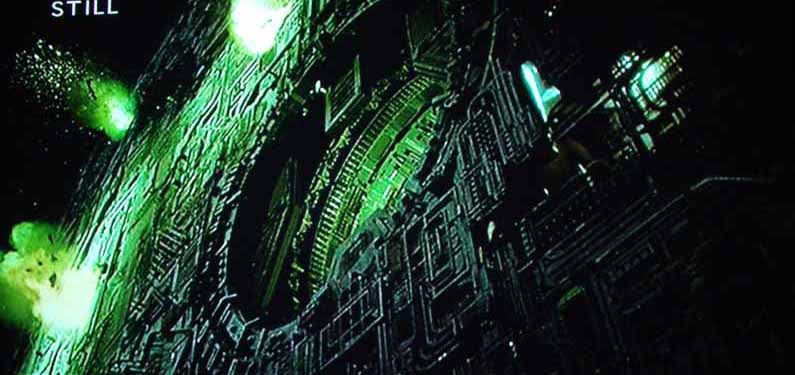
HDTV: 24
and Heroes
We watched quite a few TV
shows in HD with the Epson PowerLite Pro Cinema 810 HQV, and 24 is one of our favorite shows. Though
quite grainy in it's film-style shooting, 24
has a good amount of detail and spends much of its time "in the
shadows" where deep areas of black are waiting to be revealed (or not) by
your projector. Heroes does similar,
but with an even higher quantity of darkly-lit scenes and an abundance of drab,
darker clothing. With the Epson, we found that color and black detail was
superb - especially for an LCD. Epson must pride itself on breaking the
stereotypes of LCD projectors, because with the PowerLite 810HQV, black levels
are very good. I would attribute this, to some major extent, to the manageable
light output of the lamp and the ease of calibration when setting black ad
white levels.



Conclusion
The Epson PowerLite Pro Cinema 810 HQV is about as good as its name is long… and it's quite long. This is a projector with ample features for both consumers and the custom installer. Add to that the excellent quality and you have a product that is a cut above the slew of sub-$2000 models currently dominating the scene. With Epson, you're also getting a projector from one of the few companies that actually manufacture the LCD chips and lamps that make up the optical system. Sure, you can get a less expensive but sporty consumer model, but if you want the flexibility of multiple user settings, extensive calibration features and unmatched video processing - you may want to go with an Epson.
Epson PowerLite Pro Cinema 810 HQV LCD Projector
MSRP: $5999
Epson America,
Inc.
One Epson Way
Secaucus, NJ 07094
www.epson.com
About Epson
Epson offers
an extensive array of award-winning image capture and image output products for
the consumer, business, photography, and graphic arts markets. The company is
also a leading supplier of value-added point-of-sale (POS) printers and
transaction terminals for the retail market. Founded in 1975, Epson America, Inc.
is the U.S. affiliate of Japan-based Seiko Epson Corporation, a global
manufacturer and supplier of high-quality technology products that meet
customer demands for increased functionality, compactness, systems integration
and energy efficiency. Epson America, Inc. is headquartered in Long Beach,
Calif.
The Score Card
The scoring below is based on each piece of equipment doing the duty it is designed for. The numbers are weighed heavily with respect to the individual cost of each unit, thus giving a rating roughly equal to:
Performance × Price Factor/Value = Rating
Audioholics.com note: The ratings indicated below are based on subjective listening and objective testing of the product in question. The rating scale is based on performance/value ratio. If you notice better performing products in future reviews that have lower numbers in certain areas, be aware that the value factor is most likely the culprit. Other Audioholics reviewers may rate products solely based on performance, and each reviewer has his/her own system for ratings.
Audioholics Rating Scale
 — Excellent
- — Very Good
- — Good
- — Fair
- — Poor
| Metric | Rating |
|---|---|
| Detail and Resolution | |
| Deinterlacing & Scaling | |
| Contrast and Black Levels | |
| Color Reproduction | |
| Noise Reduction | |
| Calibration Options | |
| Build Quality | |
| Ergonomics & Usability | |
| Ease of Setup | |
| Features | |
| Remote Control | |
| Fit and Finish | |
| Performance | |
| Value | |
Clint Deboer was terminated from Audioholics for misconduct on April 4th, 2014. He no longer represents Audioholics in any fashion.
View full profile Subscribe to our newsletter