


Benchmark Testing DVDs - Overview of HQV, Avia Pro and DVE
Audioholics Benchmark DVD Testing
All of our DVD player reviews are subjected to our rigorous tests. A modest score on our test does not necessarily indicate that a DVD player performs poorly in real world installations, but these metrics all work together to form a complete picture of the player.
Testing and evaluating a DVD player's performance with test discs and various display devices is somewhat subjective to the reviewer's interpretations of the test results and are not absolutely scientific. Thus, the review should be used as a guideline only. Each review of a DVD player will ultimately be a result of the player in conjunction with a display, however by doing the following, we ensure that the display is having a minimal impact on the player's evaluation:
- The reference display must have been calibrated utilizing a reference DVD player as its source
- The reviewed DVD player must be outputting progressive scan signal
- If an upconverting player is utilized, the player must output upconverted video matching the display's native resolution (or as close as possible)
- Noise reduction circuitry as well as an scan velocity modulation or sharpening circuits must be disengaged or set to minimal (verification must take place to ensure minimal settings for Sharpness do not, in fact, blur the image.)
- Adequate cables and cable lengths must be used to ensure proper tranmission of a digitasl or analogue signal from the player to the display
- Environmental conditions must be taken into account (ambient room light, reflectivity of viewing room, etc)
- When possible, multiple displays are utilized
For the test and evaluation of our DVD players we uutilize a combination of Avia Pro, Digital Video Essentials, and Silicon Optix HQV Benchmark DVD test discs.
Audioholics' benchmark testing of DVD players is rigorous; the simple fact is that many of the high-end DVD players cannot pass all the Audioholics/HQV tests. We at Audioholics feel there should be no compromise on borderline judgment calls on the tests, so when in doubt we'll fail the test or give partial credit. It is our hope that with this testing, the DVD player manufacturers will continue to upgrade their implementation of the technologies and strive to make products that are fully capable of passing these rigorous test standards - and result in real-world performance that is exceptional and expected. A modest score on our test does not necessarily indicate that a DVD player performs poorly in real world installations, after all, there are a lot of factors that contribute to a player's overall performance. What this does do, however is supply a set of objective tests to an otherwise subjective review.
Beginning the Testing - Resolution
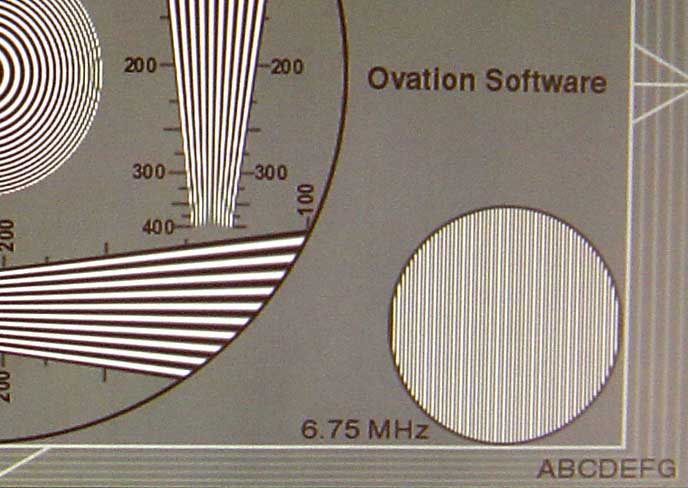 Utilizing Ovation Multimedia's Avia Pro we will check the basic resolution capabilities of the player. The 6.75MHz pattern in the test should be clearly visible and well defined as shown in the photo lower right corner.
After the resolution check, we proceed to the a black level test using Avia Pro's pluge test pattern (there are several patterns that can be used for this including deep ramps). The ability to display correct black level is an important part of a DVD player's performance. Correct black level settings will preserve shadow detail and improve the depth and contrast of an image. This is also where we can determine the correct placement of any "Black Level Enhancement" settings (typically OFF). It is important that the blacker than black pluge be clearly visible in order to achieve all of the potential dynamic range available on DVDs.
If necessary, we will adjust a player's brightness (black level) and contrast (white level) settings, however typically we want to run the units at 'stock' settings and will make a note in the review if any player's initial settings required adjustment.
Editorial Note about Silicon Optix HQV Benchmark Test DVD
Silicon Optix developed the HQV Benchmark DVD in an effort to set a new standard for video processing quality and to attempt to make the testing more objective rather than subjective. The main goal was to help reviewers and consumers measure the performance of the video processing logic inside DVD players, scalers, and displays. The HQV Benchmark helps reviewers generate a ratings score that may be used by consumers to compare products and get a better understanding of the differences they will have in their viewing experience with various competitive products.The source material for the HQV Benchmark was accumulated by Silicon Optix'Teranex division over the past five years. Teranex has been working closely with Hollywood post production facilities and major broadcasters to collect a variety of real-world samples of video processing challenges. Those sequences are included on the HQV Benchmark DVD. Where possible, the tests include both synthetic tests to aggravate a particular problem along with real-world material that shows the same problem. For the past year, numerous reviewers and industry experts have been evaluating this content and providing feedback to Silicon Optix on both the content and the ratings systems. The current HQV Benchmark DVD is a direct result of this industry collaboration.
HQV Benchmark DVD Testing Part 1
This is an example of what the HQV Benchmark DVD scoring table looks like. This will appear in all of Audioholics' standard definition DVD player reviews.
Perfect Score is 130
DVD player brand X Benchmark
total score: 130/130
|
Test |
Max |
1080p |
1080p |
|---|---|---|---|
|
Color Bar |
10 |
10 |
Pass |
|
Jaggies #1 |
5 |
5 |
Pass |
|
Jaggies #2 |
5 |
5 |
Pass |
|
Flag |
10 |
10 |
Pass |
|
Detail |
10 |
10 |
Pass |
|
Noise |
10 |
10 |
Pass |
|
Motion adaptive Noise Reduction |
10 |
10 |
Pass |
|
Film Detail |
10 |
10 |
Pass |
|
Cadence 2:2 Video |
5 |
5 |
Pass |
|
Cadence 2:2:2:4 DV Cam |
5 |
5 |
Pass |
|
Cadence 2:3:3:2 DV Cam |
5 |
5 |
Pass |
|
Cadence 3:2:3:2:2 Vari-speed |
5 |
5 |
Pass |
|
Cadence 5:5 Animation |
5 |
5 |
Pass |
|
Cadence 6:4 Animation |
5 |
5 |
Pass |
|
Cadence 8:7 animation |
5 |
5 |
Pass |
|
Cadence 24fps film |
5 |
5 |
Pass |
|
Scrolling Horizontal |
10 |
10 |
Pass |
|
Scrolling Rolling |
10 |
10 |
Pass |
|
Total Points |
130 |
130 |
|
We'll usually follow up with some commentary on the benchmark testing and explain any anomalies we discovered along the way.
The Specific HQV Benchmark DVD Tests
 Color Bar Test
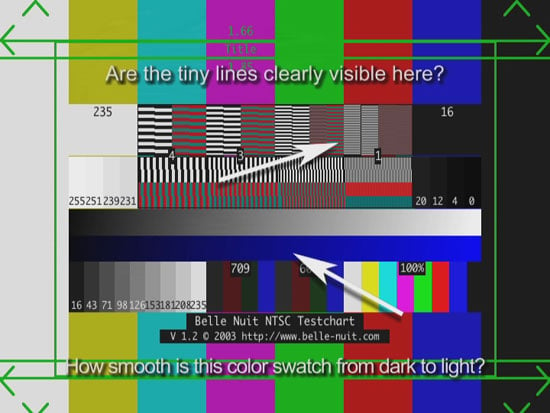
The significance of this test is the ability to pass the full 480 lines of the DVD. The fine horizontal lines in this pattern should be clearly visible and stable. Note: the images shown here may be slightly blurred due to their size. The blue and gray gradients should also be smooth across the middle, however displays can often be responsible for banding in this area.
Scoring:
10 - Image detail is seen fully in the first two black/white bars. No flicker is observed
5 - Image detail is seen fully in the first two black/white bars. Some flicker is observed
0 - No image detail (blurred)
 Jaggies Test
#1
Jaggies Test
#1
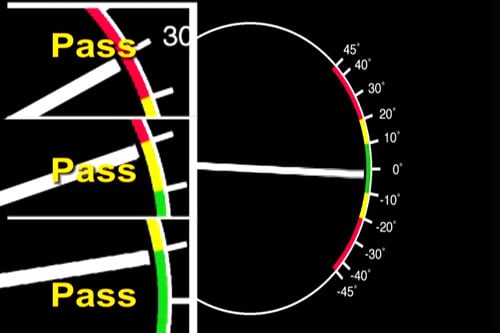
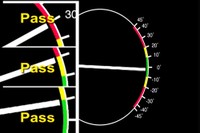
The Jaggies Test #1 measures the DVD player's de-interlacing performance. The idea is that interlaced video (essentially what is on a DVD) often times generates scan line artifacts when recombined to progressive output. Motion adaptive deinterlacing is what good DVD players use to process these signals. Some processors have better directional interpolation, which means that they can "look ahead" and generate a smoother line than players that simply rely on flags or the straight mechanics of the deinterlacing process.
Scoring:
10 - No jaggies are seen until the spinning bar enters the green area. (less than 10 degree angle)
5 - No jaggies are seen until the spinning bar enters the yellow area. (less than 20 degree angle)
0 - Player exhibits jaggies when the bar enters the red area (or before)
 Jaggies Test
#2
Jaggies Test
#2
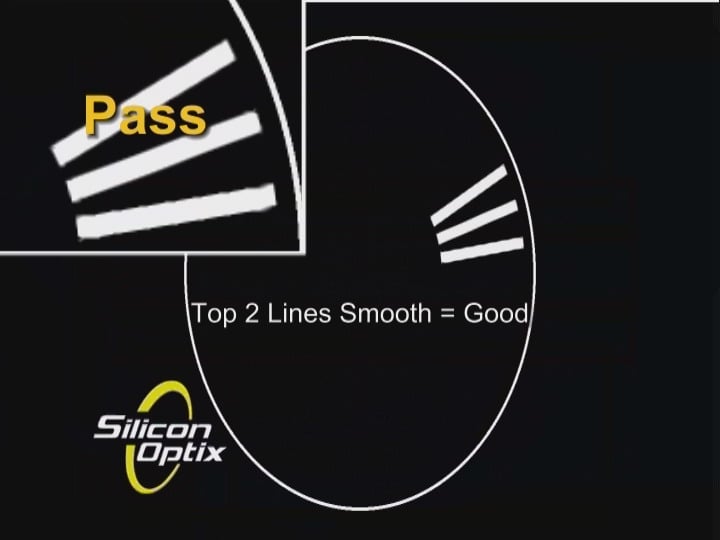
The Jaggies Test #2 measures the DVD player's directional filtering capability. This means that it can catch rapidly moving shapes that may change direction, speed or angle.
Scoring:
5 - All three bars have smooth edges all the time
3 - Top two bars have smooth edges
1 - Only very top bar has smooth edges
0 - All bars are jaggie
 Flag Test
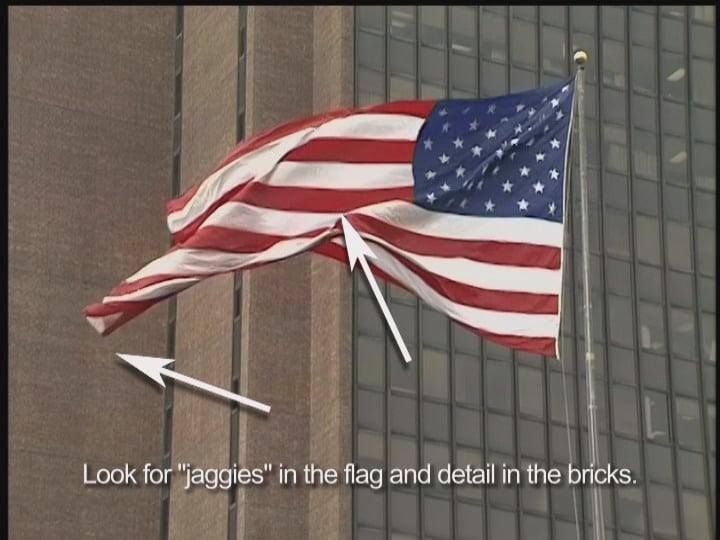
The Flag test is an indicator of how good the DVD player can process real-world complex images and not just test patterns. As the flag waves, the stripes will show any jaggies that occur from incorrect deinterlacing. The smoother the edges of the stripes are at all angles, the better the DVD player's chipset is at processing the image. The processor must also maintain image detail instead of blurring the image - especially the brick texture in the background building.
Scoring:
10 - No jaggies anywhere and fine detail is exhibited
5 - Some jaggies are seen and/or the background appears soft
0 - Jaggies are visible along edges of the red/white stripes
HQV Benchmark DVD Testing Part 2
 Detail Test

This test is very useful in showing how well a DVD player can display image detail. The image shown on the Silicon Optix test disc gives you several key elements to examine when making the pass/fail determination. The image should be highly detailed, with no obvious ringing (artificial white edges) in the stairs, grass, and statue. The bricks in the bridge should be well defined.
Scoring:
10 - Statue, stairs, grass and bricks in the bridge have fine detail - image looks realistic
5 - Fine detail is evident, but edges appear overly sharpened, possible ringing (white halo)
0 - Overall image appears soft or jaggies appear in the stairs
 Noise Reduction

This test displays the DVD player's ability to filter out noise. A sequence of motion images (some with notated insets explaining what the image should look like) appears allowing you to see the real effects of any noise reduction circuitry. The image should be clear and free of grain, and little to no speckling should be noticed in the background. In addition, the image should not be blurred. Many DVD players and video devices claim noise reduction, but do not exhibit any noticeable effects in real-world use.
Scoring:
10 - Level of noise is noticeable reduced without loss of image detail or blurring
5 - Some noise reduction or noise reduction with some image detail loss (blurring)
0 - No noise reduction or significant loss of detail when NR circuitry is engaged
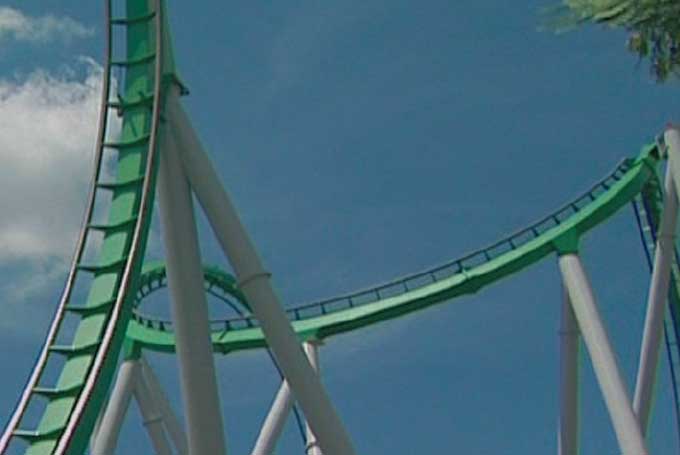
Motion is not to be confused with noise. Some processors don't know the difference, so when noise reduction is engaged, objects in motion become blurred or edges appear to ghost behind an object. If a unit fails Noise Reduction it, by definition, fails this test as well, but good noise reduction can translate into not-so-good noise reduction once the images start to move across the screen.
Scoring:10 - Sky exhibits noise reduction and image detail is sharp and crisp. No motion trails
5 - Some noise is evident int he sky and/or the image is soft. Motion trails or blurring
0 - Noise clearly present in the sky and/or motion trails clearly visible
Film Detail Test (aka "Unflagged 2-3 Pulldown test")
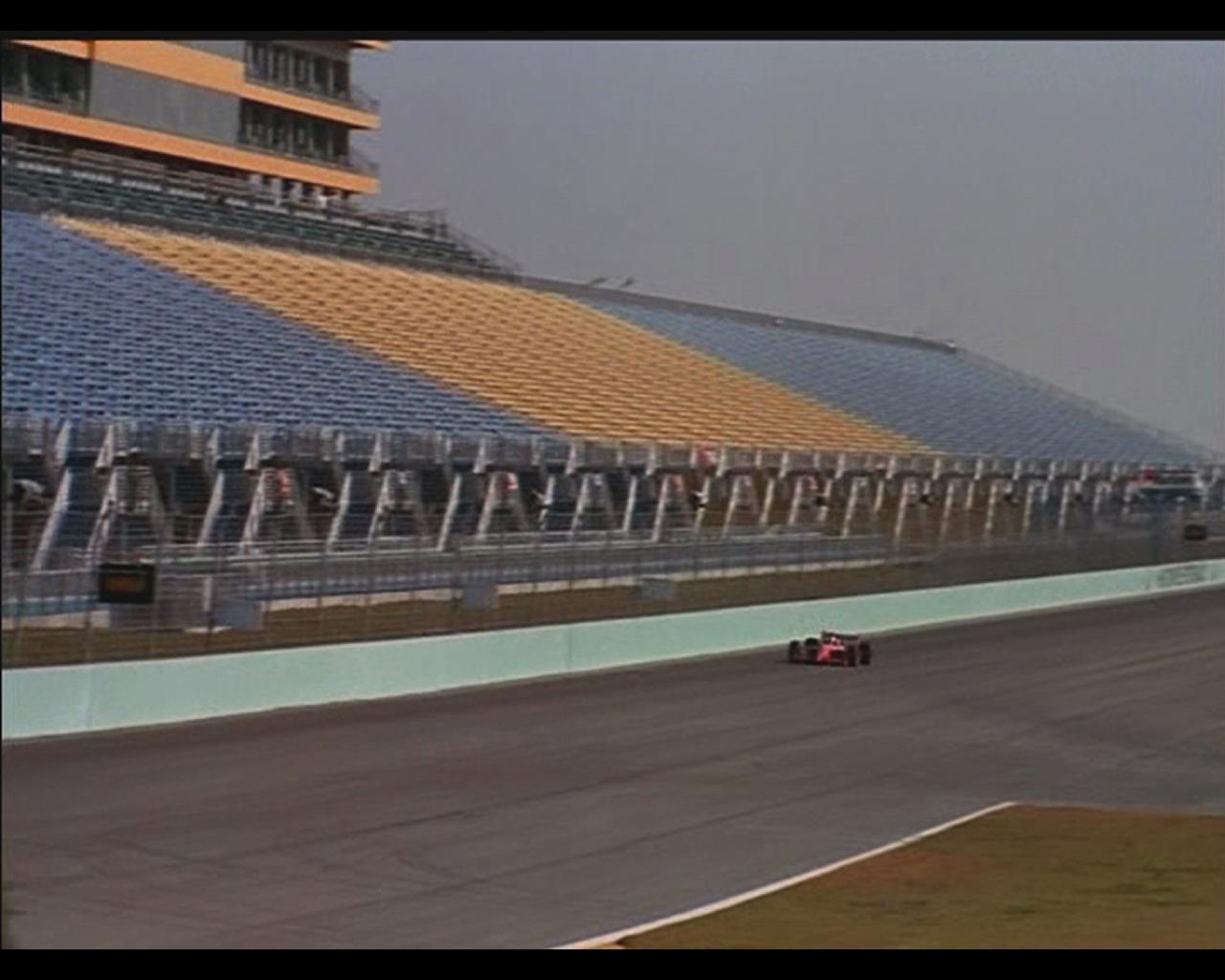
DVDs are recorded at 24 frames per second, just like the films from which they came. If a DVD player cannot correctly translate this to 30 or 60 frames per second (as needed) then the result is a significant potential for artifacting, in this case a moire pattern. Using a race track with highly-detailed and naturally highly-contrasted stands the goal is: the shorter the lock-on time, the better. The image should also remain detailed during the process.
Scoring:10 - Fast lock on (<0.2 seconds or 5 frames) and no moire pattern visible
5 - Slow lock-on (~0.5 seconds or 15 frames)
0 - Excessive lock-on time or persistent, or reoccurring moire pattern visible
 Cadence Tests
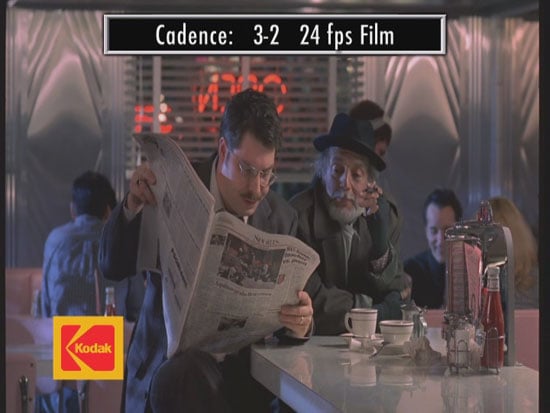
This section of the HQV Benchmark DVD checks for a player or display's ability to handle typical as well as unusual cadences. These include conversions that will frequently happen in documentaries, film transfer, Anime transfer, DV camcorders and more. Provided a device passes the 2-3 cadence, we're happy. 2-2 is welcome and anything else is a bonus. All tests are unflagged and rely solely on the processor to analyze and respond to the video material.
Scoring (each):5 - Lock on, pass
0 - Failure to lock onto the cadence

Some studios enter a world of hurt when they take film-sourced material and then overlay scrolling or crawling text on top (think end credits or even video effects like scene transitions. Now the processor attempts to hold its 2-3 lock on the background image while a 30fps image overlay is processed as well.
Scoring:
10 - Crisp text with smooth crawl and no jaggies in background images
5 - Smooth scrolling text but artifacts and jaggies in background images
0 - Tearing or combing in the crawling text
Additional Benchmark Tests & Conclusion
While the HQV Benchmark may make up a good visible portion of our tests, we also run a series of tests using patterns from AVIA Pro which are intended to check different aspects of the player ranging from the very significant (layer change delay and macroblocking) to the more obscure (rainbow dither). All together this gives us a broad spectrum of tests with which to compare various players and grade them.
 Resolution Tests
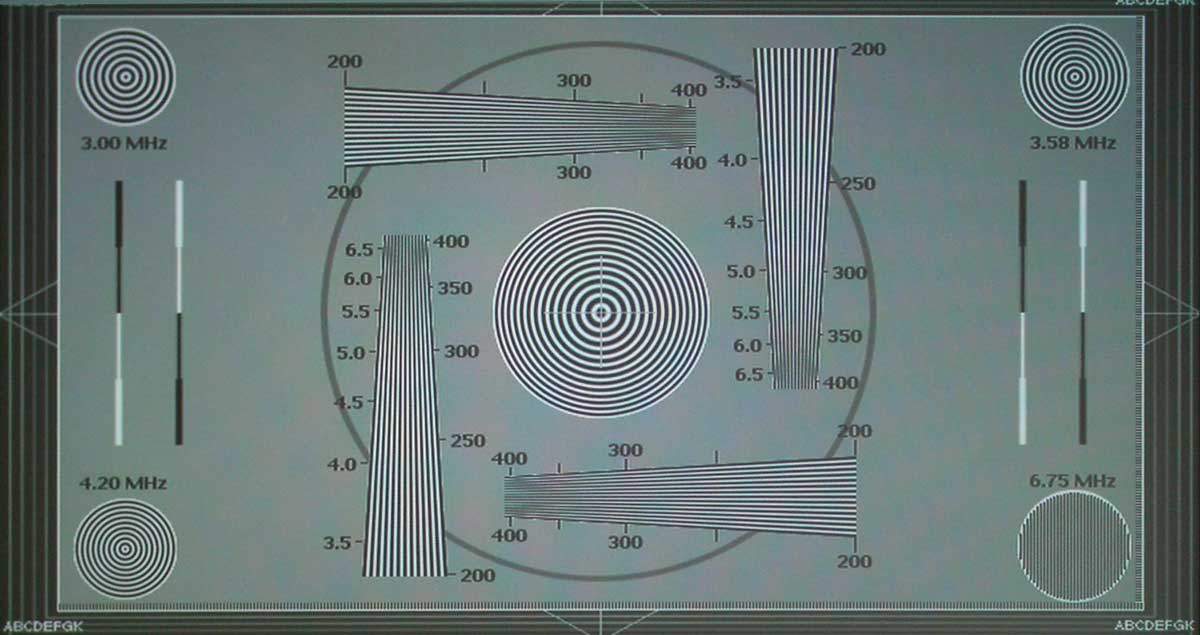
We are checking to see that the DVD player output shows full DVD resolution at 6.75Mhz. We are also checking to see how well it scales by observing single pixel spacing around the perimeter of this test pattern. This is typically a pass/fail test.
 Pixel Cropping
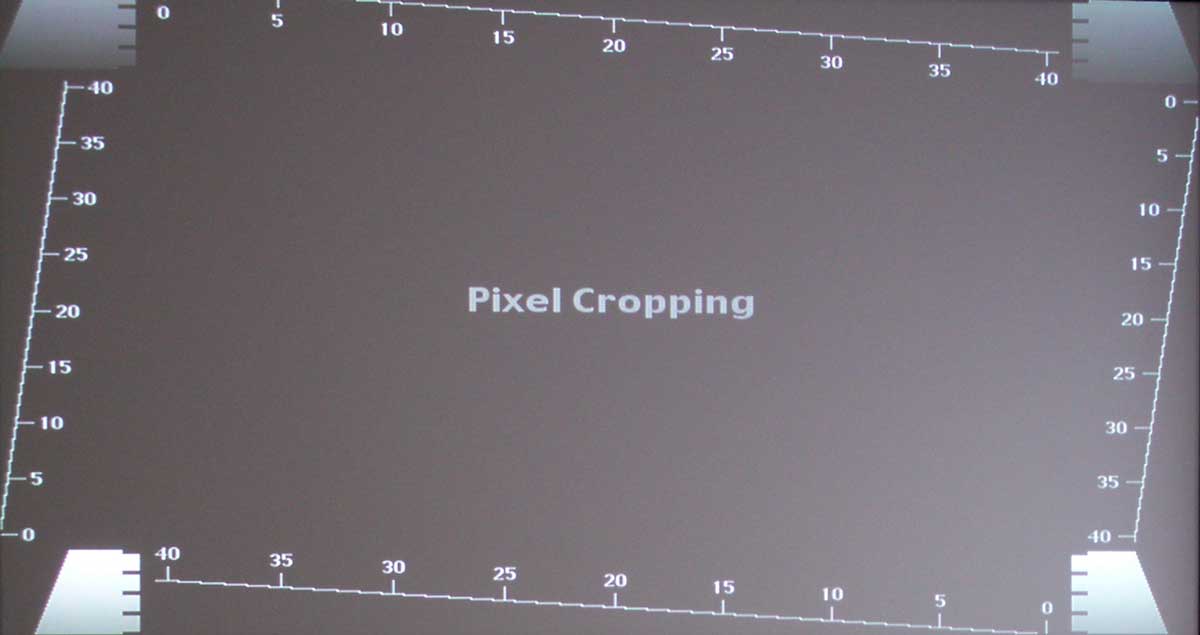
Using a pixel-accurate test pattern we can determine how many pixels are cropped, if any, from each side of the picture frame. Full credit is given for less than 4 total cropped pixels. More than 7 pixels fails.
Y/C Delay Chart
This test pattern shows if there is any delay between chroma and luma channels on the component video outputs of the player. It shows RGB information as well as Cr and Cb delay in nanoseconds. This is a pass/fail test.
 Layer Change Delay
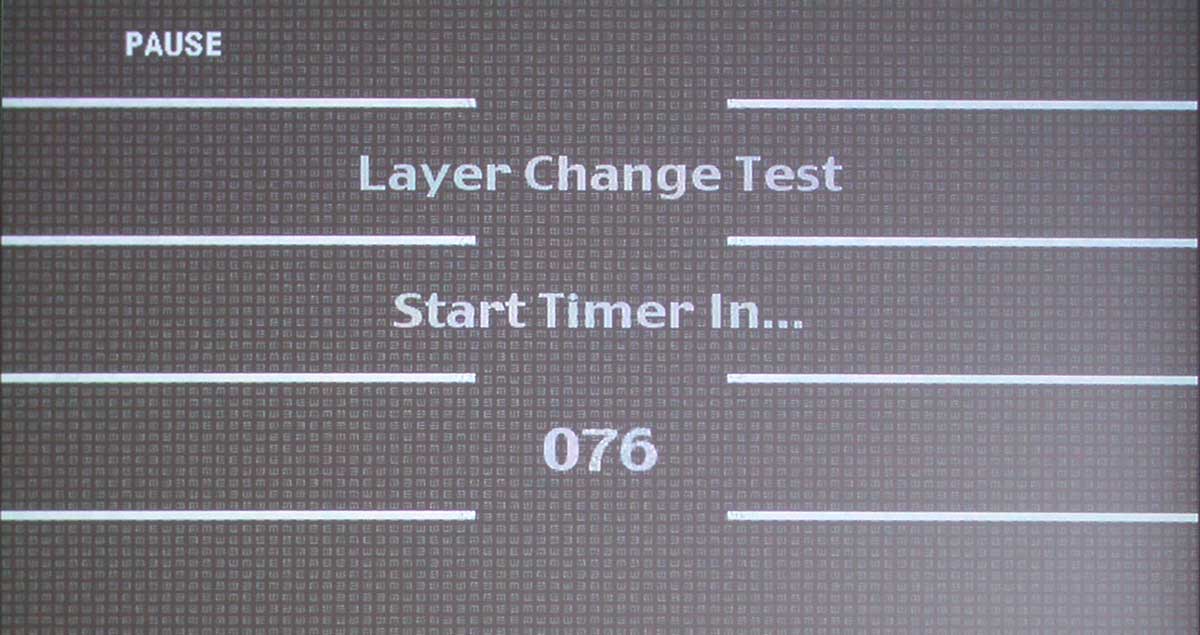
DVD players vary in the amount of time they take to complete a layer change. We test using AVIA Pro's layer change test to time the transition. Full credit is given for anything under 1 second, while anything over 2 seconds fails.
Moving Zone Plate
The Moving Zone Plate tests resolution and deinterlacing at multiple directions and velocities. It is a brutal test and we are looking for players that can handle speeds of +/-3 in all directions. Most players will do fine at a perpendicular speed of 1, but fail (show visible moire pattern) as the Zone Plate is made to move faster or in an angular/circular motion.
 Moving Zone Plate - Edits
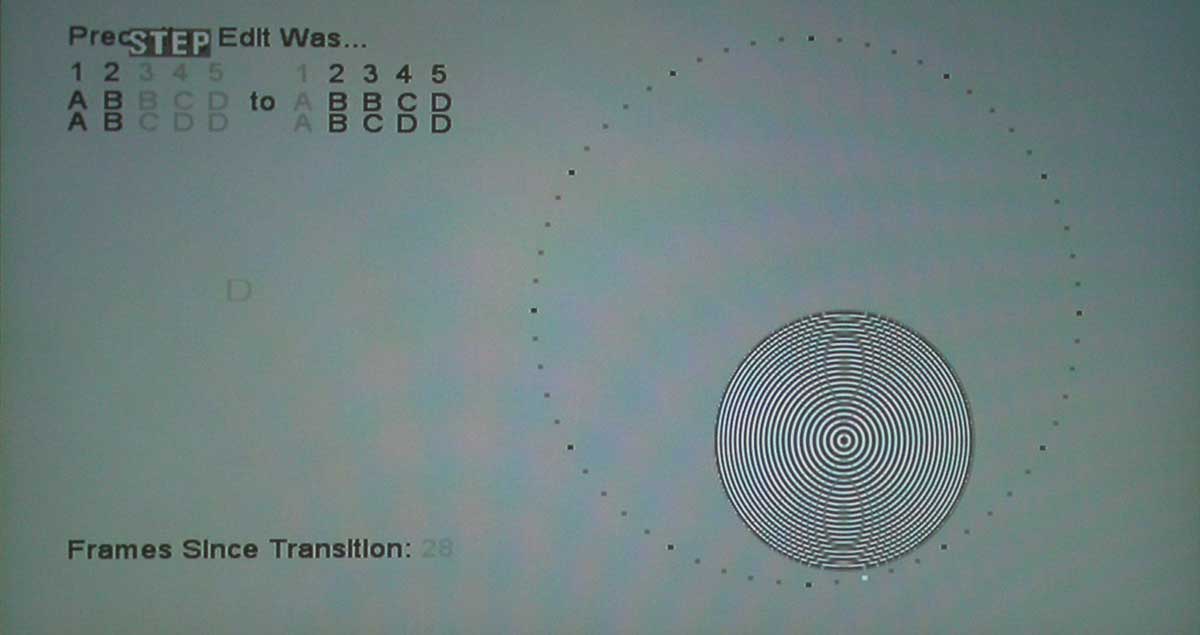
Building on the previous Zone Plate test, this adds testing of deinterlacer accuracy and recovery. This represents what players go through during scene edits that alter film cadence or vary between 2:3 and 2:2 (film and video) rates.
Rainbow Dither
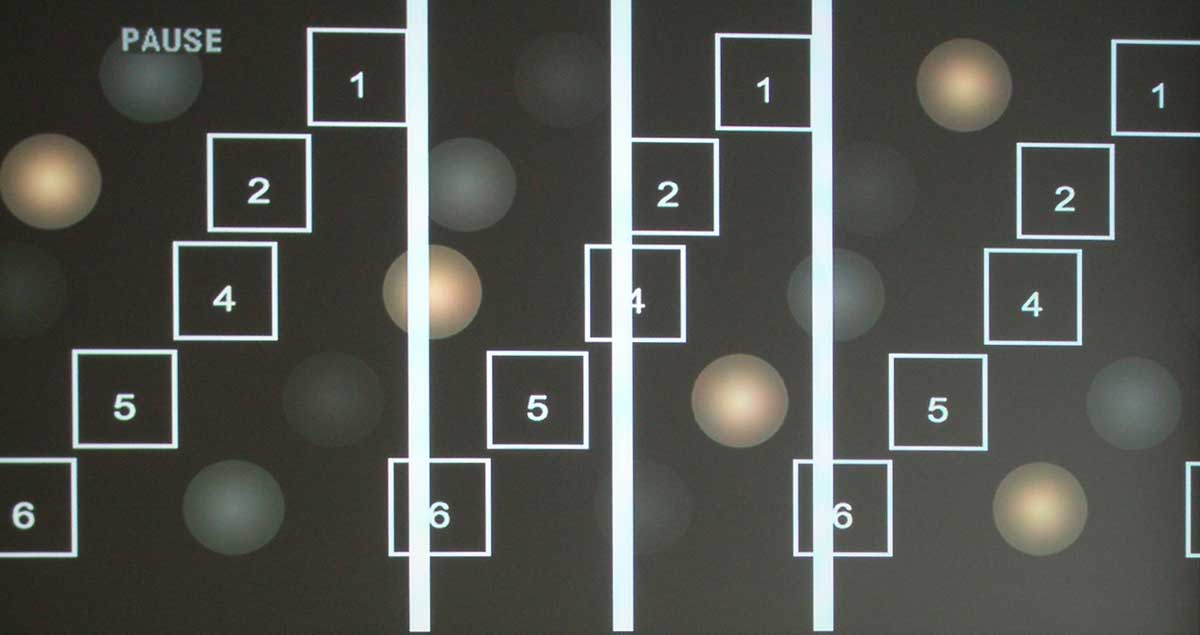
The rainbow dither sequence tests for poor temporal dithering. Temporal and spatial dithering is an effective way to increase the effective bit depth of an image, rendering still image gradients smoothly. When these same images are put in motion, however, bit depth may decrease and show visible contouring or banding. As you can imagine, this would affect real-world pictures quite a bit with regards to quick pans and high speed motion. This test pattern is also helpful for quickly evaluating rainbow effects in DLP systems - but that is not being tested or graded in these tests. This is a pass or fail test.
Passes Blacker Than Black
Mentioned earlier, we use a Needle Pulses + Log Scale + Gamma pattern to easily determine if a player can pass blacker-than-black signals (~0-15 IRE). This is very important to achieving a smooth and dynamic
Passes Whiter Than White
Using a Deep Horizontal Ramp pattern we are able to quickly determine if a player can pass whiter-than-white signals (~236-255 IRE).
Macroblocking Test
We use several movie clips and test patterns to determine the amount of macroblocking present in the player. Macroblocking is a natural, known issue with many discs whereby MPEG artifacts are present in areas of solid colors or when fading to and from white or black. Macroblocking occurs in many other instances as well, but the condition is more easily noticeable in these scenarios. This test specifically checks whether or not the player's processing is making these effects worse (failing) or less noticeable (passing). In particular, there are some known issues with specific processing chips that we look for to see how they function.
Conclusion
Is this the extent of our testing? By no means! We also do a series of subjective listening and viewing tests - consisting of material we are intimately familiar with as well as new content to keep the review lively. DVD player (as well as display) reviews are difficult, but we're glad that by adding in some objective-style tests we're able to quantify more of our overall ratings and deliver consumers the additional information that will help them in making a decisive purchase.
Clint Deboer was terminated from Audioholics for misconduct on April 4th, 2014. He no longer represents Audioholics in any fashion.
View full profile Subscribe to our newsletter